
When it comes to streaming your favourite content, the Internet Protocol (IP) address you use can significantly impact your viewing experience. Your IP address is crucial for accessing streaming services, and selecting the right one can ensure a smooth, secure, and high-quality stream.
We will explore how IP addresses affect your streaming and what factors to consider when choosing the right configuration. By understanding the technical foundations of streaming and the role of IP addresses, you’ll be able to optimize your network settings for the best viewing experience.
Whether you’re a cord-cutter or a streaming enthusiast, understanding how to choose the right IP address is essential for enjoying your favourite content without interruptions.
Key Takeaways
- Understand how IP addresses impact your streaming experience.
- Learn about different types of IP addresses used for streaming.
- Discover how to optimize your network settings for better streaming.
- Find out how to troubleshoot common streaming issues.
- Understand how to protect your privacy while streaming.
Understanding IPTV and IP Addresses
To fully grasp how IPTV works, it’s essential to understand the role of IP addresses in streaming. IPTV, or Internet Protocol Television, is a technology that delivers television content over the internet. This method allows for a more flexible and personalized viewing experience compared to traditional broadcast television.
What Is IPTV?
IPTV stands for Internet Protocol Television, a system where television services are delivered through the internet protocol suite. Unlike traditional terrestrial, satellite, or cable television formats, IPTV transmits television content using internet technology. This allows for a more interactive and on-demand viewing experience. IPTV services can include live television, video on demand (VOD), and time-shifted media.
The Role of IP Addresses in IPTV Streaming
IP addresses play a crucial role in IPTV streaming. They serve as the digital identification system that enables communication between your device and IPTV servers across the internet. Here are some key points about how IP addresses impact IPTV:
- IP addresses help route the requested media from the service provider’s servers to your screen through complex network pathways.
- Your IP address reveals your geographic location to IPTV services, affecting what channels and content you can access due to regional licensing agreements and restrictions.
- IPTV providers use IP addresses to manage user authentication, ensuring only paying subscribers can access their services.
- The quality of your connection between your IP address and the provider’s servers significantly affects streaming performance.
Understanding how IP addressing works in IPTV systems is essential for troubleshooting connection problems and optimizing your streaming experience. By knowing how IP addresses function, you can better manage your IPTV service and enjoy a smoother viewing experience.
Types of IP Addresses for IPTV Streaming
For IPTV streaming, selecting the right IP address is vital, as it affects the quality and reliability of the service. IPTV providers offer various options, but understanding the differences between them is crucial for an optimal viewing experience.
Static vs. Dynamic IP Addresses
When it comes to IP addresses for IPTV streaming, you have two primary options: static and dynamic IP addresses. A static IP address remains the same over time, providing a consistent connection to the IPTV service. This can be beneficial for IPTV streaming as it ensures that your device always connects to the same server, potentially improving the stability of your stream.
On the other hand, a dynamic IP address changes each time you connect to the internet. While this can make it more difficult for IPTV services to consistently deliver content, many modern IPTV systems are designed to adapt to dynamic IP addresses. The choice between static and dynamic IP addresses depends on your specific needs and the configuration of your IPTV service.
IPv4 vs. IPv6 for IPTV
The debate between IPv4 and IPv6 is ongoing in the world of IPTV streaming. IPv4 is the older, more widely-used internet protocol that uses 32-bit addresses. Most IPTV services still primarily support IPv4, ensuring broad compatibility with various devices and networks.
IPv6, on the other hand, is the newer standard using 128-bit addresses, offering vastly more unique address possibilities. As the internet evolves, IPv6 is becoming increasingly important for IPTV streaming due to its potential advantages, including improved multicast capabilities, better quality of service controls, and the elimination of Network Address Translation (NAT) issues.
| Feature | IPv4 | IPv6 |
|---|---|---|
| Address Length | 32-bit | 128-bit |
| Address Space | Limited | Vastly larger |
| NAT Issues | Common | Eliminated |
| Multicast Support | Available | Improved |
| IPTV Compatibility | Widely supported | Growing support |
When choosing an IPTV provider, it’s essential to check whether they support both IPv4 and IPv6 protocols and how their implementation might affect your specific network configuration and streaming devices. Some older IPTV set-top boxes and applications may not fully support IPv6, so compatibility should be verified if your home network has transitioned to the newer protocol.
How IPTV IP Addressing Works
IPTV services use a combination of specialized IP protocols to manage network resources efficiently and deliver high-quality streams. This complex system enables the delivery of live and on-demand content to viewers, ensuring a seamless streaming experience.
Multicast vs. Unicast Streaming
When it comes to IPTV streaming, there are two primary methods: multicast and unicast. Multicast streaming is used for live TV channels, where a single stream is sent to multiple viewers simultaneously. This approach is efficient, as it reduces the bandwidth required to deliver live content to a large audience. On the other hand, unicast streaming is used for on-demand content, where a dedicated stream is established between the content server and the viewer’s device.
The choice between multicast and unicast streaming depends on the type of content being delivered. For live events, multicast is the preferred method, as it allows multiple viewers to receive the same stream simultaneously. For on-demand content, unicast is used, as it enables viewers to control their viewing experience, pausing, rewinding, or fast-forwarding as needed.
IP Protocols Used in IPTV
Several IP protocols work together to enable IPTV streaming. The Internet Group Management Protocol (IGMP) plays a crucial role in live IPTV services, allowing devices to join and leave multicast groups, effectively “subscribing” to specific TV channels. For more information on IPTV services like QQTV, you can visit https://www.g-iptv.com/iptv-like-qqtv-stream-live-tv-on-your-devices/.
The Real-Time Transport Protocol (RTP) handles the actual delivery of audio and video streams, providing timing information that helps maintain synchronization and quality during playback. Additionally, Protocol Independent Multicast (PIM) manages how multicast traffic is routed through networks, ensuring efficient delivery of live channels to multiple viewers simultaneously.
Understanding these protocols can help you troubleshoot IPTV services when experiencing issues, as router configurations sometimes need adjustment to properly support these specialized communication methods.
The Impact of IP Address on Streaming Quality
The quality of your IPTV streaming service is significantly influenced by the IP address configuration. A well-configured IP address ensures smooth, high-quality video streaming, while a poorly configured one can lead to buffering, lag, and other issues.
Bandwidth Considerations
When it comes to IPTV streaming, bandwidth is a critical factor. Your internet connection’s bandwidth determines how much data can be transmitted at once. For high-definition streaming, a minimum bandwidth of 25 Mbps is recommended. However, if you’re streaming to multiple devices simultaneously, you’ll need even more bandwidth to maintain quality.
To ensure optimal streaming quality, it’s essential to assess your network capabilities and adjust your IPTV settings accordingly. This might involve upgrading your internet plan or optimizing your network configuration.
Latency and Buffering Issues
Latency and buffering are common issues that can plague IPTV streaming. Latency refers to the delay between the time data is sent and when it’s received, while buffering occurs when the stream is paused to load more data. Both can be caused by a variety of factors, including a poorly configured IP address, insufficient bandwidth, or network congestion.
- High latency can cause delays in your IPTV stream, making it difficult to enjoy live events or real-time content.
- Buffering can be frustrating, especially if it occurs frequently, and can be due to your IP address configuration or network issues.
Quality of Service (QoS) Settings
To mitigate these issues, you can configure Quality of Service (QoS) settings on your router. QoS allows you to prioritize IPTV traffic over other network activities, ensuring smoother streaming even when multiple devices are connected.
Some key benefits of QoS include:
- Prioritizing IPTV traffic to reduce buffering and maintain consistent video quality.
- Configuring your router to recognize and prioritize streaming video packets based on their destination addresses or application signatures.
- Setting up device prioritization for your IPTV streaming devices to ensure they receive bandwidth preference.

Geographical Restrictions and IPTV IP
Your IPTV viewing experience is significantly influenced by geographical restrictions linked to your IP address. These restrictions determine the content libraries and channels available to you, making your IP address a crucial factor in accessing your preferred programs.
Content Geo-blocking Explained
Content geo-blocking is a technology used by IPTV services to restrict access to certain content based on the user’s geographical location. This is typically done by identifying the user’s IP address, which serves as a digital identifier of their country or region.
Regional content catalogs vary significantly between countries. For instance, sports broadcasting rights are often restricted to specific regions, with major leagues like the NFL, Premier League, or NBA having different exclusive streaming partners in various countries. This means that the availability of sports content can differ greatly depending on your location.
| Region | Available Sports Content | Exclusive Streaming Partners |
|---|---|---|
| North America | NFL, MLB, NHL | ESPN, FOX Sports |
| Europe | Premier League, UEFA Champions League | BT Sport, Sky Sports |
| Asia | Cricket World Cup, NBA | Star Sports, Tencent Sports |
How Your IP Address Affects Content Access
Your IP address acts as a digital passport, immediately identifying your country location to IPTV services and determining which content libraries and channels you can access. Local television channels are typically only available to IP addresses within their broadcast region, reflecting traditional terrestrial TV licensing models.
Some IPTV services detect IP address changes and may restrict account access if they notice frequent location changes that suggest account sharing across borders. Understanding how your IP address impacts content access helps explain why certain channels or programs might suddenly become unavailable when traveling internationally.
Key Points to Consider:
- Your IP address determines the content available to you through IPTV services.
- Regional restrictions affect the availability of sports and local TV channels.
- Frequent IP address changes may lead to access restrictions by IPTV services.
Using VPNs with IPTV Services
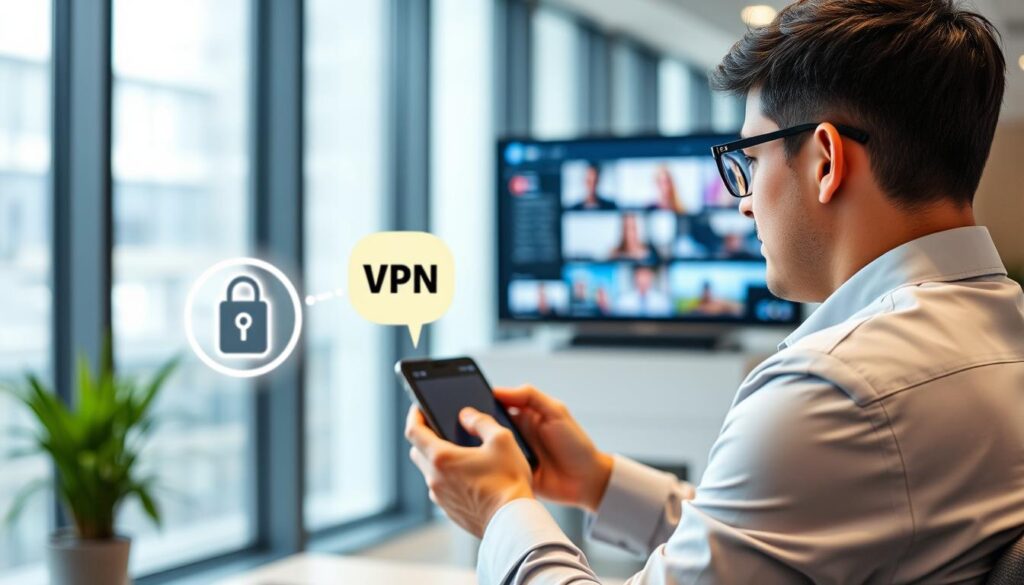
A VPN is an essential tool for IPTV streaming, offering a layer of encryption that protects your streaming activities from being monitored or throttled by your ISP. To enjoy the full benefits of IPTV with a VPN, follow these steps: Get a reliable VPN service like PIA VPN, connect to a streaming-optimized server, and then watch TV online.
Benefits of VPNs for IPTV Streaming
Using a VPN with IPTV services provides several benefits, including enhanced security, access to geo-restricted content, and potentially improved streaming quality due to reduced throttling.
The primary advantage is the encryption of your internet traffic, making it difficult for third parties to monitor your streaming activities on your device.
How to Choose a VPN for IPTV
When selecting a VPN for IPTV, consider factors such as server locations, connection speed, and the ability to bypass geo-restrictions. Opt for a VPN that has a proven track record with IPTV services and offers dedicated streaming servers.
Ensure the VPN app is compatible with your streaming devices, whether it’s a smart TV, computer, or mobile device.
Setting Up a VPN for IPTV
Setting up a VPN for IPTV is straightforward: install the VPN app on your streaming device, connect to a server in your preferred location, and then launch your IPTV service.
For devices that don’t support VPN apps directly, such as some smart TVs, you can configure the VPN on your router to protect all connected devices simultaneously.
IP Address Security Concerns for IPTV Users
The increasing use of IPTV services has raised significant concerns regarding the security of users’ IP addresses. As more people turn to IPTV for their entertainment needs, the potential risks associated with IP address exposure grow. It is essential for users to understand these risks and take necessary precautions to protect their IP addresses while streaming.
Privacy Risks of Unprotected Streaming
When using IPTV services without proper security measures, users expose themselves to various privacy risks. Your Internet Service Provider (ISP) and other third parties can monitor your streaming activities, compromising your privacy. VPN encryption keeps your connection secure, so your streaming activity stays completely private. This stops your ISP or any other third party monitoring your connection from seeing what you’re doing online, and secures all your internet traffic.
Some of the key privacy risks include:
- Using a reputable VPN service creates an encrypted tunnel for your IPTV traffic, preventing your ISP, network administrators, and potential eavesdroppers from monitoring your streaming activities.
- Regularly updating your streaming device’s operating system and IPTV application ensures you have the latest security patches that protect against known vulnerabilities.
- Creating strong, unique passwords for your IPTV services accounts and enabling two-factor authentication when available significantly reduces the risk of unauthorized access.
Protecting Your IP While Streaming
To safeguard your IP address while using IPTV services, consider the following measures:
- Using a reputable IPTV service that prioritizes user security and privacy.
- Reviewing the privacy policies of IPTV services before subscribing helps you understand what data is collected and how it might be used or shared with third parties.
- Using a secure, private DNS service can prevent DNS leaks that might reveal your browsing activities even when using a VPN for other traffic.
- Consider using dedicated devices for streaming rather than multi-purpose computers that might contain sensitive information or be more vulnerable to malware.
By taking these precautions, you can significantly enhance the security of your IP address while enjoying IPTV services. For more information on choosing the best IPTV service, you can visit https://www.g-iptv.com/how-to-choose-the-best-iptv-premium-service/.
ISP Throttling and IPTV Performance
The quality of your IPTV streaming can be compromised by ISP throttling, a practice used by some internet service providers. ISP throttling involves intentionally slowing down internet speeds, which can lead to buffering, poor video quality, and a frustrating viewing experience. Understanding how to identify and bypass ISP throttling is crucial for maintaining a high-quality IPTV streaming service.
How to Identify ISP Throttling
To determine if your ISP is throttling your IPTV streaming, you can perform a few simple tests. First, check your internet speed using an online speed test tool. Compare the results with the bandwidth requirements of your IPTV service. If your speeds are significantly lower than expected, it could indicate throttling. Additionally, monitor your IPTV streaming quality during peak hours. If you notice a consistent degradation in quality during these times, it may be due to ISP throttling.
Bypassing Bandwidth Limitations
Several strategies can help you bypass ISP throttling and maintain a high-quality IPTV streaming experience. Using a VPN can encrypt your internet traffic, making it difficult for your ISP to identify and throttle your IPTV streaming. You can also use advanced DNS servers to improve connection quality and reduce lookup times. Implementing Quality of Service (QoS) rules on your router can prioritize your IPTV streaming devices, ensuring a smoother viewing experience.
| Strategy | Description | Benefits |
|---|---|---|
| Using a VPN | Encrypts internet traffic, hiding IPTV streaming from ISPs | Prevents content-based throttling, maintains consistent speeds |
| Advanced DNS Servers | Improves connection quality and reduces lookup times | Enhances streaming quality, especially during peak hours |
| QoS Rules on Router | Prioritizes IPTV streaming devices on the network | Ensures smooth viewing experience by minimizing interference from other network traffic |
Setting Up IPTV on Different Devices
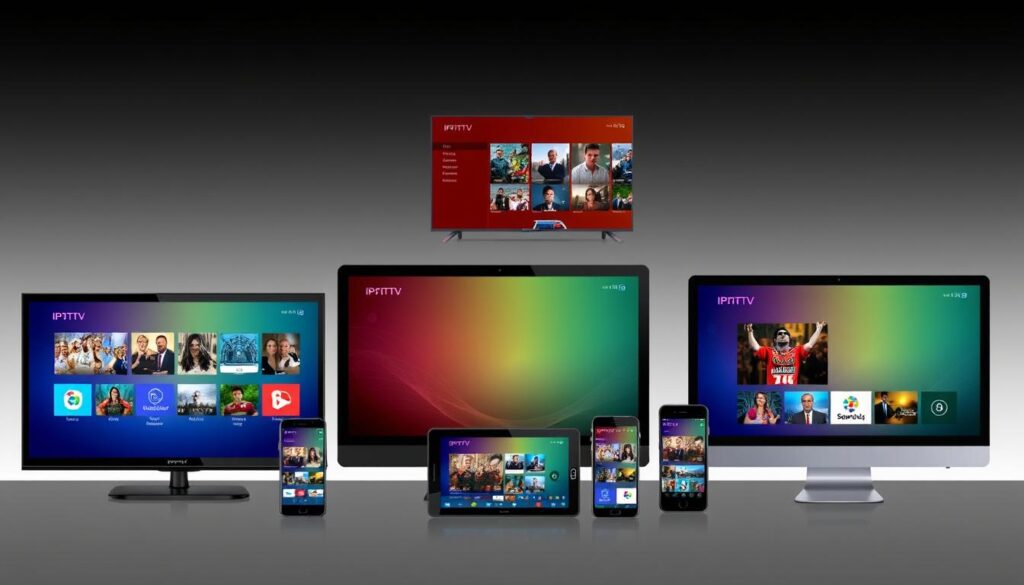
Understanding how to set up IPTV on different devices is crucial for optimal streaming. Various devices offer unique IPTV setup experiences, and configuring IPTV on your preferred device can significantly enhance your viewing experience.
Smart TVs and Streaming Devices
Many IPTV services offer dedicated apps for smart TVs and streaming devices, making it relatively straightforward to access your content. For instance, popular IPTV services have apps available on platforms like Roku, Amazon Fire TV, and Android TV. To set up IPTV on your smart TV, simply navigate to your TV’s app store, search for your IPTV service’s app, and install it. If your smart TV doesn’t have a native app for your IPTV service, consider using a streaming device that supports the app.
Mobile Devices and Tablets
For mobile devices and tablets, IPTV setup is typically done through dedicated apps available on the App Store for iOS devices or Google Play Store for Android devices. Download the IPTV service’s app, log in with your credentials, and you’re ready to stream on the go. Ensure your device meets the minimum requirements for smooth playback, particularly for HD or 4K content.
Computers and Laptops
Computers and laptops offer versatile IPTV viewing experiences, supporting both dedicated app installations and web browser access to streaming services. Many IPTV services provide native apps for Windows and, in some cases, macOS and Linux. If an app isn’t available for your computer’s operating system, you can often access IPTV services through a web browser. For optimal performance, ensure your device meets the minimum system requirements, particularly regarding processor speed, RAM, and graphics capabilities.
When streaming on laptops, it’s advisable to connect to power when possible, as video playback is battery-intensive. Adjust your power settings to prevent the device from sleeping during viewing. Computers also allow for easy connection to external displays and sound systems, creating a premium viewing experience.
IPTV IP Configuration Best Practices
Configuring your IPTV IP settings correctly can significantly enhance your viewing experience. Proper configuration ensures that your IPTV services run smoothly, providing high-quality video and minimal buffering.
Router Settings for Optimal IPTV Performance
To optimize your IPTV experience, start with your router settings. Here are some key adjustments:
- Segment your home network by creating a dedicated VLAN (Virtual Local Area Network) for your IPTV devices, isolating streaming traffic from other connected devices.
- Implement static IP assignments for your primary streaming devices to ensure consistent network performance and simplify troubleshooting when issues arise.
- Regularly update your router’s firmware to benefit from performance improvements, security patches, and enhanced compatibility with streaming protocols.
Network Configuration Tips
For a robust IPTV experience, consider these network configuration tips:
- For multi-story homes or buildings with concrete walls, consider running Ethernet cables to key viewing locations or using MoCA (Multimedia over Coax Alliance) adapters that utilize existing coaxial cable wiring.
- Configure your DNS settings to use faster public DNS servers like Google (8.8.8.8) or Cloudflare (1.1.1.1) instead of your ISP’s default servers, potentially reducing content loading times.
- If using wireless connections, select less congested Wi-Fi channels by performing a network scan to identify which channels neighboring networks are using and choosing alternatives.
By implementing these best practices, you can significantly improve your IPTV streaming quality, ensuring a more enjoyable viewing experience across your devices.
Troubleshooting IPTV IP Address Issues
Troubleshooting IPTV IP address issues is crucial for maintaining a seamless streaming experience. IPTV services rely heavily on stable and correctly configured IP addresses to deliver high-quality content to users.
Common IP-Related Streaming Problems
Several common issues can affect your IPTV streaming experience, including buffering, geo-restriction errors, DNS-related problems, and app-specific issues. These problems can stem from various sources, such as your internet connection, device configuration, or the IPTV service itself.
- Buffering Issues: Often caused by insufficient internet speed or network congestion.
- Geo-restriction Errors: Occur when your IP address is not recognized as being from an authorized region.
- DNS-related Problems: Can happen if your DNS settings are not properly configured.
- App-specific Issues: Sometimes, the IPTV app itself can malfunction due to cache issues, outdated versions, or compatibility problems.
Step-by-Step Solutions
To resolve these issues, follow these step-by-step solutions:
- For Buffering Issues: Perform a speed test to ensure your connection meets the minimum requirements for your content quality (5+ Mbps for HD, 25+ Mbps for 4K). Reduce network congestion by disconnecting unused devices and scheduling large downloads for off-peak hours.
- For Geo-restriction Errors: Connect to a VPN server in an appropriate region. Ensure you choose a VPN provider with streaming-optimized servers that regularly refresh their IP addresses.
- For DNS-related Problems: Manually configure your device to use alternative DNS servers like Google (8.8.8.8) or Cloudflare (1.1.1.1) instead of your ISP’s defaults.
- For App-specific Issues: Clear the app’s cache and data storage, force stop the application, and then restart it. If problems persist, reinstall the latest version from official sources.
- For Device Connectivity Problems: Reset your network equipment in the correct order: modem first, then router, finally streaming devices, allowing each to fully initialize before proceeding to the next.
- For Multicast Issues: Verify that IGMP is enabled on your router and that any VPN connection supports multicast traffic forwarding.
By following these troubleshooting steps, you can effectively resolve common IPTV IP address issues and enjoy a smoother, more reliable streaming experience.
Legal Considerations When Using IPTV IP Services
As IPTV continues to grow in popularity, navigating its legal aspects becomes increasingly important. With the rise of various IPTV services, consumers must be aware of the legal implications of using these platforms.
Understanding IPTV Legality
IPTV legality revolves around the licensing agreements that IPTV providers have with content creators. Legitimate IPTV services ensure they have the necessary permissions to broadcast various channels and content. Users should be cautious of services that seem too good to be true or offer premium content at suspiciously low prices, as these may lack proper authorization.
For more information on the risks associated with illegal IPTV services, visit FACT UK’s resource on the hidden dangers of illegal IPTV.
Legitimate IPTV Providers
Legitimate IPTV providers typically offer transparent pricing, professional customer support, and clear terms of service. Major streaming platforms like YouTube TV, Hulu + Live TV, and Sling TV are examples of fully licensed IPTV services operating in the United States. These services invest in dedicated content delivery networks, ensuring a more reliable streaming experience.
| Characteristics | Legitimate IPTV Providers | Unauthorized IPTV Services |
|---|---|---|
| Pricing | Transparent and reflective of licensing costs | Suspiciously low prices for premium content |
| Customer Support | Professional and responsive | Limited or unresponsive |
| Content Licensing | Proper agreements with content creators | Lack proper authorization |
When evaluating an IPTV provider, look for verified payment processing, proper business registration, and partnerships with recognized content producers. By choosing legitimate services, users can enjoy a secure and legal streaming experience.
Future of IPTV IP Technology
IPTV IP technology is on the cusp of a revolution, with emerging trends set to enhance streaming quality and accessibility. As we explore the future of IPTV, it’s clear that several key developments will shape the industry.
Emerging Trends in IPTV Streaming
The IPTV landscape is evolving with several emerging trends. IPTV services are becoming more sophisticated, leveraging advancements in IP networking to improve quality and user experience.
- The transition to IPv6 will alleviate address scarcity, enabling more direct connections and reducing latency.
- Edge computing is bringing content closer to users, dramatically improving streaming quality, especially for live events.
- The advent of 5G and future wireless technologies will facilitate high-quality mobile IPTV streaming.
Advancements in IP Networking for Streaming
Advancements in IP networking are crucial for the future of IPTV. These include the development of content-aware networking protocols that prioritize video packets based on their importance to perceived quality, making more efficient use of available networks.
| Advancement | Description | Impact |
|---|---|---|
| IPv6 Transition | Elimination of address scarcity | Improved streaming performance and reduced latency |
| Edge Computing | Content delivery closer to users | Reduced latency and improved quality |
| 5G Technology | Enhanced mobile streaming capabilities | High-quality streaming on-the-go |
As these advancements continue to unfold, they will change the way we consume IPTV content, offering more flexible and high-quality streaming services.
Comparing IPTV Providers Based on IP Infrastructure
When selecting an IPTV service, understanding the infrastructure behind the provider is crucial for a seamless viewing experience. The quality of streaming depends heavily on the provider’s IP infrastructure.
What to Look for in Provider Networks
When evaluating IPTV providers, several factors related to their IP infrastructure are worth considering. These include the type of content delivery network (CDN) used, the quality of their networks, and their ability to handle high-demand streaming.
A robust CDN ensures that content is delivered efficiently across different geographic locations, reducing latency and buffering issues. Providers that invest in high-quality networks can offer more reliable services.
Top IPTV Services with Reliable IP Infrastructure
Several IPTV providers stand out for their reliable IP infrastructure:
- YouTube TV has built a robust infrastructure leveraging Google’s extensive global network, resulting in exceptional reliability and adaptive streaming quality that works well even on fluctuating connections.
- Hulu + Live TV utilizes Disney’s sophisticated content delivery infrastructure, providing consistent performance across a wide range of devices and network conditions.
- Netflix, while primarily VOD rather than live IPTV, sets the industry standard for streaming infrastructure with its Open Connect appliance program that places dedicated servers directly within ISP networks.
- Amazon Prime Video leverages AWS’s massive cloud infrastructure to deliver consistent streaming quality with minimal buffering, even during high-demand events.
- DAZN has invested heavily in sports-specific streaming infrastructure designed to handle the unique challenges of live sports broadcasting, including synchronized viewing and low-latency delivery.
- Local telecom providers often offer IPTV services with excellent performance due to their direct control over the last-mile connection to your home, though their content libraries may be more limited.
When choosing an IPTV service, consider the provider’s IP infrastructure and how it may impact your viewing experience. By selecting a provider with a robust infrastructure, you can enjoy a more reliable and higher-quality streaming experience.
Optimizing Your Home Network for IPTV Streaming
Optimizing your home network can significantly enhance your IPTV streaming quality. A well-configured network ensures that your IPTV services run smoothly, providing high-quality video and minimal buffering. To achieve this, it’s essential to understand the key components of your home network and how they impact IPTV streaming.
Wired vs. Wireless Connections
When it comes to IPTV streaming, the choice between wired and wireless connections can significantly impact your viewing experience. Wired connections, such as Ethernet, offer more stable and faster data transfer rates compared to wireless connections. This stability is crucial for high-bandwidth activities like 4K streaming.
Wireless connections, on the other hand, offer convenience and flexibility. However, they can be more prone to interference and signal degradation. For optimal IPTV performance, using a wired connection for your streaming devices is recommended whenever possible.
Network Equipment Recommendations
Investing in the right network equipment is vital for a seamless IPTV experience. Here are some recommendations:
- Invest in a quality router with advanced QoS capabilities that can prioritize streaming traffic. Models from ASUS, Netgear, or TP-Link’s higher-end lines offer excellent IPTV performance.
- For larger homes, consider mesh networking systems like Google Nest WiFi, Amazon eero, or Netgear Orbi that provide seamless coverage throughout your space.
- A DOCSIS 3.1 cable modem or fiber ONT (Optical Network Terminal) ensures your internet connection can deliver the full bandwidth you’re paying for to your IPTV services.
- Managed network switches with IGMP snooping support improve multicast streaming performance in more complex home networks with multiple wired devices.
- For homes with existing coaxial cabling, MoCA 2.5 adapters can provide near-Ethernet performance (up to 2.5 Gbps) without running new cables, ideal for connecting smart TVs and streaming boxes.
- Consider a dedicated streaming device like NVIDIA Shield TV Pro, Apple TV 4K, or Amazon Fire TV Cube that offers powerful processing capabilities for smooth IPTV playback, even with demanding 4K HDR content.
For more detailed information on optimizing your network, you can refer to the Broadband Forum’s technical reports on IPTV and network configurations.
Conclusion
As we wrap up our exploration of IPTV IP configurations, it’s clear that the future of television lies in internet-based streaming. The growing popularity of IPTV represents a fundamental shift in how users consume television content, with IP-based delivery offering unprecedented flexibility and personalization compared to traditional broadcasting methods.
Selecting the right IP configuration for your IPTV setup involves balancing multiple factors, including connection type, network equipment, security considerations, and content accessibility requirements. By understanding how your IP address impacts streaming quality and content availability, you can make informed decisions about your IPTV service subscriptions and networking setup.
As streaming technology continues to evolve, staying informed about advancements in networking protocols, content delivery methods, and security practices will help you maintain an optimal viewing experience. Whether you’re a casual viewer or dedicated enthusiast, implementing best practices will help you achieve reliable, high-quality IPTV streaming while protecting your privacy and expanding your content options.
For more detailed information on setting up and using your IPTV portal effectively, you can visit https://www.g-iptv.com/how-to-set-up-and-use-your-iptv-portal/. This resource provides comprehensive guidance on optimizing your IPTV experience.
By taking control of your IPTV IP configuration, you’re not just optimizing your current viewing experience—you’re preparing for a future where internet protocol television becomes the dominant way we all consume visual media. The future of television is undeniably IP-based, with traditional cable and satellite services increasingly giving way to more flexible, user-centric streaming services.

