
Streaming services have revolutionized the way we consume media, and NET IPTV is one of the versatile options available. Since 2017, it has been a reliable choice for cord-cutters seeking flexible viewing options across multiple devices.
This application functions as a player that reads and organizes content from M3U and Xtream playlists, allowing users to access digital content, live TV broadcasts, movies, and series. Unlike traditional cable or satellite services, NET IPTV operates through internet protocols to deliver media content directly to compatible devices.
Understanding what NET IPTV is and how it works is crucial, as it acts solely as a player and does not provide or host any content itself. This guide will help you determine if this service aligns with your streaming requirements.
Key Takeaways
- NET IPTV is a versatile streaming solution for accessing digital content across multiple devices.
- The application reads and organizes content from M3U and Xtream playlists.
- It operates through internet protocols, differing from traditional cable or satellite services.
- NET IPTV is compatible with various Smart TV platforms, including Samsung Tizen and LG webOS.
- The service does not provide or host content; it acts solely as a player.
Device Compatibility and System Requirements
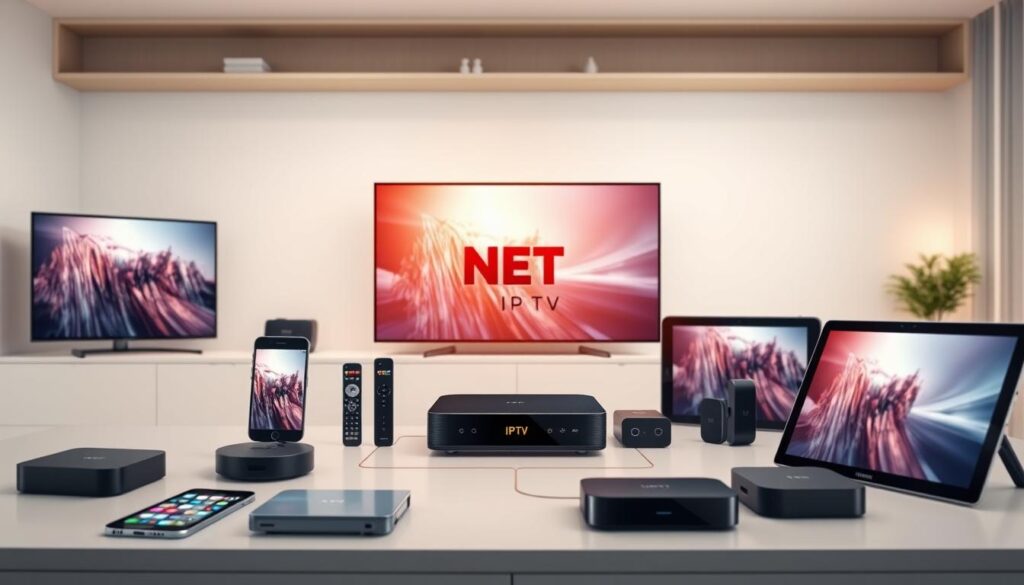
The compatibility of NET IPTV with different devices and operating systems is essential for a seamless user experience. Ensuring that your device meets the necessary requirements is the first step towards enjoying the benefits of NET IPTV.
Smart TV Compatibility
NET IPTV is designed to be compatible with a wide range of smart TVs, providing users with a convenient viewing experience. To check if your smart TV is compatible, you can refer to the list of supported devices on the official NET IPTV website.
Mobile and Streaming Device Support
In addition to smart TVs, NET IPTV also supports various mobile and streaming devices. This includes smartphones and tablets running on iOS and Android, as well as popular streaming devices. For instance, you can learn how to set up IPTV on for a broader viewing experience.
Operating System Requirements
NET IPTV has specific operating system requirements to ensure optimal performance and security. The app requires iOS 15.6 or later, iPadOS 15.6 or later, macOS 12.5 or later (on Macs with Apple M1 chip or later), visionOS 1.0 or later, and tvOS 13.0 or later. Regular app updates may change these requirements, so it’s crucial to check compatibility before installation.
- NET IPTV maintains specific operating system requirements that ensure optimal performance and security across all supported platforms.
- Regular app updates may occasionally change minimum OS requirements, so checking compatibility before installation prevents potential issues.
- The application leverages device-specific capabilities while maintaining a consistent core experience across different operating systems.
- For users with older devices, browser-based alternatives may provide similar functionality when direct app installation isn’t possible.
- Understanding these requirements helps users determine if their current devices support NET IPTV or if hardware upgrades might be necessary.
By ensuring your device meets these requirements, you can enjoy a seamless and secure viewing experience with NET IPTV. Whether you’re using a smart TV, mobile device, or streaming device, NET IPTV is designed to provide a high-quality streaming service.
Setting Up NET IPTV: Step-by-Step Guide
Configuring NET IPTV is a straightforward process that requires some basic steps. To get started, you’ll need to download and install the app, find your device’s MAC address, and add your M3U or Xtream playlist.
Downloading and Installing the App
The first step in setting up NET IPTV is to download and install the application on your device. You can find the app on the official NET IPTV website or through your device’s app store. Once downloaded, follow the installation instructions to complete the process.
Finding Your MAC Address
Before adding your content, you’ll need to locate your device’s MAC address. This unique identifier is required to authenticate your device with the NET IPTV service. To find your MAC address, go to your device’s network settings and look for the “MAC address” or “Physical address” field. Make a note of this address as you’ll need it for the next steps.
Adding Your M3U or Xtream Playlist
To add your content to NET IPTV, you’ll need to visit the developer’s website and enter your MAC address along with your M3U or Xtream playlist URL. The process involves several key steps:
- Go to the NET IPTV upload website at https://netiptv.eu/Upload.
- In the ‘DELETE ALL M3U URL’ field, enter your MAC address and click the ‘Delete All’ button.
- Next, in the ‘UPLOAD M3U URL’ field, enter your MAC address again and click the ‘Add List’ button.
- Then, enter your playlist URL into the ‘URL 1’ field and click the ‘Add List’ button.
For optimal channel organization, it’s recommended to use an M3U Plus URL, as it preserves category groupings and metadata. After completing these steps, return to your device, restart the NET IPTV application, and your content should be loaded and ready to use.
“Using an M3U Plus URL format is crucial for maintaining the organization of your channel list, ensuring a better viewing experience.”
By following these steps, you can easily manage your playlists and enjoy your favorite channels through NET IPTV. The web-based management approach allows for easier updates and modifications without navigating complex menus on your viewing device.
Key Features of NET IPTV
Discover the key features that make NET IPTV a popular choice among streaming enthusiasts. NET IPTV is designed to provide a comprehensive and enjoyable viewing experience, catering to various content preferences.
Content Organization and Navigation
NET IPTV excels in content organization, making it easy for users to find and access their favorite channels and programs. The app’s intuitive interface allows for seamless navigation through different categories and IPTV services, ensuring that users can quickly locate the content they want to watch.

Playback and Viewing Options
The playback functionality in NET IPTV is designed to be smooth and flexible. Users can enjoy their content in various ways, including the ability to adjust video quality according to their internet connection. This flexibility ensures a buffering-free viewing experience, even on less stable networks.
Favourites and Resume Watching
One of the standout features of NET IPTV is its ability to allow users to add content to a favorites list. This feature is particularly useful for quickly accessing frequently watched series or channels. Moreover, the app’s resume watching functionality ensures that users can pick up where they left off, without having to manually find the last watched episode or show.
- The favorites system enables personalized content lists across various media types, streamlining access to frequently watched programs.
- The resume functionality automatically tracks viewing progress, eliminating the need to remember timestamps.
- For series viewers, the application offers convenient episode progression, suggesting the next episode upon conclusion of the current one.
- These features collectively create a personalized viewing guide that adapts to individual watching habits.
- The intuitive placement of the button controls ensures that these functions remain accessible without cluttering the viewing interface.
As emphasized by industry experts, “A well-organized IPTV service like NET IPTV can significantly enhance the viewer’s experience by providing easy access to a wide range of content.” This quote highlights the importance of features like content organization and resume watching in making NET IPTV a preferred choice.
NET IPTV Pricing and Subscription Options
Understanding the pricing and subscription options for NET IPTV is crucial for users looking to maximize their streaming experience. The service has recently transitioned to a subscription-based model, introducing both new features and challenges for its users.
Free vs. Paid Features
NET IPTV’s shift to a subscription model means that users now have to choose between free and paid features. The free version may have limited content and features, while the paid subscription offers a more comprehensive streaming experience, including access to a broader range of channels and enhanced functionality.
Key differences between free and paid features:
- Access to additional channels and content
- Improved playback quality and stability
- Enhanced navigation and user interface
Recent Pricing Changes
The transition to a subscription model was implemented through recent app updates, catching many longtime users by surprise. User feedback suggests that the developers could have provided clearer communication about these significant changes to the business model.
Recent update notes mention “Fixed payment issues – Improved overall performance and stability,” indicating the developers’ efforts to refine the subscription system. Current subscription pricing positions NET IPTV as a mid-range option among similar IPTV player applications.
| Subscription Plan | Price | Features |
|---|---|---|
| Monthly | $9.99 | Access to standard channels, basic playback quality |
| Annual | $99.99 | Access to premium channels, enhanced playback quality, priority support |
For users with extensive channel collections or multiple viewing devices, evaluating the subscription cost against the enhanced functionality remains an important consideration. You can explore more about NET IPTV’s subscription options and pricing on IPTV Hat.
To make an informed decision, users should consider their viewing habits and compare the features offered by different IPTV providers. For guidance on choosing the best IPTV provider, visit G-IPTV.
Legal Considerations and Content Sources
As you explore NET IPTV, it’s essential to consider the legal implications of your content choices. NET IPTV or its developers do not provide or host any digital content; all media must be provided by the user. This crucial distinction emphasizes the importance of understanding the legal landscape surrounding your content sources.
Understanding NET IPTV’s Content Disclaimer
NET IPTV Player is compatible with all M3U and Xtream playlists, but it’s critical to note that the service does not endorse or support the streaming of copyrighted material without permission from the rights holder. This means that users are responsible for ensuring that their content sources are legitimate and legally compliant.
Finding Legal Content Sources
Numerous legitimate content sources provide M3U playlist links that are fully compatible with NET IPTV while maintaining copyright compliance. Some free and legal options include:
- Publicly available streams from news organizations and government channels.
- Content creators who explicitly permit redistribution.
- Creating personal playlists from your own media collection, representing a fully legal approach to populating your channel list.
- Many paid streaming services offer exportable M3U playlists as part of their subscription packages, providing authorized access to premium content.
Researching content sources through reputable forums and browser resources helps identify legitimate providers while avoiding potentially problematic links. For more information on legal IPTV providers, you can visit this resource or check out reviews like those found on LinkedIn.
Conclusion
NET IPTV’s longevity and continuous development make it a noteworthy option for those seeking a consistent and reliable streaming experience across different devices. Since 2017, the app has been a staple in the IPTV landscape, offering a robust feature set that includes detailed movie and series browsing, cast information, trailers, favorites management, and more.
Key Benefits
- Access diverse streaming content across multiple device ecosystems, from smart TVs to firestick Android setups.
- Enjoy a comprehensive feature set that includes multiple playlist management, picture-in-picture support, and background streaming.
- Benefit from a clear separation between the app’s functionality and content sourcing, placing responsibility on users while providing powerful playback tools.
For those seeking a versatile player that works across their entire device ecosystem, NET IPTV offers a consistent experience regardless of where you access your content. Whether you’re new to IPTV solutions or considering switching from another application, NET IPTV’s balance of features, device support, and merits consideration.
Common questions about compatibility, setup procedures, and legal considerations have been addressed throughout this guide to provide a complete understanding. For further troubleshooting tips, you can visit this resource on common NET IPTV problems and their fixes.
In summary, NET IPTV represents a powerful solution for accessing diverse streaming content across various devices, making it a compelling choice for cord-cutters and streaming enthusiasts alike.

