
Discover the best IPTV streaming experience on your Android device with our comprehensive guide. IPTV players have revolutionized the way we consume media, offering a seamless integration of live TV, movies, and on-demand content.
You can now enjoy your favorite programs on the go, using apps like GSE Smart IPTV and TiviMate, which offer user-friendly interfaces and robust features. Our guide will walk you through the top IPTV player options, comparing their features, user interfaces, and compatibility with different content sources.
Key Takeaways
- Top IPTV player options for Android devices
- Key features to look for when choosing an IPTV player
- Comparison of free and premium IPTV player apps
- Practical tips for setting up and troubleshooting IPTV players
- Legal considerations for using IPTV services
Understanding IPTV Players for Android
To fully appreciate IPTV players for Android, it’s essential to understand the technology behind IPTV. IPTV, or Internet Protocol Television, is a system where television services are delivered through the internet, rather than through traditional satellite or cable formats.
What is IPTV and How Does It Work?
IPTV uses internet protocols to transmit video content, allowing for more flexible viewing options and on-demand access to content. This technology enables features such as time-shifting, video on demand, and interactive user interfaces that are not possible with traditional television.
IPTV players are specialized applications that serve as the interface between users and IPTV services, decoding the streaming data and displaying it on your Android device. They work by processing M3U playlists or direct stream URLs that contain information about available channels and content sources.
- IPTV delivers television content over Internet Protocol networks, revolutionizing media consumption.
- Unlike conventional TV broadcasting, IPTV uses internet protocols for more flexible viewing.
- Android devices are well-suited for IPTV due to their open nature and powerful hardware.
Understanding the basic principles of IPTV helps users troubleshoot common issues and get the most out of their chosen player application. As we explore IPTV players for Android, it’s crucial to consider the features that make them effective and user-friendly.
Key Features to Look for in an IPTV Player for Android
With numerous IPTV players available for Android, identifying the key features that matter most can help you make an informed decision. When choosing an IPTV player, several factors can significantly impact your streaming experience.
User Interface and Experience
A user-friendly interface is crucial for any IPTV player, as it determines how easily you can navigate through channels, access settings, and customize your viewing experience. Look for players with intuitive designs that make it simple to find and watch your favorite content.
Playlist and EPG Support
Comprehensive Electronic Program Guide (EPG) support is essential for a seamless streaming experience. EPG provides program schedules and information about what’s currently playing and upcoming shows. The best IPTV players allow you to organize multiple playlists, categorize channels, and create favorites for quick access.
Video Format Compatibility
Video format compatibility is a key technical consideration; top players support various codecs including H.264, H.265/HEVC, and VP9 to ensure smooth playback of different stream types. This compatibility is crucial for a smooth streaming experience.
Additional Features and Customization Options
Additional features that enhance the viewing experience include timeshift functionality (pause/rewind live TV), recording capabilities, and multi-screen support. Customization options such as theme selection, font size adjustment, and channel sorting preferences allow you to tailor the player to your specific needs and preferences.
- Consider whether the player supports external devices like remote controls, which can significantly improve usability, especially when using Android TV boxes or tablets.
- Performance factors such as buffering management, low-resource usage, and stability during extended viewing sessions are critical for a satisfying streaming experience.
By focusing on these key features, you can find an IPTV player that meets your needs and enhances your streaming experience on Android devices.
IPTV Extreme: Comprehensive Streaming Solution
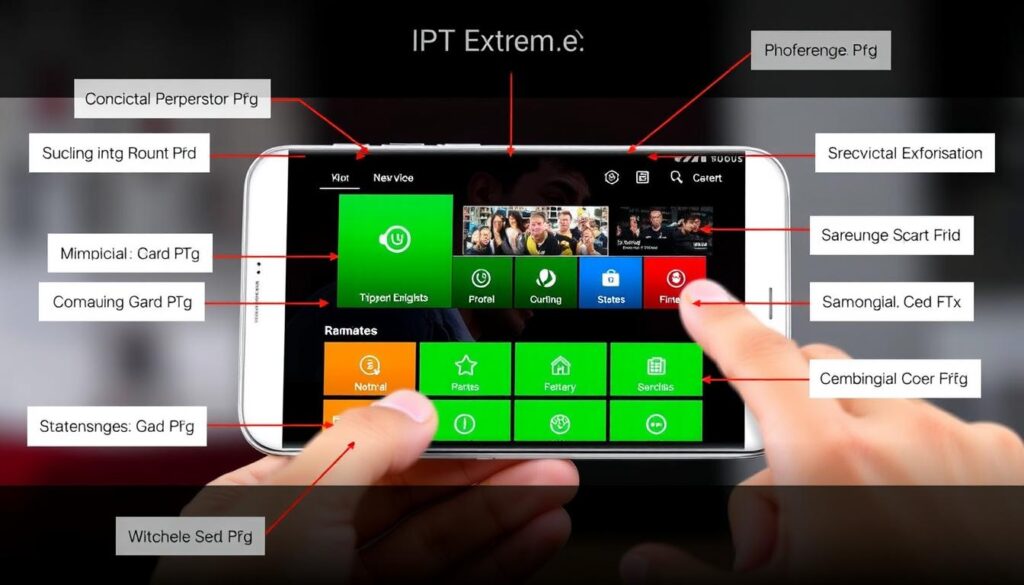
IPTV Extreme offers Android users a feature-rich IPTV experience, complete with live TV streaming and recording capabilities. This multimedia application, developed by Paolo Turatti, is designed to provide a comprehensive streaming solution.
Overview
IPTV Extreme is a highly-rated Android app with a 4.4-star rating, indicating its reliability and user satisfaction. It functions as a robust IPTV player, allowing users to stream live TV channels from their IPTV provider.
Key Features
The app boasts several key features, including live TV streaming, VOD (Video on Demand) support, and EPG (Electronic Program Guide) integration. Its recording functionality allows users to save live broadcasts for later viewing, a feature not commonly found in free IPTV players.
Key Features Include:
– Live TV streaming
– VOD support
– EPG integration
– Recording capabilities
– Parental control options
– Support for multiple playlist formats (M3U, XSPF, WPL)
Pros and Cons
While IPTV Extreme offers a robust set of features, it’s essential to consider its pros and cons. The app’s strengths include its comprehensive feature set, user-friendly interface, and parental control options. However, the presence of ads in the free version might be a drawback for some users.
User Experience
The user experience is enhanced by the app’s straightforward interface, which prioritizes usability. With features like recording and parental controls, IPTV Extreme is suitable for both individual users and families.
TiviMate IPTV Player: Premium Viewing Experience
For those seeking a premium IPTV experience on Android devices, TiviMate IPTV Player stands out as a top contender. With a rating of 3.8 and a free download option, it’s an attractive choice for users looking for a high-quality IPTV solution.
Overview
TiviMate IPTV Player is designed to provide a seamless viewing experience for live TV channels on various Android devices, including phones, tablets, and set-top boxes. Its compatibility with a range of devices makes it a versatile option for users.
Key Features
The application boasts several key features that enhance the user experience. These include:
- A user-friendly interface that is particularly suited for Android TV boxes, offering remote-friendly navigation.
- An advanced electronic program guide (EPG) that provides detailed information about current and upcoming programs.
- Support for multi-screen view, catch-up TV, and recording functionality in its premium version.
To learn more about setting up IPTV on Android devices, you can visit this guide.
Pros and Cons
While TiviMate IPTV Player offers a robust set of features, it’s essential to consider both its advantages and limitations. The premium version requires a subscription, but the added features may justify the cost for many users.
User Experience
Users praise TiviMate IPTV Player for its smooth channel switching, minimal buffering, and customizable interface. The application’s ability to be tailored to personal preferences enhances the overall viewing experience.
GSE Smart IPTV: Versatile Streaming Solution
GSE Smart IPTV is a standout application that provides Android users with a flexible and advanced IPTV streaming solution. This versatile IPTV player supports multiple protocols, including M3U, XSPF, and direct URL streams, making it adaptable to various viewing scenarios.
Overview
GSE Smart IPTV is designed to offer a seamless viewing experience, with a dual-mode interface that works well on both touchscreen devices and remote-controlled setups like Android TV boxes.
Key Features
The application includes several key features that enhance its functionality:
– Support for multiple protocols (M3U, XSPF, direct URL streams)
– Dual-mode interface for touchscreen and remote-controlled devices
– Built-in web browser for accessing web-based IPTV services
– Advanced features like catch-up TV, video-on-demand, and electronic program guide integration
Pros and Cons
While GSE Smart IPTV offers a free version with substantial functionality, its PRO version removes advertisements and adds features for power users. The application’s consistent updates ensure compatibility with evolving IPTV standards and Android OS versions.
User Experience
Users appreciate GSE Smart IPTV’s ability to handle both free and premium IPTV services efficiently, making it suitable for various content sources. The app’s versatility and advanced features make it a top choice for Android users seeking a comprehensive streaming solution.
Smart IPTV Xtream Player: User-Friendly Interface
For Android users seeking a seamless IPTV experience, the Smart IPTV Xtream Player stands out as a top choice. This free-to-download application offers a comprehensive streaming solution with a rating of 3.9.
Overview
The Smart IPTV Xtream Player is designed to provide an exceptionally user-friendly interface, making it accessible to both new and experienced IPTV users. It is optimized for Xtream Codes API, ensuring broad compatibility with many IPTV service providers.
Key Features
The application offers several key features, including comprehensive content organization, a modern and visually appealing design, and customizable themes. It also includes multi-screen support and efficient resource management.
Pros and Cons
Users appreciate the application’s stability and user-friendly interface. However, some features may have reduced functionality when using standard M3U playlists compared to Xtream Codes services.
User Experience
The Smart IPTV Xtream Player provides a personalized viewing experience with its customizable layout options and intuitive content discovery. Users can enjoy their favorite channels, movies, and series with ease.
SS IPTV: Seamless Cross-Platform Streaming
For those seeking a seamless IPTV experience on Android, SS IPTV is a top contender. This free video player is designed for effortless streaming across local networks and the internet, making it a versatile option for various content sources.
Overview
SS IPTV is a free IPTV player that offers exceptional cross-platform compatibility, allowing users to enjoy a consistent experience across Android devices, smart TVs, and other platforms. With a 4.5 rating, it’s clear that users appreciate its performance and features.
Key Features
The application boasts several key features, including:
- Intuitive channel navigation with customizable categories and favorites.
- Support for high-definition and 4K content streaming with adaptive quality settings.
- Comprehensive integration with numerous IPTV operators, requiring minimal setup.
- Stable and reliable performance with minimal buffering.
Pros and Cons
While SS IPTV is free and offers a professional quality experience, it’s essential to weigh its pros and cons. The app’s stability, cross-platform compatibility, and user-friendly interface are significant advantages. However, as with any free service, there might be limitations in terms of features or content availability.
User Experience
Users particularly appreciate SS IPTV’s stability and reliable performance, with minimal buffering even during peak usage times. The application’s intuitive navigation and customizable categories make finding content quick and efficient, enhancing the overall user experience.
IPTV Player Expert – Smart 4K: High-Definition Streaming

With its advanced features and high-definition streaming capabilities, IPTV Player Expert – Smart 4K stands out in the world of IPTV players. This free app for Android, developed by Julien Vermet, promises to deliver the best viewing experience for IPTV content.
Overview
IPTV Player Expert – Smart 4K is designed to provide high-quality video playback, leveraging the latest streaming technologies. The developers claim to be IPTV experts, constantly working to improve the app.
Key Features
The app specializes in delivering high-definition content with optimized support for 4K streaming. It features advanced video rendering technology, comprehensive codec support, and specialized buffering algorithms to minimize interruptions.
Pros and Cons
Users appreciate the app’s dedicated development team and regular updates. While it excels at high-definition playback, it also includes adaptive streaming options. However, some users may find the interface overwhelming at first.
User Experience
The interface is designed for both touchscreen navigation and remote control operation, making it suitable for mobile devices and Android TV boxes. Overall, IPTV Player Expert – Smart 4K offers a premium viewing experience for IPTV enthusiasts.
OTT Navigator IPTV: Feature-Rich Platform
OTT Navigator IPTV is recognized for its extensive customization options and advanced functionality, making it a standout IPTV player for Android devices. With support for multiple IPTV protocols, including Xtream Codes, Stalker Portal, and standard M3U playlists, it offers exceptional flexibility.
Overview
OTT Navigator IPTV serves as a comprehensive entertainment client, providing a platform to watch IPTV content without presenting the video itself. It boasts a 4.3 rating, indicating high user satisfaction.
Key Features
The application includes a comprehensive electronic program guide with detailed information, search functionality, and category filtering. It also offers timeshift capabilities, DVR functionality, and multi-screen viewing options, enhancing the streaming experience.
Pros and Cons
While the free version is remarkably full-featured, the premium version unlocks additional features and removes advertisements. Users appreciate the highly customizable interface and unique features like channel grouping.
User Experience
Users can tailor the interface to their preferences with numerous themes and layout options, making choosing the best IPTV providers easier.
IPTV SMART PLAYER: Streamlined Channel Management

IPTV SMART PLAYER is revolutionizing the way users manage their IPTV channels and VOD playlists. This free video player offers a streamlined and efficient way to organize and access IPTV live channels and VOD content.
Overview
IPTV SMART PLAYER excels in channel management, offering one of the most efficient systems for organizing, categorizing, and accessing large channel lists. The application features a streamlined interface that prioritizes quick access to content.
Key Features
The player includes robust playlist management tools that allow for multiple playlists, automatic updating, and backup options. It also supports comprehensive EPG integration with customizable display options and the ability to set reminders for upcoming programs.
Pros and Cons
Users appreciate the application’s efficient resource usage, resulting in faster loading times and reduced battery consumption. While IPTV SMART PLAYER prioritizes simplicity, it doesn’t sacrifice essential features, striking a good balance that appeals to both casual and power users.
User Experience
The video player component offers various viewing modes, aspect ratio adjustments, and subtitle support for a customizable viewing experience. Overall, IPTV SMART PLAYER provides a seamless and enjoyable IPTV experience.
Setting Up Your IPTV Player on Android
Setting up an IPTV player on Android involves several key steps to ensure smooth streaming. You need to select the right application, configure it properly, and optimize settings for the best viewing experience.
Installing the App
To start, you’ll need to install an IPTV player app from the Google Play Store or alternative sources. During installation, grant the necessary permissions, such as storage access for saving playlists and media access for playback functionality.
Adding M3U Playlists and EPG Sources
Adding content to your IPTV player typically involves importing M3U playlists. You can do this by entering a URL provided by your IPTV service or loading a locally stored playlist file. Configuring the Electronic Program Guide (EPG) is also crucial, as it provides program information and schedules. This usually requires entering an XML URL provided by your service.
Configuring Settings for Optimal Performance
Optimizing playback settings is essential for smooth streaming. Adjust the buffer size, select preferred video decoders, and configure network settings based on your connection quality. Many IPTV players also offer customization options for the user interface, including theme selection and channel sorting preferences.
To further enhance your viewing experience, consider setting up parental controls and content filters, especially if you’re sharing your device with family members. This helps restrict access to adult content that might be present in some IPTV services.
Troubleshooting Common IPTV Player Issues
To ensure a smooth streaming experience, it’s essential to troubleshoot common IPTV player issues on your Android device. IPTV players can sometimes present challenges, including buffering, playback problems, and EPG loading errors.
Buffering and Playback Problems
Buffering issues are among the most common problems with IPTV players, typically caused by insufficient internet bandwidth, server overload, or improper buffer settings. To resolve this, try adjusting the buffer size in your player’s settings. Increasing it can help with stability but may cause longer initial loading times. Playback problems, such as freezing or audio desynchronization, often stem from codec compatibility issues or hardware limitations of your Android device.
| Issue | Cause | Solution |
|---|---|---|
| Buffering | Insufficient internet bandwidth | Adjust buffer size |
| Playback problems | Codec compatibility issues | Check device hardware limitations |
EPG and Playlist Loading Errors
EPG loading errors typically occur due to incorrect URL formatting, expired EPG sources, or connectivity issues. Verify that your EPG URL is current and properly entered in the application settings. Playlist loading failures may result from expired or invalid M3U links, server downtime, or formatting issues in the playlist file itself. For more information on resolving IPTV issues, you can visit this resource.
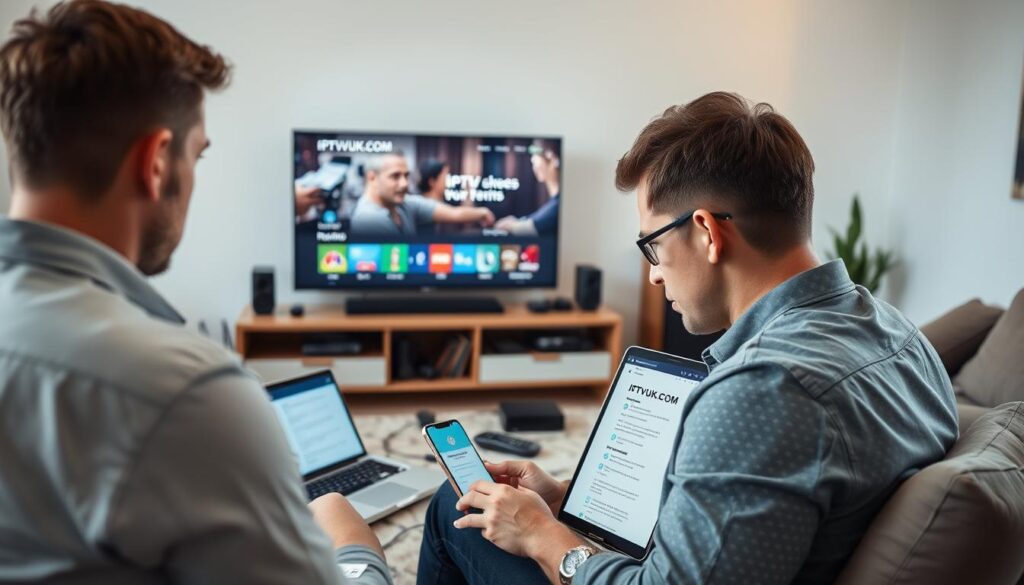
Many IPTV applications include built-in diagnostic tools that can help identify the source of streaming problems. Look for network testing features within your player’s settings menu to troubleshoot connection issues.
Free vs. Premium IPTV Players: What’s Worth Paying For
When it comes to IPTV players for Android, users are often faced with a choice between free and premium options. The decision depends on several factors, including your viewing habits and required features.
Free IPTV players can be a good starting point, but they often come with limitations. To understand the trade-offs, let’s examine the limitations of free apps and the benefits of premium features.
Limitations of Free Apps
- Free IPTV players often display advertisements, which can be intrusive and disrupt the viewing experience.
- Some features may be restricted or unavailable in free versions, limiting the overall functionality.
- There may be caps on the number of playlists or channels you can add, restricting content variety.
Benefits of Premium Features
Upgrading to a premium IPTV player can enhance your viewing experience. Some benefits include:
- Enhanced Stability: Premium IPTV players generally offer more frequent updates, resulting in better compatibility with evolving IPTV protocols and content sources.
- Advanced Features: Premium versions often include features like recording capabilities, timeshift functionality, and multi-screen viewing.
- Improved User Interface: Customizable themes, additional layout options, and more intuitive navigation are common incentives to upgrade.
- Better Technical Support: Premium IPTV players typically offer dedicated customer service channels and priority bug fixes.
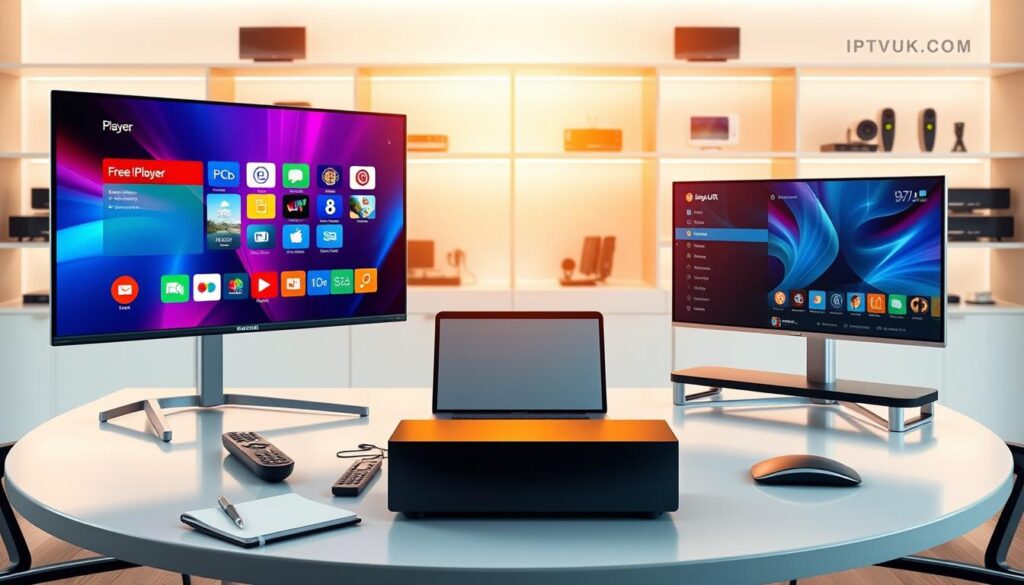
When deciding whether to pay for an IPTV player, consider your usage patterns. Casual viewers may find free options sufficient, while heavy users will likely benefit from premium features. Some applications offer one-time purchase options, while others require subscriptions; evaluate the long-term cost against the features provided when making your decision.
Legal Considerations When Using IPTV Players
While IPTV players themselves are legal software, the content accessed through them may not always be legally distributed. This distinction is crucial for users to understand to avoid potential legal risks.
Many legitimate IPTV services exist, offering licensed content from official broadcasters and content providers. These services typically require paid subscriptions and provide legal access to television channels and on-demand content. For instance, services like IPTV providers offer a range of channels and content that are properly licensed.
Key Legal Considerations:
- Unauthorized IPTV services that offer premium content without proper licensing are operating illegally.
- Using such services may expose users to legal risks in many jurisdictions.
- Copyright laws vary significantly between countries, but accessing pirated content can result in legal consequences.
- Some IPTV players include built-in content sources that may not have proper licensing agreements.
To stay on the right side of the law, it’s advisable to only use your IPTV player to access content from legitimate services that have proper licensing agreements with content owners. Researching the reputation and legal status of any IPTV service before subscribing or adding their playlists to your player application is a prudent step.
| IPTV Service Type | Legal Status | User Risk |
|---|---|---|
| Legitimate IPTV Services | Licensed content, paid subscriptions | Low |
| Unauthorized IPTV Services | Illegally distributed content | High |
By being cautious and informed, users can enjoy the benefits of IPTV technology while minimizing legal risks. Always verify the legitimacy of the IPTV service and understand the terms of use.
Optimizing Your Android Device for IPTV Streaming
Optimizing your Android device for IPTV streaming involves a few key steps that can significantly enhance your viewing experience. Ensuring your device is running the latest operating system is crucial, as updates often include performance improvements and new codec support.
- Regularly clear cache files from your IPTV player app to prevent performance degradation.
- Consider using a wired Ethernet connection for more stable bandwidth, especially for Android TV boxes.
- Disable unnecessary background apps and services to free up system resources and network bandwidth.
- For dedicated IPTV devices, consider models with stronger processors and more RAM.
- External storage expansion can be beneficial for IPTV apps that offer recording functionality.
- Using a quality VPN service can sometimes improve streaming performance.
For more tips on optimizing your Android TV performance, you can visit this article for additional guidance.
The Future of IPTV Players for Android
The evolution of IPTV players for Android is anticipated to introduce groundbreaking features, elevating the streaming experience. As we look to the future, several key trends are expected to shape the development of IPTV players.
These trends include increased integration with artificial intelligence for personalized content recommendations, enhanced codec support for higher quality streaming, and voice control for more intuitive content discovery. Additionally, IPTV players will integrate with smart home ecosystems, leverage 5G networks for reliable mobile streaming, and potentially incorporate augmented reality features.
| Trend | Description | Benefit |
|---|---|---|
| AI Integration | Personalized content recommendations | Enhanced user experience |
| Enhanced Codec Support | Higher quality streaming with lower bandwidth | Better video quality |
| Voice Control | Intuitive content discovery | Easier navigation |
To stay ahead, users can explore new IPTV players on the Google Play Store, where innovative apps like IPTV Smart Player are already available.
Conclusion
To enjoy seamless IPTV streaming on your Android device, it’s vital to pick a player that meets your specific needs. The market offers a diverse range of options, from streamlined applications like Smart IPTV Xtream Player to feature-rich platforms like OTT Navigator.
When making your selection, consider factors such as interface design, playlist management, and codec support. Many quality IPTV players are available as free downloads, with options to upgrade to premium versions for advanced features.
By choosing the right IPTV player and configuring it properly, you can significantly enhance your viewing experience.

