
Transforming your device into a comprehensive streaming hub is now easier than ever with IPTV Extreme Pro. This versatile app allows users to stream live channels, VOD, and EPG content via M3U playlists, making it an ideal solution for cord-cutters and streaming enthusiasts.
As a free IPTV player app, Extreme Pro is compatible with a wide range of devices, including FireStick, Android, iOS, Smart TVs, and PCs. With support for over 20,000 channels through custom playlists, it offers a cost-effective alternative to traditional cable subscriptions.
This comprehensive guide will explore the features, pricing, and reviews of IPTV Extreme Pro, helping you maximize your streaming experience.
Key Takeaways
- IPTV Extreme Pro is a free IPTV player app that turns devices into smart TV hubs.
- It supports streaming live channels, VOD, and EPG content via M3U playlists.
- Compatible with multiple devices, including FireStick, Android, iOS, Smart TVs, and PCs.
- Offers a cost-effective alternative to traditional cable subscriptions with support for over 20,000 channels.
- Provides a user-friendly interface and extensive feature set for a comprehensive streaming experience.
What is IPTV Extreme Pro?
IPTV Extreme Pro is an innovative app designed to bring traditional television viewing into the digital age by utilizing internet protocol technology. This application functions as a comprehensive media player, enabling users to access television content through IP networks rather than traditional broadcast methods.
Key Features at a Glance
The IPTV Extreme Pro app boasts several key features, including M3U Playlist Support for unlimited playlists, Live TV & VOD streaming, an EPG Guide for interactive TV schedules, Recording capabilities, and Multi-Device sync. These features combine to provide a seamless viewing experience.
How IPTV Works
IPTV works by transmitting television signals through internet protocols rather than traditional satellite or cable formats. This technology breaks down video content into data packets that are transmitted over the internet and reassembled by the receiving device, allowing for greater flexibility in how and when content is consumed. IPTV Extreme Pro optimizes this process with a user-friendly interface that ensures smooth playback.
Getting Started with IPTV Extreme Pro
Getting started with IPTV Extreme Pro is easier than you might think, with a simple installation process. To begin, you’ll need to ensure your device meets the necessary system requirements.
System Requirements
IPTV Extreme Pro requires Android 5.0 or higher for optimal performance, though it can run on lower versions with reduced functionality. The app is relatively lightweight, requiring minimal storage space (approximately 15MB) and modest RAM.
| Requirement | Specification |
|---|---|
| Android Version | 5.0 or higher |
| Storage Space | Approximately 15MB |
| RAM | Modest requirements |
Download and Installation Guide
To download IPTV Extreme Pro, you can use the Google Play Store for the most secure installation. Alternatively, you can sideload the APK from trusted sources like APKMirror. Once downloaded, open the APK file and follow the on-screen prompts to complete the installation.
https://www.youtube.com/watch?v=3XWVrq7ahCw
Setting Up Your First Playlist
To set up your first playlist, navigate to the Playlists section, select “Add Playlist,” and choose to add via URL, file, or QR code. Enter a valid M3U playlist link, name the playlist, and click “Add” to import the channels.
Essential IPTV Extreme Pro Features
IPTV Extreme Pro offers a robust set of features that enhance your viewing experience. These features are designed to provide a comprehensive streaming solution, making it a top choice for cord-cutters and streaming enthusiasts.
M3U Playlist Support
The foundation of IPTV Extreme Pro’s functionality is its support for M3U playlists, allowing users to import and manage multiple playlists containing thousands of channels from various sources worldwide. This feature enables you to create a personalized viewing experience.
Integrated Media Player
The application features an integrated media player with both advanced and light modes to accommodate different user preferences and device capabilities. Advanced mode provides full features, while light mode optimizes performance on lower-end devices, supporting multiple formats and resolutions up to 4K.
EPG (Electronic Program Guide)
The Electronic Program Guide (EPG) integration transforms the viewing experience by providing detailed program schedules, show descriptions, and upcoming content information directly within the interface. EPG data can be loaded from multiple sources and automatically updates at user-defined intervals.
Recording and Playback Options
Recording capabilities enable users to save live broadcasts for later viewing, with options for scheduled recordings, series recording for recurring shows, and customizable recording quality settings. Playback options include time-shifting, bookmarking favorite moments, and comprehensive playback controls.
| Feature | Description | Benefit |
|---|---|---|
| M3U Playlist Support | Import and manage multiple playlists | Personalized viewing experience |
| Integrated Media Player | Advanced and light modes | Optimized performance for various devices |
| EPG | Detailed program schedules and show descriptions | Enhanced viewing experience |
| Recording and Playback Options | Scheduled recordings and customizable quality settings | Flexible viewing options |
For more information on setting up IPTV on various platforms, you can refer to this guide on setting up IPTV on.
Advanced Features and Customization
With IPTV Extreme Pro, users can enjoy a range of advanced features and customization options that enhance their streaming experience. The app provides a robust set of tools that cater to diverse user preferences, making it a versatile streaming solution.
Parental Controls
IPTV Extreme Pro includes comprehensive parental controls, allowing users to restrict access to adult content through password protection, channel blocking, and content rating filters. This feature ensures a safe viewing environment for all users.
Chromecast Support
The app supports Chromecast, enabling users to cast their IPTV content directly to compatible TVs and displays. This feature turns any Chromecast-enabled screen into an IPTV receiver, providing a seamless viewing experience. For more information on setting up IPTV with Chromecast, you can refer to this guide.
Remote Controller Compatibility
IPTV Extreme Pro is compatible with various Bluetooth and IR remote controllers, making navigation more convenient for users who prefer traditional remote controls. The app’s controller mapping feature allows users to customize button assignments for supported remotes.
| Feature | Description | Benefit |
|---|---|---|
| Parental Controls | Restrict access to adult content | Safe viewing environment |
| Chromecast Support | Cast content to TVs and displays | Seamless viewing experience |
| Remote Controller Compatibility | Supports Bluetooth and IR remotes | Convenient navigation |
These advanced features and customization options make IPTV Extreme Pro a highly adaptable streaming solution. By providing a range of tools and features, the app caters to different user needs and preferences.
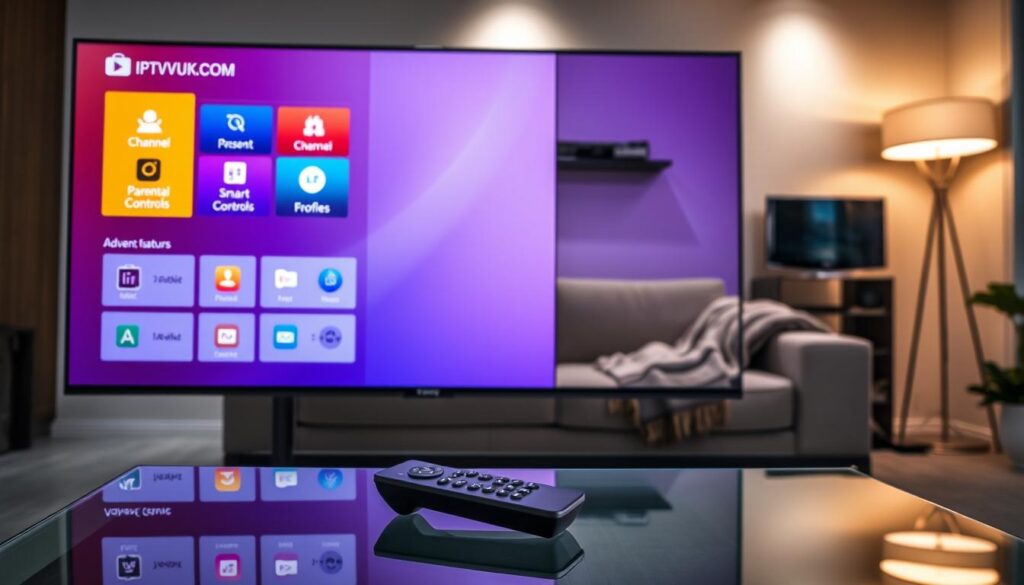
Managing IPTV Playlists and Channels

To get the most out of IPTV Extreme Pro, understanding how to manage playlists and channels is essential. The app offers multiple methods for adding playlists, including URL input, local file import, and QR code scanning.
Adding and Organizing Playlists
The application supports organizing multiple playlists through categories, favorites marking, and custom sorting options, allowing users to create a structured content library.
Finding Reliable Content Sources
Finding reliable content sources remains the user’s responsibility; users should seek legitimate IPTV services that offer legal content.
Backup and Restore Settings
The IPTV Extreme Pro app provides options for backup and restore settings, ensuring that user preferences and configurations are preserved across devices or app reinstallations.
IPTV Extreme Pro Pricing and Versions
IPTV Extreme Pro provides a tiered pricing structure that includes both free and premium options, catering to different user needs and preferences. This flexibility allows users to choose the version that best suits their viewing habits.
Limitations of the Free Version
The free version of IPTV Extreme Pro includes core functionalities such as M3U playlist support and EPG integration. However, it comes with certain limitations, including the presence of advertisements and restricted recording capabilities. Despite these limitations, the free version remains a robust option for casual users.
Benefits of the Premium Version
Upgrading to the premium version removes advertisements, unlocks unlimited recording capabilities, and enables multi-screen viewing options. Additionally, premium users receive priority support from the developers, enhancing their overall experience. The premium version is available for $4.99 per year, offering significant value for frequent users.
Comparing IPTV Extreme Pro with Alternatives
When compared to alternatives like TiviMate ($4.99/year) and XCIPTV ($5.99/year), IPTV Extreme Pro offers a competitive balance of features and affordability. While TiviMate offers similar features without a built-in player, IPTV Smarters Pro is free but includes ads and has a less polished UI. IPTV Extreme Pro’s combination of a robust free tier and an affordable premium option makes it an attractive choice for both casual and power users.
You can download IPTV Extreme Pro from the Google Play Store and explore its features. For a detailed review, visit IPTV Smarter.
Conclusion: Is IPTV Extreme Pro Worth It in 2024?
IPTV Extreme Pro’s versatility and affordability make it an attractive option for cord-cutters in 2024. With its comprehensive features, including support for multiple playlist formats and a user-friendly interface, this app stands out as a top contender in the IPTV market. Pairing it with a reliable VPN service enhances the streaming experience, ensuring both security and performance. While the free version is a good starting point, the premium version’s modest annual fee of $4.99 offers significant value through its ad-free experience. Overall, IPTV Extreme Pro is a worthwhile choice for those seeking a robust IPTV solution.

