
Discover the world of streaming with an IPTV app on your Android device. With numerous options available, choosing the right IPTV player can be overwhelming. This guide will walk you through the process of selecting the best IPTV application for your streaming needs.
A good IPTV application can transform your viewing experience, offering a wide range of channels and on-demand content. When selecting an app, consider factors such as user interface, playlist support, and streaming quality options. Popular options like TiviMate and SS IPTV offer a range of features that can enhance your streaming experience.
Key Takeaways
- Understand the basics of IPTV technology and its benefits
- Learn how to choose the right IPTV application for your Android device
- Discover the essential features to look for in an IPTV app
- Get an overview of popular IPTV applications available on the market
- Understand the legal considerations and troubleshooting techniques
Understanding IPTV Technology
IPTV technology is revolutionizing the way we consume television content by delivering it over internet protocols. This shift is fundamentally changing the television viewing experience, offering more flexibility and personalization than traditional methods.
What is IPTV?
IPTV stands for Internet Protocol Television, a service that delivers television content over internet protocol networks rather than through traditional satellite or cable formats. This technology enables users to access a wide range of television programs and video content using their internet connection.
How IPTV Differs from Traditional TV
Unlike traditional broadcast television, which pushes all channels simultaneously to viewers, IPTV sends only the requested content to the viewer’s device. This on-demand capability allows for a more personalized experience, enabling users to watch what they want, when they want. IPTV services typically offer more flexibility than cable or satellite, with options for live TV, streaming, video-on-demand, and time-shifted media.
| Feature | IPTV | Traditional TV |
|---|---|---|
| Content Delivery | Over internet protocols | Satellite or cable |
| Viewing Experience | On-demand, personalized | Scheduled, linear |
| Flexibility | High, with various viewing options | Limited, tied to broadcast schedule |
As noted by industry experts, “IPTV is not just a new way of delivering television; it’s a whole new way of thinking about television.” This perspective highlights the significant impact IPTV can have on the media consumption landscape.
Benefits of Using IPTV Applications for Android
IPTV applications for Android have revolutionized the way we consume television, providing unparalleled flexibility and a vast array of content options. These apps allow users to watch their favorite channels on multiple devices, enhancing the viewing experience.
Flexibility and Portability
One of the key benefits is the flexibility and portability offered by IPTV apps. You can watch your content on the go, whether commuting, traveling, or relaxing in different rooms of your home, thanks to the streaming capability.
Cost-Effectiveness
IPTV applications are also cost-effective. Many free app android options are available, and premium services are generally cheaper than traditional cable subscriptions.
Content Variety
The variety of content accessible through IPTV apps is vast, including international channels, niche programming, and specialized content not available through conventional broadcasting. This makes IPTV a compelling choice for many viewers.
- Watch your favorite channels on any compatible device.
- Enjoy cost-effective options with many free apps available.
- Access a vast array of content, including international and niche programming.
By offering such benefits, IPTV applications for Android provide a more personalized and flexible viewing experience.
Essential Features to Look for in IPTV Applications for Android
When selecting an IPTV application for Android, several key features can significantly enhance your viewing experience. A well-designed IPTV player should offer a combination of usability, performance, and additional features that cater to different user needs.
User Interface and Experience
A clean and intuitive user interface is crucial for any IPTV application. It allows users to navigate through channels and content libraries without frustration. Look for an IPTV app that provides an organized layout and easy access to your favorite channels.
Playlist and EPG Support
Support for various playlist formats (such as M3U and XMLTV) and Electronic Program Guide (EPG) is essential. EPG provides schedule information and program details, enhancing your ability to plan viewing and discover new content. Ensure the IPTV player you choose supports these features.
Streaming Quality Options
Quality IPTV players offer multiple streaming quality options to adapt to your internet connection speed, preventing buffering issues during peak usage times. This feature is vital for a smooth viewing experience.
Additional Features
Some advanced IPTV applications include features like recording capabilities, catch-up TV, and multi-screen viewing. These features can significantly enhance your streaming experience. Additionally, look for applications that offer parental controls, sleep timers, and customizable subtitles.
| Feature | Description | Importance |
|---|---|---|
| User Interface | Clean and intuitive design for easy navigation | High |
| EPG Support | Electronic Program Guide for schedule information | High |
| Streaming Quality | Multiple quality options for different internet speeds | High |
| Additional Features | Recording, catch-up TV, multi-screen viewing, etc. | Medium |
Smart IPTV Xtream Player
For Android users seeking a seamless IPTV experience, Smart IPTV Xtream Player stands out as a top choice. This free-to-download multimedia platform allows users to watch movies, TV series, and live events from their IPTV service provider, boasting a rating of 3.9 out of 5 stars.
Overview
Smart IPTV Xtream Player is designed specifically for Android devices, offering an intuitive interface for both new and experienced IPTV users.
Key Features
The application supports multiple playlist formats and integrates seamlessly with Xtream Codes API. Key features include content organization by categories, high-definition streaming with adaptive quality settings, and a user-friendly interface.
Pros
Advantages include a straightforward setup process, making it ideal for beginners. The app also offers high-definition streaming and adaptive quality settings based on internet connection speed.
Cons
Some users report stability issues during extended viewing sessions, and the EPG functionality is somewhat limited compared to premium alternatives.
TiviMate IPTV Player
With its sleek design and advanced features, TiviMate IPTV Player has become a preferred choice for streaming live TV on Android devices. It lets you watch live TV channels from your IPTV provider on a range of Android devices, including phones, tablets, and set-top boxes.
Overview
TiviMate IPTV Player is designed to provide a seamless IPTV experience. It has a rating of 3.8 out of 5 stars, indicating high user satisfaction.
Key Features
The application offers several key features, including a comprehensive EPG, multi-playlist support, and advanced customization options. It also supports features like recording and catch-up TV.
Pros
TiviMate IPTV Player excels in its user-friendly interface and robust feature set, making it an excellent choice for Android TV boxes and other devices.
Cons
While the basic version is free, many of TiviMate’s most powerful features require a premium subscription, which may be a consideration for budget-conscious users.
IPTV Extreme
IPTV Extreme is a feature-rich IPTV player for Android devices, boasting a 4.4-star rating. Developed by Paolo Turatti, this free multimedia application offers a robust IPTV experience.
Overview
IPTV Extreme is a versatile IPTV player that supports various playlist formats, making it compatible with most IPTV service providers.
Key Features
The application includes several notable features, such as built-in recording functionality, parental controls, and support for external video players like MX Player and VLC.
Pros
IPTV Extreme offers several advantages, including robust playlist support and detailed technical information about streams, making it valuable for troubleshooting.
Cons
While powerful, the application’s technically oriented interface may present a learning curve for non-technical users.
SS IPTV
Android users can enjoy a superior streaming experience with SS IPTV, a free app boasting a 4.5-star rating.
Overview
SS IPTV is a free video player offering seamless streaming across local networks and the internet, providing a versatile streaming experience.
Key Features
SS IPTV boasts exceptional integration capabilities, adaptive streaming technology, and robust EPG support, making it a reliable choice for IPTV enthusiasts.
Pros
The app’s strength lies in its reliability and stability, with a clean interface and adaptive streaming technology minimizing buffering and interruptions.
Cons
Some users report that SS IPTV has a limited feature set compared to premium alternatives, particularly regarding content organization and customization.
IPTV Xtream PRO
IPTV Xtream PRO offers Android users a sophisticated IPTV experience, complete with a user-friendly interface and extensive content organization. This media player is specifically designed for IPTV services, making it an excellent choice for those looking to stream movies and series.
Overview
IPTV Xtream PRO is a highly rated Android media player, boasting a 3.6 out of 5-star rating. It’s designed to handle large libraries of movies and TV series efficiently.
Key Features
The player includes several key features, such as comprehensive Xtream Codes API support, automatic content categorization, and a powerful search function. These features enable users to navigate and discover content with ease.
Pros
Advantages include a well-organized interface, multi-screen functionality, and resume functionality for movies and TV episodes. These features enhance the overall viewing experience.
Cons
Some users have reported that the live TV functionality is not as refined as specialized live TV applications. However, the player remains powerful for VOD content.
OTT Navigator IPTV
OTT Navigator IPTV offers a comprehensive platform for watching live IPTV content on Android devices. It’s designed for users who already have an IPTV subscription.
Overview
OTT Navigator IPTV is a free-to-download entertainment client that serves as a multimedia application for IPTV content.
Key Features
It offers advanced EPG features, multi-connection support, and sophisticated channel grouping and filtering options, making it a robust platform for IPTV management.
Pros
Users appreciate its highly customizable interface and advanced features like catch-up TV and recording, enhancing the IPTV experience.
Cons
While powerful, it has a steeper learning curve due to its extensive customization options. For more information, visit the OTT Navigator IPTV FAQ page.
You can watch live TV and enjoy other IPTV features with this application, making it a great choice for those seeking an iptv free solution on Android.
GSE Smart IPTV PRO
For Android users seeking a robust IPTV experience, GSE Smart IPTV PRO is a top contender. This application is a comprehensive IPTV player that provides users with a wide range of features to enhance their television viewing experience.
Overview
GSE Smart IPTV PRO is a versatile IPTV service that functions across various Android devices, including phones, tablets, and Android TV.
Key Features
The application supports multiple playlist formats, including M3U and XSPF, and offers advanced features like EPG support, recording capabilities, and subtitle support.
Pros
GSE Smart IPTV PRO offers a free version with optional premium upgrades, removing advertisements and adding features like cloud synchronization.
Cons
Some users find the interface cluttered, which can be overwhelming for new users. You can download GSE Smart IPTV PRO from the Google Play Store by visiting this link.
IPTV SMART PLAYER
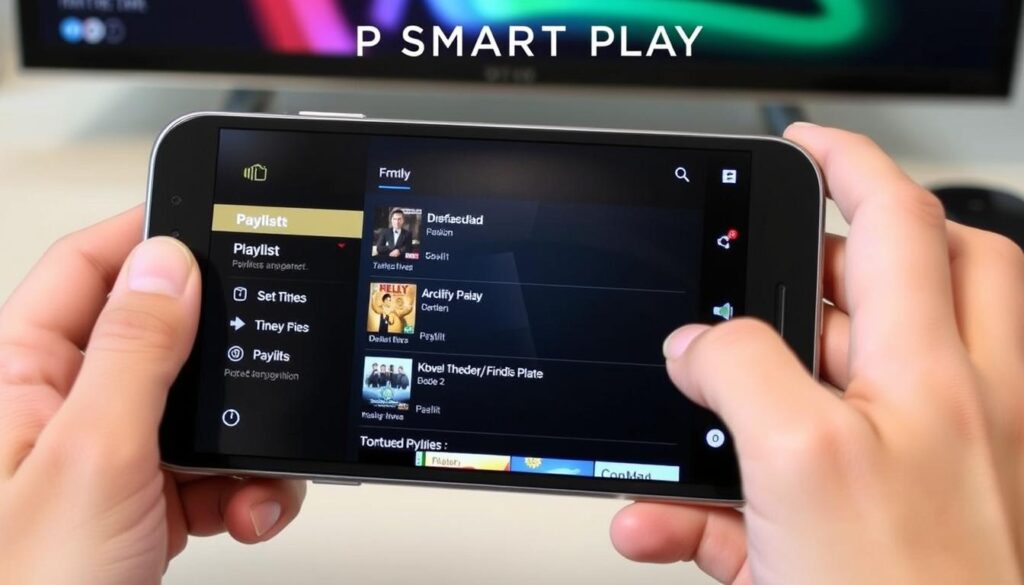
With its emphasis on simplicity and performance, IPTV SMART PLAYER is an excellent choice for managing IPTV live channels and VOD playlists on Android devices. This free video player has garnered a rating of 3.8 out of 5 stars, indicating its reliability and user satisfaction.
Overview
IPTV SMART PLAYER is a free video player designed to provide a streamlined and efficient way to manage IPTV content. Its lightweight design ensures smooth performance even on older Android devices.
Key Features
The application excels in playlist management, allowing users to organize channels into custom groups and favorites. It supports multiple video codecs and streaming protocols, ensuring compatibility with most IPTV service providers.
Pros
IPTV SMART PLAYER’s player functionality is both reliable and straightforward, making it ideal for users prioritizing stability. Its basic EPG functionality provides essential program information without overwhelming users.
Cons
While user-friendly, IPTV SMART PLAYER lacks some advanced features found in premium alternatives, such as recording or catch-up functionality. However, its simplicity is a significant advantage for many users.
To experience IPTV SMART PLAYER, you can download it from the Google Play Store by visiting this link: IPTV SMART PLAYER on Google Play. This application is a great option for those seeking a hassle-free IPTV viewing experience on their Android devices.
IPTV Player Expert – Smart 4K
With its advanced features and 4K streaming capabilities, IPTV Player Expert – Smart 4K is revolutionizing IPTV on Android. This free app allows users to enjoy their favorite IPTV content with superior video quality.
Overview
IPTV Player Expert – Smart 4K is a free Android app that offers high-quality IPTV streaming. It has a rating of 4.1 out of 5 stars, indicating its reliability and performance.
Key Features
The app boasts several key features, including advanced adaptive streaming technology and multi-device synchronization. It supports 4K streaming on compatible devices and networks, ensuring the best possible viewing experience.
Pros
Users appreciate the app’s TV-friendly interface on Android TV devices and its picture-in-picture mode. The app also includes specialized audio settings, enhancing the overall viewing experience.
Cons
Some users report that the app’s focus on high-quality playback can lead to higher resource usage and potential performance issues on older devices. To learn more about IPTV Player Expert – Smart 4K, visit https://iptv-player-expert-smart-4k.soft112.com/.
Comparing the Best IPTV Application for Android
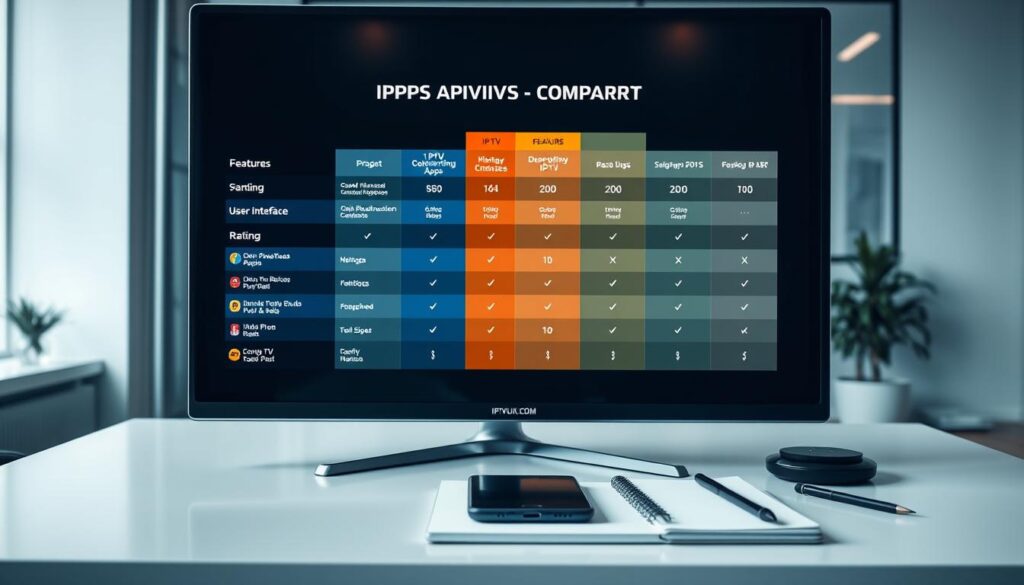
Comparing IPTV applications for Android reveals significant differences in performance, features, and user satisfaction. Several key factors contribute to the overall quality of these applications.
Performance Comparison
Performance varies significantly across IPTV applications, with TiviMate and OTT Navigator praised for their stability during extended viewing sessions. The best IPTV streaming services often recommend these applications for their reliability.
Feature Comparison
Feature sets differ widely among IPTV applications. For instance, IPTV Extreme focuses on technical capabilities, while SS IPTV prioritizes user-friendly interfaces. The choice of application depends on individual preferences for streaming quality and additional features.
User Ratings and Reviews
Users rate applications with regular updates and responsive developers higher. TiviMate and OTT Navigator maintain higher satisfaction scores due to their consistent performance and free offerings.
Legal Considerations When Using IPTV Applications
The rise of IPTV technology has raised important questions about copyright law and legitimate streaming services. As IPTV continues to grow in popularity, users must be aware of the legal implications of using these applications.
Copyright Issues
Understanding copyright law is essential when using IPTV applications, as accessing unauthorized content streams can potentially violate intellectual property rights. Many countries have enacted specific legislation regarding streaming copyrighted content, with varying penalties for those found accessing unauthorized streams.
- The legal status of IPTV applications themselves is generally clear—they are legal software tools, but the content accessed through them may not always be legally distributed.
- Users should be aware that some IPTV providers operate in legal gray areas, particularly those offering premium channels at suspiciously low prices.
Legitimate IPTV Services
Legitimate IPTV services exist that provide properly licensed content, including official broadcaster apps, paid streaming services, and authorized IPTV providers. The safest approach is to use IPTV applications with officially licensed content sources or with your own legally acquired media files.
- For more information on legitimate IPTV services, visit this page to learn more about debunking myths and revealing reality regarding IPTV legality.
- Using VPN services with IPTV applications doesn’t necessarily provide legal protection and may violate the terms of service of legitimate IPTV providers.
Troubleshooting Common IPTV Application Issues
Troubleshooting IPTV applications involves addressing common problems like buffering, playlist errors, and compatibility issues. These problems can significantly impact the streaming experience, causing frustration for users.
Buffering Problems
Buffering issues often result from insufficient internet bandwidth or network congestion. To resolve this, check your internet speed and consider switching to a wired connection or upgrading your service. For more detailed steps, visit this guide on fixing IPTV buffering with VPN settings.
Playlist Loading Errors
Playlist loading errors typically stem from incorrectly formatted playlist URLs or expired credentials. Ensure your URL is correct and credentials are up-to-date. If issues persist, contact your IPTV provider for assistance.
Compatibility Issues
Compatibility problems arise when using older Android devices or outdated applications. Update your IPTV app to the latest version and check for Android updates to ensure compatibility and smooth video playback.
By addressing these common issues, you can significantly improve your IPTV streaming experience on your Android devices.
Conclusion
As we’ve explored various IPTV applications, it’s clear that the best choice depends on individual preferences and needs. TiviMate stands out for its premium experience, while OTT Navigator offers extensive customization options. For beginners, Smart IPTV Xtream Player and IPTV SMART PLAYER provide user-friendly interfaces. Regardless of the application chosen, understanding the legal landscape is crucial for a worry-free experience. By considering the factors outlined in this guide, you can find the perfect IPTV solution that meets your specific entertainment needs.
When selecting an IPTV application, consider factors such as streaming quality, channel availability, and device compatibility. The IPTV ecosystem is rapidly evolving, with applications regularly updating to add new features and improve performance. By staying informed and choosing a reputable IPTV service, you can enjoy a seamless live streaming experience on your Android device.

