
IPTV players are revolutionizing the way we consume television and movies on our Android devices. These software applications manage IPTV subscription links, providing a seamless viewing experience that includes replaying live TV streams and pausing or resuming favorite content.
Choosing the right IPTV player can be daunting, given the numerous options available. Our expert comparison guide will explore the top IPTV players for Android, examining their features, user interface, and performance stability to help you make an informed decision.
We’ll delve into the key factors that differentiate premium IPTV players from basic ones, ensuring you find the perfect app for streaming live TV channels, movies, and series on your Android smartphone, tablet, or TV box.
Key Takeaways
- Discover the top IPTV players available for Android devices
- Learn which applications offer the best features for streaming live TV channels and movies
- Understand the key factors that separate premium IPTV players from basic ones
- Get expert analysis to help you choose the right IPTV player for your viewing needs
- Find out how to make an informed decision when selecting an IPTV player
Understanding IPTV Players for Android
To fully appreciate the benefits of IPTV on Android devices, it’s essential to understand what IPTV players are and how they function. An IPTV player is more than just a media player; it’s a specialized application designed to manage and stream IPTV content efficiently.
What is an IPTV Player?
An IPTV player for Android is a software application that reads and manages IPTV subscription links, particularly in M3U and Xtream Codes formats. It’s designed to provide a complete viewing experience, allowing users to replay live TV streams, pause, and resume their favorite content at any time. These players are optimized for live streaming performance, offering better buffering management and stream stability than general-purpose video players.
Why You Need a Dedicated IPTV Player
A dedicated IPTV player offers several advantages over general media players. It can handle multiple playlists formats, provide a more television-like experience, and support various devices within the Android ecosystem, including phones, tablets, and Android TV boxes. With features like electronic program guides (EPG), playlist management, and channel categorization, a dedicated IPTV player enhances your viewing experience.
| Feature | General Media Player | Dedicated IPTV Player |
|---|---|---|
| Playlist Support | Limited to basic formats | Supports M3U, Xtream Codes, JSON |
| EPG Integration | No | Yes |
| Live Streaming Performance | Variable | Optimized |
Key Features to Look for in the Best IPTV Player for Android
When choosing an IPTV player for your Android device, several key features can significantly enhance your viewing experience. The ideal IPTV player should offer a combination of intuitive interface, robust performance, and versatile features that cater to different user needs.
User Interface and Experience
A user-friendly interface is crucial for a seamless viewing experience. Look for IPTV players with intuitive navigation and customizable interfaces that adapt to different screen sizes, ensuring a comfortable viewing experience across various devices.
Playlist and Format Support
The best IPTV players support multiple playlist formats, including M3U, Xtream codes, and JSON. This compatibility ensures that you can access various IPTV services without limitations. Additionally, features like playlist management tools, such as favorites and custom categories, help organize your content for quicker access.
EPG (Electronic Program Guide) Integration
A comprehensive Electronic Program Guide (EPG) integration is essential for browsing upcoming programs, setting reminders, and accessing detailed show information. This feature enhances your overall viewing experience by providing a schedule of upcoming content and allowing for more informed viewing choices.
Performance and Stability
The best IPTV players offer robust performance optimization features like adjustable buffer settings, hardware acceleration, and efficient memory management. These features ensure smooth playback and minimize buffering, providing a more enjoyable viewing experience.
By considering these key features, you can select an IPTV player that meets your needs and enhances your streaming experience.
TiviMate IPTV Player
TiviMate IPTV Player has emerged as a top contender in the realm of Android IPTV applications, particularly for devices running on Android TV. It offers a seamless streaming experience with its intuitive interface and robust features.
Overview
TiviMate IPTV Player is designed to provide an exceptional viewing experience on Android devices. It supports multi-language subtitles and features an integrated EPG (Electronic Program Guide) for easy navigation through live TV schedules.
Pros
The application boasts a sleek, TV-friendly interface that makes navigation intuitive, even with a remote control. Key benefits include:
- Robust EPG implementation for detailed program information
- Multi-screen view capability to watch up to four channels simultaneously
- Exceptional playlist management with the ability to merge multiple sources and create favorites
Cons
While TiviMate IPTV Player offers a premium version with advanced features, some users may find the pricing slightly higher than competitors. However, the superior user experience justifies the cost.
Features
TiviMate IPTV Player supports advanced features like recording, catch-up TV, and multiple user profiles in its premium version. For more information on setting up IPTV on Android devices, you can visit this guide.
IPTV Smarters Pro
IPTV Smarters Pro stands out as a robust IPTV player designed for seamless streaming. This versatile app allows users to stream on-demand content using their personal Xtream Codes or M3U playlists.
Overview
IPTV Smarters Pro operates as a versatile video player that streams on-demand (VOD) content. It provides a powerful interface for managing IPTV content, letting users easily import playlists from local files or via URL.
Pros
The application provides dedicated sections for live TV, movies, and series. You’ll find robust playlist management tools that support both M3U and Xtream Codes formats.
Cons
While the free version provides essential functionality, some users report occasional advertisements. The application’s interface may appear slightly dated compared to newer competitors.
Features
IPTV Smarters Pro offers catch-up functionality and parental controls, making it a family-friendly IPTV service. For more information on setting up IPTV Smarters Pro on Chromecast, you can visit this guide.
The player includes features like multi-screen viewing and simultaneous streaming of multiple channels on compatible devices, enhancing the viewing experience for users.
OTT Navigator IPTV

OTT Navigator IPTV is a standout in the crowded IPTV player market, offering users a highly customizable and efficient viewing experience. This free-to-download entertainment client serves as a platform to watch IPTV on any device, making it a versatile choice for Android users.
Overview
OTT Navigator IPTV has rapidly gained popularity among Android users for its exceptional balance of powerful features and user-friendly design. The application offers one of the most customizable interfaces in the IPTV player market.
Pros
The player features an advanced Electronic Program Guide with category filtering, search functionality, and program reminders. Additionally, OTT Navigator includes unique features like channel grouping by country, genre, or custom categories.
Cons
Some users report a steeper learning curve due to the extensive customization options and settings available. However, this complexity also contributes to its powerful feature set.
Features
Key Features: Comprehensive support for various playlist formats, including M3U, Xtream codes, Stalker Portal, and MAC address-based services. The free version provides remarkable functionality with minimal limitations, while the premium version removes ads and adds advanced features.
Regular updates introduce new features and compatibility improvements, making OTT Navigator IPTV one of the most actively developed IPTV players available. It performs exceptionally well even on older Android devices, with efficient memory usage and optimized streaming capabilities.
Perfect Player IPTV
For those seeking a seamless IPTV experience on Android devices, Perfect Player IPTV stands out. This modern IPTV player is designed to replace traditional TV viewing methods, offering a smoother and more flexible experience for managing playlists and streams.
Overview
Perfect Player IPTV is a lightweight yet powerful media player that runs efficiently on Android TV, smart TV, and other devices. It supports multiple playlist formats, including M3U files, making it compatible with most IPTV services.
Pros
The application features a straightforward, minimalist interface that prioritizes channel navigation and playback controls. You’ll enjoy excellent compatibility with various devices, including Android phones and tablets.
Cons
Some users may find the interface somewhat dated compared to newer competitors. However, many appreciate its simplicity and efficiency.
Features
Perfect Player IPTV includes customizable EPG settings, allowing you to configure program guide sources and display preferences. The application also offers remarkable performance optimization with adjustable buffer settings and hardware acceleration options.
The free version provides most essential features, while the premium version removes advertisements and adds additional customization options. Perfect Player IPTV is an excellent choice for older or less powerful Android devices where resource usage is a concern.
KODI as an IPTV Player
KODI is revolutionizing the way we consume media, offering a comprehensive platform for IPTV streaming. As a powerful media player app, it organizes and plays all types of content from your IPTV link or subscription in one unified interface.
Overview
KODI stands out as a versatile media player that integrates IPTV channels, movies, TV shows, and music into a clean, well-structured layout. It’s completely free, with no ads, and offers full customization.
Pros
The application offers unparalleled customization with thousands of skins and themes. KODI centralizes all your media content, including local files and IPTV channels, in one interface.
Cons
Some users find KODI’s learning curve steeper than dedicated IPTV players, particularly when configuring IPTV-specific features.
Features
KODI supports PVR functionality, allowing you to record live television when configured with appropriate add-ons. Its extensive add-on ecosystem enables integration with various IPTV services.
GSE Smart IPTV
GSE Smart IPTV offers a superior viewing experience with its intuitive interface and advanced functionality. This application is designed to provide users with a seamless IPTV service, making it an ideal choice for those looking to stream their favorite channels.
Overview
GSE Smart IPTV is a feature-rich IPTV player that supports multiple protocols, including Xtream Codes and Stalker Portal, beyond the standard M3U playlists. This versatility makes it a preferred choice among IPTV users.
Pros
The application boasts a clean and intuitive interface, making it accessible to both beginners and experienced users. Additionally, GSE Smart IPTV offers comprehensive playlist management tools, allowing users to import playlists from URLs, local storage, or cloud services like Google Drive and Dropbox.
Cons
Some users have reported occasional stability issues with larger playlists or during extended viewing sessions. However, the free version offers substantial functionality, and the premium version removes advertisements and adds additional features.
Features
GSE Smart IPTV includes a range of features that enhance the viewing experience. These include robust EPG support with customizable display options, parental control features to restrict content based on ratings or specific channels, and a built-in web browser for accessing web-based IPTV portals. You can download the app from the Apple App Store to experience these features firsthand.
Key Features:
- Support for multiple protocols beyond standard M3U playlists
- Comprehensive playlist management tools
- Robust EPG support with customizable display options
- Parental control features
- Built-in web browser functionality
- Playlist backup and restore options
With its advanced features and user-friendly design, GSE Smart IPTV is a top choice for IPTV enthusiasts. Whether you’re looking for a free IPTV solution or a premium service, GSE Smart IPTV has something to offer.
IPTV Extreme
IPTV Extreme is a versatile multimedia application that offers a comprehensive IPTV experience on Android devices. As a free IPTV player, it allows users to stream thousands of television programs online, making it a valuable tool for cord-cutters and streaming enthusiasts.
Overview
Developed by Paolo Turatti, IPTV Extreme is designed to deliver a seamless IPTV experience. The application supports various formats, including M3U, XSPF, and XML, making it compatible with different playlist types.
Pros
The IPTV Extreme application offers several key benefits, including:
- Efficient playlist management with category filtering and favorites functionality.
- Built-in recording capabilities for saving live broadcasts.
- EPG integration with customizable display options.
- Channel grouping features for organizing content by category or country.
Cons
While IPTV Extreme offers a robust set of features, some users have noted that the interface lacks visual polish compared to premium competitors. Additionally, the free version includes advertisements, which can be removed through an in-app purchase of the premium version.
Features
IPTV Extreme includes a range of features that enhance the user experience, such as:
- Customizable viewing modes for different device types.
- Sleep timer functionality.
- Audio-only mode for podcast or music channels.
- Support for various streaming formats.
For more information on IPTV applications, you can visit Software Testing Help to explore other options and compare features.
Televizo – IPTV Player
Discover Televizo, a user-friendly IPTV player designed for seamless streaming experiences. Televizo allows users to access live TV channels by simply entering their IPTV playlist link, making it an ideal choice for those seeking a straightforward IPTV solution.
Key Features and Benefits
Televizo stands out for its simplicity and accessibility, making it perfect for newcomers to IPTV streaming. The application’s clean interface prioritizes channel navigation and program information, ensuring a clutter-free experience.
Pros
The Televizo IPTV Player offers several advantages, including excellent support for both M3U and Xtream Codes formats, comprehensive EPG functionality, and efficient favorites management. These features enable users to manage multiple playlists and access detailed program schedules.
Cons
Some advanced users may find certain customization options limited compared to more complex competitors. Additionally, the free version includes advertisements that can be removed by upgrading to the premium version.
Features
Televizo includes unique features like automatic playlist refresh scheduling and external player support for specialized content. For more information and user discussions, you can visit the Televizo IPTV Player forum.
IBO Player
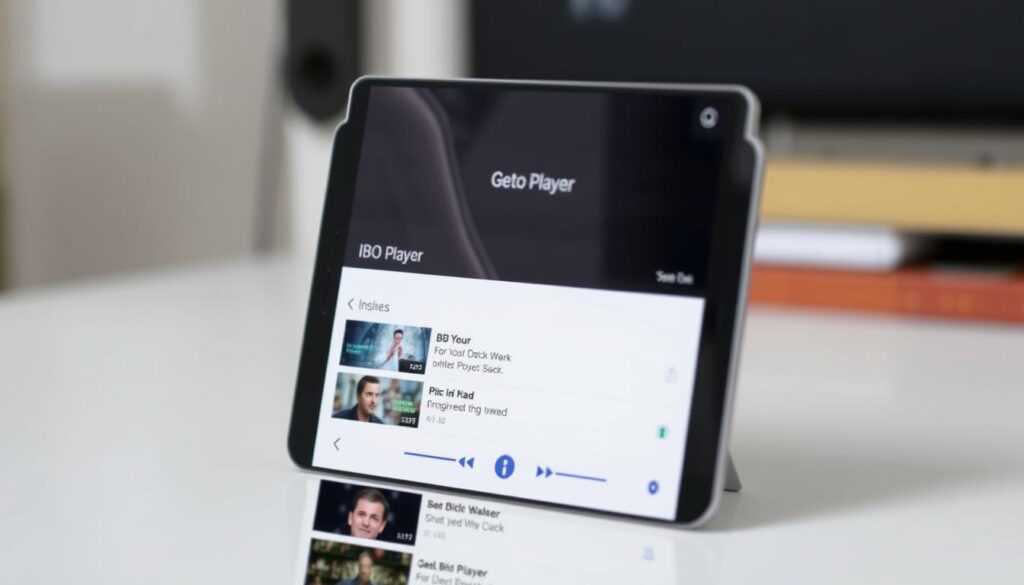
For users seeking a streamlined IPTV experience, IBO Player stands out as a top contender. This premium IPTV player is designed to keep your content organized, making it easy to find your favourite movies and TV shows.
Overview
IBO Player is a media player that focuses on simplicity and organization. It offers a clean and distraction-free interface, ensuring a pleasant viewing experience on various devices, including Android TV and mobile devices.
Pros
The IBO Player offers several benefits, including:
- Exceptional content organization capabilities
- A minimalist and distraction-free interface
- Logical categorization system for intuitive browsing
- Excellent stability with efficient resource management
- Comprehensive support for various content types, including live channels, movies, and shows
Cons
Some users may find the premium pricing model without a free tier to be a barrier. However, the application‘s features and performance justify the cost for many users.
Features
IBO Player includes features such as customizable viewing settings, series episode tracking, and resume playback across different viewing sessions. You can download and activate IBO Player to experience these features firsthand.
Overall, IBO Player is an excellent choice for users seeking a reliable and feature-rich IPTV app for their Android devices.
Free vs. Paid IPTV Players: What’s the Difference?
Understanding the differences between free and paid IPTV players is crucial for a seamless viewing experience. The choice between them depends on your specific needs and preferences.
Limitations of Free Players
Free IPTV players typically offer basic functionality but come with limitations such as advertisements and restricted features. They may provide standard EPG integration and fundamental playback controls, but often lack advanced features like recording capabilities or multi-screen viewing.
Benefits of Premium Features
Paid IPTV players, on the other hand, offer enhanced stability, ad removal, and premium features like parental controls and advanced customization options. For instance, you can choose the best IPTV providers for streaming with a paid version. Many paid players also provide cross-device synchronization, allowing you to maintain consistent favorites across multiple devices.
- Free IPTV players are suitable for casual viewing with basic features.
- Paid IPTV players offer a more comprehensive viewing experience with premium features.
How to Set Up Your IPTV Player on Android
Configuring your IPTV player on Android involves a few easy steps that ensure a seamless viewing experience. To get started, you’ll need to download and install the IPTV player app from a trusted source.
Installing the App
For security and reliability, it’s crucial to download the IPTV player app only from official stores like Google Play Store or the developer’s website. This ensures you avoid unofficial copies that may pose security risks. Most IPTV players feature a straightforward installation process that guides you through initial setup and permission requirements.
Adding Playlists and Streams
Once installed, you’ll need to add your IPTV playlists either by entering a URL provided by your IPTV service or by importing local M3U files from your device storage. The configuration process typically involves entering authentication details if your IPTV service requires them, such as username and password for Xtream Codes.
Configuring Settings for Optimal Performance
Optimizing your player settings is crucial for the best performance. This includes adjusting buffer size, selecting preferred video decoders, and configuring network options. Most players allow you to customize the EPG source, update frequency, and display format to enhance your program guide experience.
| Setting | Description | Recommended Value |
|---|---|---|
| Buffer Size | Adjusts the buffer size for smoother playback | 1000-2000ms |
| Video Decoder | Selects the preferred video decoder | Hardware Decoding |
| EPG Update Frequency | Sets how often the EPG is updated | Daily |
By following these steps, you can enjoy a personalized IPTV experience on your Android device, complete with organized playlists, managed favorites, and categorized channels or movies for easy navigation.
Conclusion
In the realm of IPTV streaming, the best IPTV player for Android is one that balances features, performance, and user experience. When choosing an IPTV player, consider factors such as playlist format support, EPG integration, and user interface. Options like TiviMate and OTT Navigator stand out for their premium features, while IPTV Smarters Pro and Perfect Player offer a great balance between functionality and ease of use. You can explore more options like IPTV Smarters to find the one that suits your needs. Ultimately, the right IPTV app can transform your streaming experience.

