
Cutting the cord and switching to IPTV can be a liberating experience, offering a more flexible and personalized entertainment solution. Unlike traditional cable TV, IPTV streams content over the internet, allowing you to access a wide range of channels and on-demand content using your smart device or streaming app.
To get started with IPTV, you’ll need a stable internet connection and a compatible device. Our comprehensive guide will walk you through the process, comparing various IPTV service providers, their pricing models, and helping you determine the best option for your entertainment needs.
Key Takeaways
- Understand the basics of IPTV and its advantages over traditional cable TV.
- Learn about the essential requirements for streaming IPTV content.
- Compare various IPTV service providers and their pricing models.
- Discover how to choose the best IPTV option for your entertainment needs.
- Get started with setting up and enjoying IPTV on your preferred device.
What Is IPTV and Why Is It Popular?
IPTV, or Internet Protocol Television, is revolutionizing the way we consume television content. It’s a service that delivers television content over internet connections rather than through traditional satellite or cable formats.
Understanding Internet Protocol Television
IPTV stands for Internet Protocol Television. These services offer you a way to watch live TV and on-demand content via the internet without a traditional cable or satellite contract. To use IPTV services, you’ll typically need to choose a provider and download a compatible app or player onto your streaming device.
Advantages Over Traditional Cable TV
IPTV offers several significant advantages over traditional cable TV, including cost savings, greater content variety, and the freedom to watch on multiple devices. This flexibility makes IPTV an attractive option for those seeking a more customizable viewing experience.
Different Types of IPTV Services
There are various types of IPTV services available, including live TV streaming, video-on-demand (VOD), and catch-up TV options. These services cater to different user preferences, providing a range of viewing experiences.
Overall, IPTV’s popularity stems from its ability to deliver a more personalized and flexible television experience. With its growing range of services and features, IPTV is becoming an increasingly popular choice among users.
Essential Requirements for IPTV Streaming
Before diving into IPTV, it’s crucial to understand the basic requirements for a smooth streaming experience. To enjoy IPTV without interruptions, you need to ensure your setup meets certain technical specifications.
Internet Connection Requirements
A stable internet connection is the backbone of IPTV streaming. For UHD streams, a minimum internet speed of 25 Mbps is recommended. For standard quality streaming, a 10 Mbps download speed is sufficient. You can test your current internet connection speed to determine if it meets these requirements.
| Streaming Quality | Recommended Internet Speed |
|---|---|
| Standard Definition (SD) | 10 Mbps |
| High Definition (HD) | 15 Mbps |
| Ultra High Definition (UHD) | 25 Mbps |
Compatible Devices for IPTV
IPTV can be enjoyed on various devices, including smart TVs, streaming sticks like Fire Stick or Roku, mobile phones, and computers. Ensure your device supports IPTV applications to access your preferred content.
Additional Equipment Considerations
For a more stable connection, consider using an ethernet cable. External storage devices can also be useful for recording content. Your home network setup plays a significant role in streaming performance, so adjustments may be necessary for optimal viewing.
How Do I Get IPTV on Different Devices?
Setting up IPTV on various devices is a straightforward process that can enhance your streaming experience. With the right guidance, you can enjoy your favorite content on multiple platforms.
Setting Up IPTV on Smart TVs
To set up IPTV on your Smart TV, you’ll need to navigate to your TV’s app store. For example, Samsung Smart TVs can download IPTV apps directly from the Samsung Apps store. Simply search for your preferred IPTV service, download the app, and follow the installation instructions.
IPTV on Streaming Devices (Fire Stick, Roku, Apple TV)
Streaming devices like Amazon Fire Stick, Roku, and Apple TV offer a seamless way to enjoy IPTV. For Fire Stick, you can find many IPTV apps in the Amazon Appstore. If the app you want isn’t available, you can sideload it onto your device. Roku and Apple TV users can also find IPTV apps in their respective stores.
Mobile and Computer IPTV Setup
For mobile devices, you can download IPTV apps from the App Store (for iOS) or Google Play Store (for Android). To install IPTV on your computer, you can visit the service provider’s website and follow the setup steps provided. Many IPTV services offer cross-platform compatibility, allowing you to enjoy your content across multiple devices at home.
Top IPTV Service Providers Compared
With numerous IPTV services available, choosing the right provider can be a daunting task. To make an informed decision, it’s essential to compare the top IPTV service providers based on their channel offerings, content libraries, and unique features.
Legal Streaming Services with Live TV
Mainstream services like YouTube TV, Hulu + Live TV, and Sling TV offer a range of live TV channels, including sports, news, and entertainment. These services provide a comprehensive viewing experience with various channel options.
When choosing a legal streaming service, consider factors such as the number of live TV channels, pricing, and compatibility with your devices. These services often come with additional features like cloud DVR and simultaneous streams.
Specialized IPTV Providers
Specialized IPTV providers cater to specific niches, such as sports-centric or international programming. These services offer a more tailored viewing experience for those with particular interests.
When selecting a specialized IPTV provider, look for services that offer premium content, reliable streaming, and good customer support. Consider the provider’s content licensing agreements and how they affect the available channels and programs.
IPTV Pricing Models Explained
Understanding IPTV pricing models is crucial for making an informed decision when choosing a service provider. IPTV apps give you access to endless on-demand and live content, and most paid subscription plans are affordable, often coming with a free trial.
Subscription-Based Services
Most IPTV services operate on a subscription-based model, offering various tiers of service with different channel lineups and features. For instance, you can check out options like IPTV subscription services that provide a range of packages. The cost typically ranges from $10 to $50 per month, depending on the quality of the content and the number of channels available.
Free vs. Paid IPTV Options
While free IPTV services are available, they often come with significant limitations and potential risks, such as lower quality streams and possible legal issues. Paid IPTV services, on the other hand, offer a more reliable and secure experience. You can explore alternatives like IPTV services that provide a stable streaming experience.
What Determines IPTV Service Costs
Several factors influence the cost of an IPTV service, including the number of channels offered, the quality of the content, the number of simultaneous streams allowed, and additional features such as catch-up TV or cloud DVR. When evaluating different IPTV providers, consider these factors to ensure you’re getting the best experience for your budget when watching IPTV.
Step-by-Step IPTV Setup Guide
## Step-by-Step IPTV Setup Guide
IPTV setup involves several key steps, from choosing the right app to configuring your settings for the best viewing experience. To get started, you’ll need to download and install an IPTV application on your device.
### Choosing and Installing an IPTV Application
To watch IPTV, you first need to choose an IPTV app compatible with your device. For Android devices, you can download IPTV apps from the Google Play Store or third-party websites. If you’re downloading from outside the Google Play Store, you’ll need to enable “Unknown Sources” in your device settings to allow the installation. Once installed, open the app, accept the service terms, and sign in using the credentials provided by your IPTV service provider. For more detailed instructions, you can refer to guides like the one onPrivate Internet Access.
### Adding Channel Playlists and M3U URLs
After installing the IPTV app, you’ll need to add channel playlists. This typically involves loading an M3U URL provided by your IPTV service into the app. The M3U URL contains a list of channels that you can access through the app. Some IPTV apps also support EPG (Electronic Program Guide) data, which provides a TV guide for the channels. You can find tutorials on setting up M3U URLs and EPG data on resources likeIPTV.ca.
### Configuring Settings for Optimal Performance
To ensure a smooth viewing experience, you’ll need to configure the app’s settings. Key settings to adjust include buffer size, video quality, and playback options. A larger buffer size can help with streaming stability, while adjusting video quality can help manage your internet bandwidth. Organizing your channels into favorites lists and customizing the interface can also enhance your IPTV experience.
| Setting | Description | Recommended Value |
|---|---|---|
| Buffer Size | Controls how much data is buffered before playback starts | 2-5 seconds |
| Video Quality | Determines the resolution of the video stream | HD (1080p) or SD (720p) |
| Playback Options | Allows you to choose how videos are played back | Adaptive Bitrate |
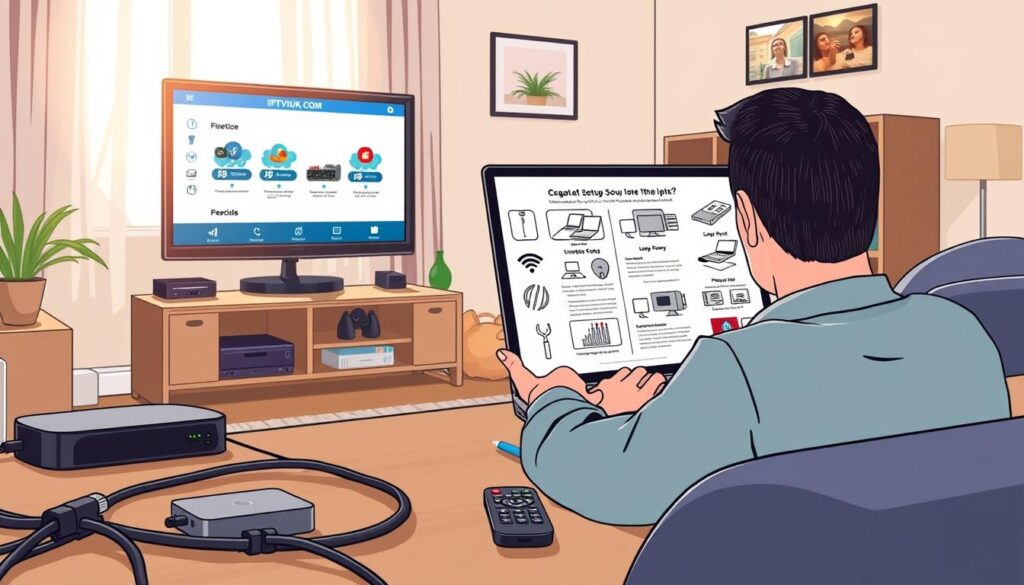
By following these steps, you can enjoy a seamless IPTV experience on your device.
Troubleshooting Common IPTV Issues
Common problems with IPTV services can be frustrating, but knowing how to address them can significantly improve your streaming experience. IPTV issues often stem from a few key areas: internet connectivity, device compatibility, and service configuration.
Fixing Buffering and Streaming Problems
Buffering and freezing are often caused by a slow or unstable internet connection. Try restarting your router, closing other apps, or switching to a wired connection. You can also lower the streaming quality in your IPTV app settings to ease the load on your network.
- Restart your router to refresh your internet connection.
- Close other bandwidth-intensive applications.
- Consider switching to a wired connection for stability.
Resolving Channel Access Issues
If certain channels aren’t showing up, it could be an issue with your IPTV provider’s server or an outdated playlist. Try refreshing or reloading your playlist URL and check your provider’s status page or support channels for known outages. For more detailed troubleshooting steps, you can refer to guides like IPTV Troubleshooting Guide or How to Troubleshoot Common IPTV Issues.
Updating and Maintaining Your IPTV Setup
Regularly updating your IPTV application and maintaining your setup can prevent future problems with channels and file playback. Ensure you’re using the latest version of your IPTV app and that your device’s software is up to date.

Conclusion
As we conclude this comprehensive guide to IPTV, you’ll be equipped with the knowledge to navigate the world of IPTV services effectively. To ensure a quality IPTV experience, it’s crucial to have a reliable internet connection, compatible devices, and the right service provider. We’ve emphasized the importance of legal IPTV usage throughout this guide, directing you to legitimate service providers and content sources.
To optimize your home setup, consider your specific user needs and explore different players and devices that can enhance your viewing experience. Staying updated with the latest IPTV technology is also vital; visit reliable websites for the latest instructions and updates to keep your streaming setup current and effective.
By following this guide, you’re now well-prepared to make the most of your IPTV service, enjoying a seamless and high-quality viewing experience in the comfort of your home.

