
The way we consume entertainment is changing rapidly. Traditional cable subscriptions are becoming a thing of the past, replaced by flexible and diverse Internet Protocol Television (IPTV) services.
In 2024, IPTV players have revolutionized media consumption, offering unprecedented flexibility and content variety. This guide will explore the best IPTV player options for cord-cutters looking to maximize their streaming experience across multiple devices.
Whether you’re new to cord-cutting or looking to upgrade, this guide will help you navigate the complex world of IPTV players to find your perfect match.
Key Takeaways
- Discover the top IPTV player options for cord-cutters in 2024.
- Learn how to evaluate IPTV players based on content library support and user interface quality.
- Find out which IPTV players deliver the most value for different operating systems.
- Understand how IPTV players work and their key features.
- Maximize your streaming experience across multiple devices.
The Rise of IPTV Players for Cord-Cutters
The way we consume television is undergoing a significant transformation, driven by the rise of Internet Protocol Television (IPTV) players. Traditional cable subscriptions are becoming relics of the past, replaced by flexible, powerful, and incredibly diverse IPTV services.
What Is an IPTV Player and How Does It Work?
An IPTV player is a software application that allows users to stream television content over the internet. It works by connecting to an IPTV service provider’s servers, which deliver a wide range of channels, on-demand content, and other entertainment options directly to your device. This technology enables a more personalized experience, allowing viewers to customize their entertainment according to their preferences.
Why Cord-Cutters Are Switching to IPTV Solutions
Cord-cutters are switching to IPTV solutions for several compelling reasons. The key advantages include cost efficiency, with savings of 50-80% compared to traditional cable subscriptions, and access to a broader range of content and channels. IPTV services also offer the flexibility to watch content on multiple devices, eliminating the need for rigid broadcasting schedules and enhancing the overall viewing experience with improved quality.
| Benefits of IPTV | Traditional Cable | IPTV Services |
|---|---|---|
| Cost | Fixed, often expensive | Flexible, potentially lower |
| Content Variety | Limited by geographic restrictions | Access to international channels and on-demand content |
| Device Compatibility | Limited to TV or specific devices | Multi-device compatibility |
Key Features to Look for in a Television IPTV Player
The right IPTV player can transform your television into a versatile entertainment hub, but what features should you prioritize? When evaluating Television IPTV Players, several critical aspects can significantly impact your viewing experience.
Content Library and Channel Support
A robust content library and extensive channel support are fundamental. You want an IPTV player that offers a wide range of channels and on-demand content. Check if the player supports various content sources and if it can handle different playlist formats like M3U. For instance, some IPTV services, like G-IPTV, provide comprehensive channel lineups that work seamlessly with compatible IPTV players.
User Interface and Navigation
The user interface and navigation are crucial for a seamless viewing experience. An intuitive interface makes it easier to find and enjoy your favorite content. Look for players with customizable home screens and easy access to settings. A well-designed UI can make a significant difference, especially for those who value a straightforward, user-friendly experience.
Streaming Quality and Performance
Streaming quality is perhaps the most critical aspect of any IPTV player. You can enjoy high definition quality with fast buffering when the right conditions are met. Buffering can be influenced by several factors, including your internet connection speed, Wi-Fi signal strength, the IPTV provider’s server capacity, and your streaming device’s processing power. Key features to look for include:
- Support for 4K resolution, HDR content, and high bitrate streams for crystal-clear viewing.
- Adaptive buffering that adjusts based on your network conditions to minimize interruptions.
- Hardware decoding support to leverage your device’s GPU, ensuring smoother playback and reduced CPU load.
- Connection stability features like automatic reconnection and stream health monitoring to maintain uninterrupted viewing.
By focusing on these essential features, you can significantly enhance your IPTV viewing experience, ensuring that you get the most out of your chosen player and service.
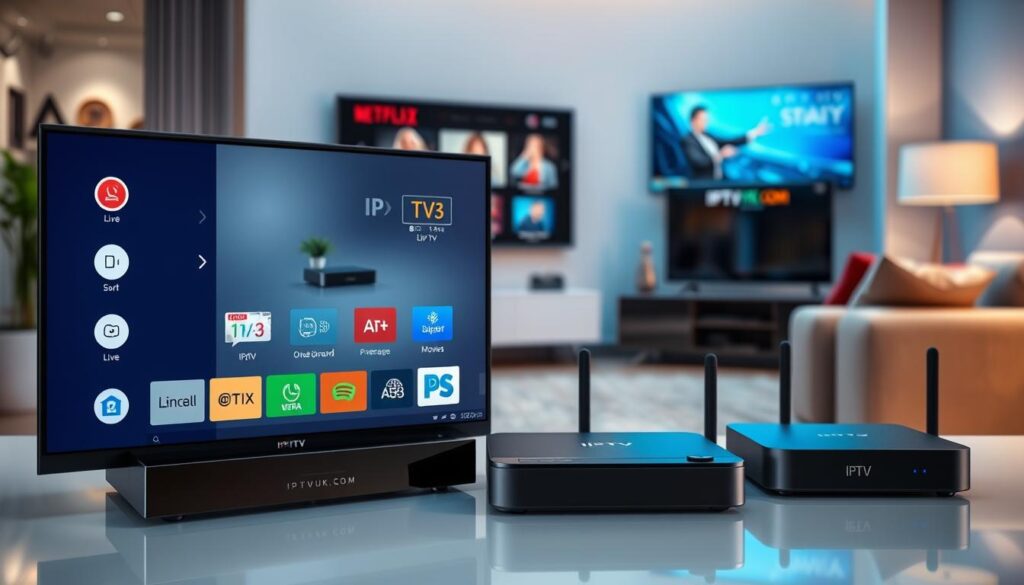
Top IPTV Smart Players for Android Devices
For cord-cutters using Android devices, the right IPTV player can make all the difference. With numerous options available, selecting a player that offers both quality streaming and a user-friendly interface is crucial.
IPTV Smarters Pro
IPTV Smarters Pro is a highly-regarded IPTV app known for its versatility and robust feature set. It supports a wide range of IPTV protocols and can handle complex playlists with ease.
Key Features
This app offers advanced features such as EPG (Electronic Program Guide) support, parental controls, and the ability to manage multiple IPTV playlists. Its user interface is intuitive, making it easy to navigate and customize.
Pros and Cons
Pros include its extensive feature set and compatibility with various IPTV services. However, some users find the interface could be more modern, and there are occasional reports of buffering issues on less powerful devices.
TiviMate
TiviMate is another popular IPTV player for Android, praised for its support for high-quality video streams and user-friendly interface. It’s designed to provide a seamless viewing experience, with features like EPG and the ability to create custom playlists.
Key Features
TiviMate’s key features include its ability to handle high-bitrate streams and its intuitive interface, which makes managing your IPTV content straightforward. It also offers a range of customization options.
Pros and Cons
The pros of TiviMate include its high-quality streaming capabilities and ease of use, saving you time in managing your IPTV content. Some users, however, have noted that it can be resource-intensive, potentially leading to performance issues on older devices.
GSE Smart IPTV
GSE Smart IPTV is a versatile IPTV player that supports virtually every IPTV protocol and format. It’s known for its low resource consumption, making it suitable for a wide range of Android devices, including older models.
Key Features
Key features of GSE Smart IPTV include its automatic playlist refresh feature, which ensures your channel list stays up-to-date without manual intervention, and its compatibility with a broad range of IPTV services.
Pros and Cons
Pros include its versatility, low resource consumption, and automatic playlist refresh feature, which saves you time. Cons include a somewhat dated interface and occasional buffering issues with high-bitrate streams on less powerful devices.
Best IPTV Players for iOS and Apple Devices
Apple users have several excellent IPTV player options for their devices. With numerous choices available, it’s essential to consider the features and performance of each player.
IPTV Smart Player
The IPTV Smart Player is a popular choice among iOS users. It offers a seamless streaming experience with its intuitive interface.
Key Features
The IPTV Smart Player supports multiple streaming protocols and has a user-friendly interface. You can easily manage your channels and create custom playlists.
Pros and Cons
Pros: Smooth performance, easy channel management. Cons: Limited customization options, occasional glitches.
GSE Smart IPTV for iOS
GSE Smart IPTV is another highly-rated option for iOS devices. It offers advanced features like EPG support and customizable themes.
Key Features
GSE Smart IPTV supports EPG, allows for custom themes, and has a robust playlist management system. You can download it from the App Store.
Pros and Cons
Pros: Advanced features, customizable interface. Cons: Steeper learning curve, some users report occasional crashes.
IPTV Smarters for iOS
IPTV Smarters is a versatile player that works seamlessly across Apple devices, including iPhone, iPad, and Apple TV. For more information on how to use IPTV on Apple TV, check out this guide.
Key Features
IPTV Smarters offers excellent device optimization and seamless account synchronization across Apple devices.
Pros and Cons
Pros: Excellent device optimization, seamless account sync. Cons: Limited channel organization options, updates can be delayed.
Premium IPTV Services Compatible with Popular Players

With numerous IPTV services available, finding one that is compatible with popular players is key to a great viewing experience. When evaluating IPTV service providers, several factors come into play to ensure you get the best service for your needs.
What to Look for in an IPTV Service Provider
When choosing an IPTV service, look for a provider that offers a stable and curated selection of channels. The key is to find value rather than just the lowest price. A good IPTV service should provide a fair price for high-quality content, reliable streaming, and responsive customer support.
Top Rated IPTV Services in 2024
Some of the top-rated IPTV services in 2024 have demonstrated exceptional performance and customer satisfaction. You can explore these options further by visiting IPTV Player for Smart TVs and How to Choose the Best IPTV for more detailed information.
Free vs. Paid IPTV Options
While free IPTV options are available, they often come with significant limitations, including inconsistent stream quality and limited customer support. In contrast, paid IPTV services offer substantial advantages, such as stable servers, regular channel updates, and responsive support. When considering a paid IPTV service, look for transparent pricing without hidden fees, typically ranging from $10-25 monthly, depending on the channel selection and resolution quality.
It’s also wise to start with a short-term trial or subscription to test the service’s reliability with your specific IPTV player and network setup before committing to a longer time period.
Setting Up Your IPTV Player for Optimal Performance
To get the most out of your IPTV experience, setting up your IPTV player correctly is crucial. This involves a few key steps that ensure you can enjoy your favorite shows and series without interruptions.
Adding M3U Playlists and Xtream Codes
The first step in setting up your IPTV player is adding your M3U playlists or Xtream Codes. This is typically done through the player’s settings menu, where you can input the URL of your M3U playlist or the details of your Xtream Code. For a detailed guide on how to set up IPTV on various devices, you can refer to resources like this step-by-step guide.
Optimizing Network Settings for Buffer-Free Streaming
To avoid buffering issues, optimizing your network settings is essential. Ensure your internet connection is stable and fast enough for streaming. You can check your internet speed using online tools and compare it with the recommendations of your IPTV service provider.
Troubleshooting Common IPTV Player Issues
Despite proper setup, you may encounter issues with your IPTV player. Common problems include persistent buffering, channels not working, and audio/video synchronization issues. For instance, if you’re experiencing buffering, try clearing the app’s cache and data. If channels are not working, verify if the issue is provider-wide or specific to your setup. For synchronization issues, consider switching to an alternative player. More detailed troubleshooting tips can be found in comprehensive guides like the one on setting up and using IPTV services.
| Issue | Troubleshooting Step |
|---|---|
| Persistent Buffering | Clear app cache and data |
| Channels Not Working | Check if issue is provider-wide, refresh playlist |
| Audio/Video Sync Issues | Switch to alternative player |
By following these steps and troubleshooting tips, you can significantly enhance your IPTV streaming experience on your device, whether it’s a phone, tablet, or Android TV.
Conclusion: Choosing the Right IPTV Player for Your Cord-Cutting Journey
In the realm of IPTV players, the key to a seamless entertainment experience lies in selecting a player that aligns with your device and content preferences. To make an informed decision, consider your specific needs, such as multi-screen capabilities for sports enthusiasts or robust library organization for movie and series fans.
Pair your chosen IPTV player with a reliable IPTV service, tested through a trial period, and optimize your network configuration for a buffer-free experience. By doing so, you’ll be well on your way to enjoying a more flexible, affordable, and content-rich television experience. For more information on setting up your IPTV player, visit G-IPTV’s guide.

