
Discover the ultimate streaming experience with IPTV Pro Player, your gateway to high-quality entertainment. IPTV Pro Player enables users to stream high-quality 4K videos on their devices, allowing them to watch movies, series, and live broadcasts 24/7 regardless of their location.
IPTV Pro Player stands as one of the leading streaming solutions for users seeking a comprehensive entertainment experience without traditional cable subscriptions. This powerful application serves as a versatile media player that supports various streaming protocols and playlist formats, making it a popular choice among cord-cutters.
Unlike browser-based streaming, the IPTV Pro Player app provides a dedicated, optimized environment specifically designed for seamless media consumption. The player offers advanced features like playlist management, customization options, and high-quality video playback capabilities that enhance the overall viewing experience.
This article will explore the complete functionality of IPTV Pro Player, including its core features, compatibility, setup process, pricing structure, and whether it might be the right solution for your streaming needs.
- IPTV Pro Player supports M3U, M3U8 playlists, and Xtream Codes integration, transforming devices into powerful entertainment hubs.
- The app is designed to provide a seamless streaming experience, with features like playlist management and customization options.
- IPTV Pro Player is compatible with various devices, making it a versatile choice for streaming entertainment.
What is IPTV Pro Player?
IPTV Pro Player is a media player application designed to stream television content via internet protocol networks. It’s a platform that allows users to access their favorite channels and programs on-demand, without the limitations of traditional broadcasting.
This application is particularly useful for cord-cutters and streaming enthusiasts who are looking for legal alternatives to traditional cable television.
The Concept Behind IPTV Streaming
IPTV streaming delivers media content through internet connections, allowing for on-demand access to channels and programs. This concept breaks free from traditional broadcasting limitations, offering users greater flexibility in their viewing experience.
How IPTV Pro Player Works
IPTV Pro Player works by interpreting playlist files (M3U or M3U8 format) provided by IPTV service providers. It acts as a bridge between users and their chosen IPTV content, handling stream decoding, buffering, and playback optimization, thus ensuring a seamless viewing experience.
Key Features of IPTV Pro Player
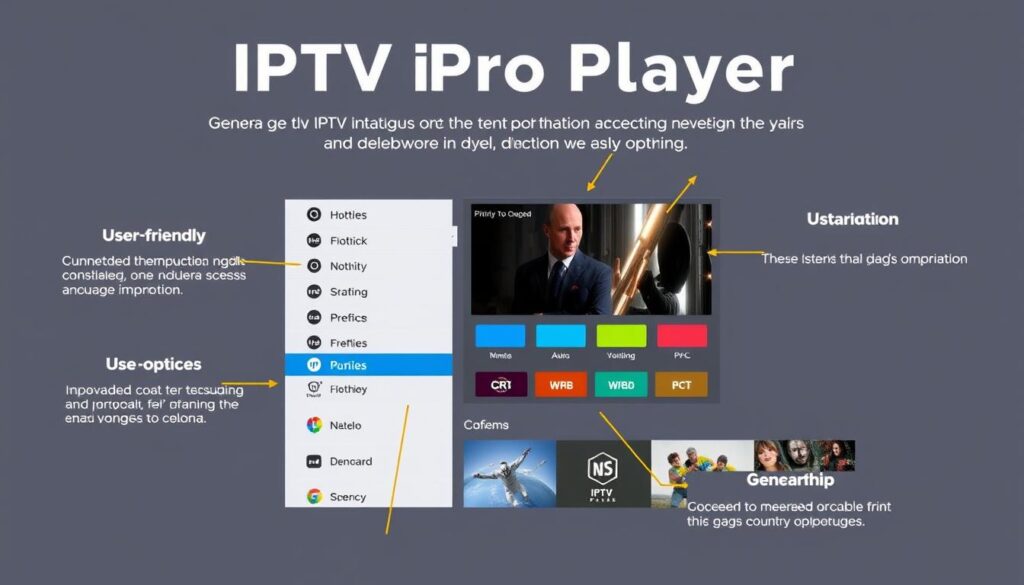
Discover the key features that make IPTV Pro Player a leading streaming solution. IPTV Pro Player is designed to provide a seamless streaming experience with its advanced features.
Playlist Management Capabilities
IPTV Pro Player excels in comprehensive playlist management, allowing users to import playlists via URL or local files and organize multiple content sources. The advanced search functionality enables quick channel location.
Video Playback Technology
The player delivers high-definition streaming with adaptive quality adjustment based on connection strength, ensuring optimal viewing even with fluctuating internet speeds. Intelligent buffering systems minimize interruptions during playback.
User Interface and Navigation
The app’s modern interface features intuitive navigation with fluid animations and a thoughtfully designed tab system. The fully responsive layout ensures consistent performance across various device sizes and orientations.
For more information on setting up IPTV Pro Player on other devices, you can check out our guide on how to set up IPTV Smarters Pro on.
Supported Formats and Compatibility
The IPTV Pro Player stands out for its broad compatibility with various formats and devices, making it a versatile choice for users. It supports industry-standard playlist formats, ensuring seamless integration with different IPTV services.
File Format Support
IPTV Pro Player offers comprehensive format support, including native compatibility for M3U, M3U8, and XSPF files. The app also integrates with Xtream Codes API, allowing direct connections to compatible IPTV services. Users can access content through various input methods, including URL-based playlists and locally stored files.
Device Compatibility
The IPTV Pro Player is compatible with major mobile platforms, including iOS (requiring iOS 16.0 or later) and Android operating systems. The app’s adaptive design ensures proper functionality across various screen sizes and resolutions. For more information on setting up IPTV Pro Player, you can visit this guide.
Setting Up IPTV Pro Player

IPTV Pro Player is easy to set up, with an intuitive onboarding experience that guides you through the process. The app is available for both iOS and Android devices, ensuring compatibility with a wide range of smartphones and tablets.
Installation Process
The installation process begins with downloading the IPTV Pro Player app from your device’s respective app store. The setup process is streamlined, with animated tutorials guiding you through the essential first steps of configuration.
Adding Your First Playlist
To add your first playlist, you can enter a URL provided by your IPTV service, upload a local playlist file, or connect through Xtream Codes credentials. IPTV Pro Player automatically categorizes channels once a playlist is loaded, organizing content by type and genre for easier navigation.
With IPTV Pro Player, you can customize your experience by marking favorite channels, creating custom categories, or adjusting playback settings. The app also includes options for configuring automatic reconnection in case of stream interruptions, ensuring continuous viewing even with unstable internet connections.
Customization Options
With IPTV Pro Player, you can personalize your streaming experience to suit your preferences. The app offers various customization options that allow you to tailor the application to your specific viewing habits.
Personalizing Your Experience
The IPTV Pro Player app enables you to create a personalized experience with a favorites system for instant access to your preferred channels. You can effortlessly edit, delete, or update playlists directly within the app, making it convenient to manage your content.
Creating Favorites and Categories
You can add movies and series to your favorites and start watching with a single click. The app allows you to create custom categories beyond the default classifications, organizing content by personal preferences such as “Weekend Movies” or “Kids Shows” for more intuitive content discovery.
| Customization Feature | Description | Benefit |
|---|---|---|
| Favorites System | Quick access to frequently watched channels | Eliminates the need to navigate through extensive channel lists |
| Playlist Editing | Edit, delete, or update playlists directly within the app | Convenient content management |
| Custom Categories | Create categories like “Weekend Movies” or “Kids Shows” | More intuitive content discovery |
For more information on customizing your IPTV experience, you can visit this guide on IPTV player customization.
IPTV Pro Player Pricing Structure
Understanding the IPTV Pro Player pricing structure is crucial for making an informed decision about your streaming needs. The app operates on a freemium model, offering both free and premium features.
Free vs Premium Features
The free version provides fundamental playback capabilities, basic playlist management, and standard definition streaming. In contrast, premium features include advanced options like multi-device synchronization, enhanced video quality settings, ad removal, and expanded customization capabilities.
Subscription Options
Subscription options include monthly plans starting around $9.99, with discounted rates for quarterly or annual commitments. The application occasionally offers promotional pricing, such as the “50% off for Smarters Live” special that reduces the entry barrier for new premium users.
Premium subscriptions activate instantly upon purchase through in-app payment systems, with automatic renewal options that can be managed through your device’s subscription settings.
Privacy and Security Considerations
IPTV Pro Player prioritizes user privacy and security, ensuring a safe viewing experience. The app’s commitment to not collecting user data or tracking viewing habits sets it apart from many streaming platforms.

Data Collection Policies
The IPTV Pro Player app has a strict no-tracking policy, meaning it doesn’t collect personal data or monitor viewing habits. This approach ensures that your privacy is maintained, and your data is not shared with third parties.
Secure Streaming Capabilities
For secure streaming, IPTV Pro Player stores playlist information and credentials locally on your device, minimizing the risk of data exposure. The use of a VPN can further enhance security when accessing IPTV content.
By implementing secure connection protocols and protecting against common vulnerabilities, IPTV Pro Player provides a secure environment for enjoying IPTV content.
Pros and Cons of IPTV Pro Player
To understand whether IPTV Pro Player is the right choice for you, let’s examine its advantages and limitations. This balanced view will help you make an informed decision about using the app for your streaming needs.
Advantages
IPTV Pro Player offers several key benefits, including customizable playlists and EPG support, which enhance the overall streaming experience. The app’s secure streaming capabilities ensure that your viewing sessions are protected. Additionally, users can save channels to their favorites for easy access, making it a comprehensive multimedia solution. The app’s intuitive interface and robust playlist management capabilities receive consistent praise from users.
Limitations
Despite its advantages, IPTV Pro Player has some limitations. Some users have reported occasional stability issues with certain stream types or during extended viewing sessions, particularly with live content from specific providers. The premium pricing model may also be a limitation for budget-conscious users who find the free version’s restrictions too limiting. Furthermore, the app’s dependency on external content sources means that the viewing experience relies on the quality and reliability of the user’s chosen IPTV provider.
For more information on how IPTV works, you can visit this resource to learn about the underlying technology that powers IPTV Pro Player and similar applications.
Conclusion: Is IPTV Pro Player Right for You?
For users seeking a comprehensive IPTV streaming experience, IPTV Pro Player stands out. This versatile app transforms devices into entertainment hubs, offering a seamless experience with advanced playlist management and a user-friendly interface. It excels for users with multiple IPTV subscriptions, providing privacy-conscious streaming with minimal data collection. While the free version is available, regular streamers may benefit from the premium features. Before committing, try the free version to ensure compatibility with your content sources.

