
Streaming television has evolved dramatically with IPTV (Internet Protocol Television) technology, offering viewers more flexibility and content options than traditional cable services. Finding the right IPTV application can significantly enhance your streaming experience, providing access to live channels, on-demand content, and specialized programming.
This comprehensive guide will compare the top-rated IPTV applications available in the market, examining their unique features, user interfaces, and compatibility with various devices. To learn more about setting up and using your IPTV service, you can refer to our detailed instructions on how to set up and use your IPTV.
Key Takeaways
- Discover the top-rated IPTV applications for an enhanced streaming experience.
- Compare the unique features and pricing models of various IPTV services.
- Learn how to choose the best IPTV app for your specific needs.
- Understand the compatibility of IPTV apps with different devices.
- Explore both free and premium IPTV options to find the best value.
Understanding IPTV Apps and Their Benefits
As we dive into the world of IPTV, it’s essential to understand what IPTV apps are and how they can revolutionize your viewing experience. IPTV, or Internet Protocol Television, is a technology that allows users to stream television content over the internet rather than through traditional satellite or cable formats.
What is IPTV and How Does It Work?
IPTV delivers television content over Internet Protocol networks, enabling the streaming of media content directly to compatible devices. This technology works by breaking down video content into data packets that are transmitted over the internet and then reassembled by your IPTV app or player to display seamless video content. IPTV services provide a flexible and personalized viewing experience, allowing users to access a wide range of channels and on-demand content.
Why IPTV Apps Are Replacing Traditional TV
Compared to traditional TV services, IPTV offers several significant advantages, including lower costs, greater content variety, multi-device compatibility, and the ability to watch on-demand content alongside live programming. IPTV apps serve as the interface between users and content, managing playlists, organizing channels, displaying program guides, and handling the technical aspects of streaming. This flexibility allows users to customize their viewing experience, creating personalized channel lists and accessing international content that might be unavailable through conventional television providers.
| Feature | IPTV | Traditional TV |
|---|---|---|
| Cost | Lower | Higher |
| Content Variety | Greater | Limited |
| Device Compatibility | Multi-device | Limited |
Key Features to Look for in the Best App for IPTV
When selecting an IPTV app, several key features can significantly enhance your viewing experience. These features not only make navigation and content discovery easier but also ensure that you can enjoy your favorite shows and movies without interruptions.
User Interface and Navigation
A well-designed user interface is crucial for any IPTV app, as it determines how easily you can navigate through channels, access settings, and find content. Look for clean layouts that scale properly on different screen sizes, making it easy to use on various devices.
Electronic Program Guide (EPG) Support
Electronic Program Guide (EPG) support provides a TV-like schedule of upcoming programs, making it easier to plan your viewing and discover new content. The best apps offer customizable, regularly updated guides with detailed program information, ensuring you stay informed about your favorite shows.
Playlist Management and Compatibility
Effective playlist management capabilities allow you to organize channels into favorites, create custom groups, and easily switch between different content sources. Advanced apps support multiple playlist formats and offer tools to edit and maintain your channel lists, providing flexibility and control over your viewing experience.
Streaming Quality and Performance
Streaming quality features such as adaptive bitrate technology, buffer settings, and video quality options ensure smooth playback regardless of your internet connection speed or device capabilities. A high-quality player is essential for an uninterrupted viewing experience.
| Feature | Description | Importance |
|---|---|---|
| User Interface | Clean and scalable layout for easy navigation | High |
| EPG Support | Customizable and regularly updated program guide | High |
| Playlist Management | Organize channels into favorites and custom groups | Medium |
| Streaming Quality | Adaptive bitrate technology and video quality options | High |
By considering these key features, you can choose an IPTV app that meets your viewing needs and provides a superior entertainment experience.
IPTVX: The Original Premium IPTV Experience
IPTVX stands out as a pioneering force in the IPTV app market, revolutionizing the user experience with its innovative features. It claims to be “the original and #1 app” that has influenced other applications to follow its design philosophy and feature set.
Overview
IPTVX offers a premium IPTV experience, supporting major formats including Xtream API, M3U, M3U8, PLEX, and SMB. The app is designed to provide a seamless viewing experience across various devices.
Pros
- Advanced video technologies support, including Dolby Vision, HDR10, and HLG.
- iCloud synchronization for cross-device functionality.
- User-friendly interface with features like favorites section, TV guide, and parental controls.
Cons
- The basic version has limitations, including intrusive watermarks and frequent purchase prompts.
- Some users may find the premium version necessary for regular use, adding to the overall cost.
Standout Features
The IPTVX app excels with its advanced video technologies, supporting Dolby Vision, HDR10, and HLG, which provide superior picture quality for compatible content and displays. Additionally, its iCloud synchronization allows users to access their data, favorites, and viewing progress across multiple devices, including iPhone, iPad, Apple TV, and Mac.
The app also features a user-friendly interface with a favorites section, TV guide, picture-in-picture, and parental controls, making it a comprehensive IPTV solution.
Pricing Options
IPTVX offers a free version with limited features and a premium version with additional benefits. The pricing structure is designed to accommodate different user needs, with options for those who require more advanced features.
TiviMate IPTV Player: Best for Android TV Boxes
TiviMate IPTV Player stands out as a premier choice for Android TV box users due to its intuitive interface and robust features. It’s designed specifically for large television screens, making navigation with remote controls effortless.
Overview
TiviMate is a top choice for Android set-top boxes, featuring a great user interface for managing playlists and channels, with an integrated TV guide schedule. The UI is regularly updated with bug fixes and performance improvements.
Pros
The application offers a responsive and visually appealing Electronic Program Guide (EPG), customizable views, and quick channel preview functionality.
Cons
While TiviMate is primarily designed for Android TV devices, its limited mobile support may be a drawback for users seeking a unified experience across all their Android devices.
Standout Features
TiviMate excels in playlist organization, allowing users to create multiple favorites lists, hide unwanted channels, and customize content order and grouping. The player offers advanced playback features, including multi-view, catch-up TV support, and recording capabilities in its premium version.
Pricing Options
TiviMate IPTV Player is available on Google Play, offering various pricing options to suit different user needs. The premium version unlocks additional features, enhancing the overall viewing experience.
With its Android TV optimization and feature-rich IPTV player, TiviMate is an excellent choice for those seeking a high-quality streaming experience.
Perfect Player IPTV: Versatile Multi-Platform Solution
For those seeking a versatile IPTV solution, Perfect Player stands out as a top contender. With its compatibility across TV boxes, tablets, smartphones, and computers, it offers an exceptional viewing experience.
Overview
Perfect Player IPTV is highly versatile, allowing users to watch files from external sources like SD cards or USB storage devices. It connects to IPTV data servers for playlists and EPGs, and can be controlled via TV remote or keyboard/mouse. The app features visually appealing menus that scale correctly with any screen resolution.
Pros
The app’s interface is both functional and simple, with customizable themes and display options. It supports a wide range of playlist formats and streaming protocols.
Cons
While highly versatile, some users may find the numerous settings and options overwhelming at first.
Standout Features
Perfect Player excels in its compatibility and customization options. It allows playback from local storage and streaming sources, making it a comprehensive media solution. Users can fine-tune settings for optimal performance on specific hardware.
Pricing Options
You can download Perfect Player IPTV from Aptoide. While the base version is available for free, premium features require a one-time purchase or subscription, offering various options for users.
With its extensive features and compatibility, Perfect Player IPTV is an excellent choice for those seeking a reliable and adaptable IPTV player.
GSE Smart IPTV: Cross-Platform Compatibility Champion
With its robust cross-platform functionality, GSE Smart IPTV leads the market, offering users a versatile and reliable IPTV solution. GSE Smart IPTV is available on Android, iOS, and Amazon devices, making it an excellent choice for a wide range of users.
Overview
GSE Smart IPTV is renowned for its exceptional cross-platform compatibility and user-friendly interface. The app features a clean, simple design that’s easy to navigate on TVs. Its Electronic Program Guide (EPG) is dynamically loaded in real-time, eliminating the wait for full EPG data download before browsing channels.
Pros
- Cross-platform compatibility across Android, iOS, and Amazon Fire devices
- Real-time EPG loading for efficient channel browsing
- Robust parental control features for content filtering
Cons
- Some users may find the interface less aesthetically pleasing
- Limited advanced features compared to some competitors
Standout Features
The GSE Smart IPTV player includes several standout features, such as robust parental controls and flexible configuration options. The app’s real-time EPG loading system is particularly advantageous for users with large channel lists, reducing wait times significantly.
Pricing Options
GSE Smart IPTV offers competitive pricing options. For the most up-to-date pricing, you can visit the IPTV Smart website. The app is available for download on Google Play for Android devices, and it’s also compatible with various IPTV services.
Additional Top Contenders in the IPTV App Market
In addition to the top-rated IPTV apps, several other contenders are making waves in the streaming world. These apps offer unique features and capabilities that might better suit specific user needs.
IPTV Extreme
IPTV Extreme is a robust option for Android users, offering both a free ad-supported version and a Pro ad-free version for $0.99. This app stands out with features like Chromecast support, auto-updated EPG, parental controls, and program alerts. The Pro version removes ads for a one-time payment, making it an attractive option for those seeking an ad-free experience without recurring subscription fees.
Key Features: Chromecast support, auto-updated EPG, parental controls, program alerts
XCIPTV Player
XCIPTV Player, also known as Xtream Codes Player, boasts a visually appealing interface with a professional design. It offers features like favorites, maintenance notifications, adaptive HLS streaming, and multi-portal support. This app is particularly useful for users who manage multiple IPTV service providers, as it allows for seamless switching between different portals.
Key Features: Stylish interface, favorites, maintenance notifications, multi-portal support
Watch IPTV
Watch IPTV has gained popularity among iOS users, offering a clean interface and strong performance on Apple devices, including iPhones, iPads, and Macs. While specific features aren’t detailed in the initial data, its compatibility with various iOS devices makes it a versatile choice for Apple ecosystem users.
For more information on the best IPTV apps for Smart TV, you can check out our comprehensive guide on top IPTV apps for Smart TV.
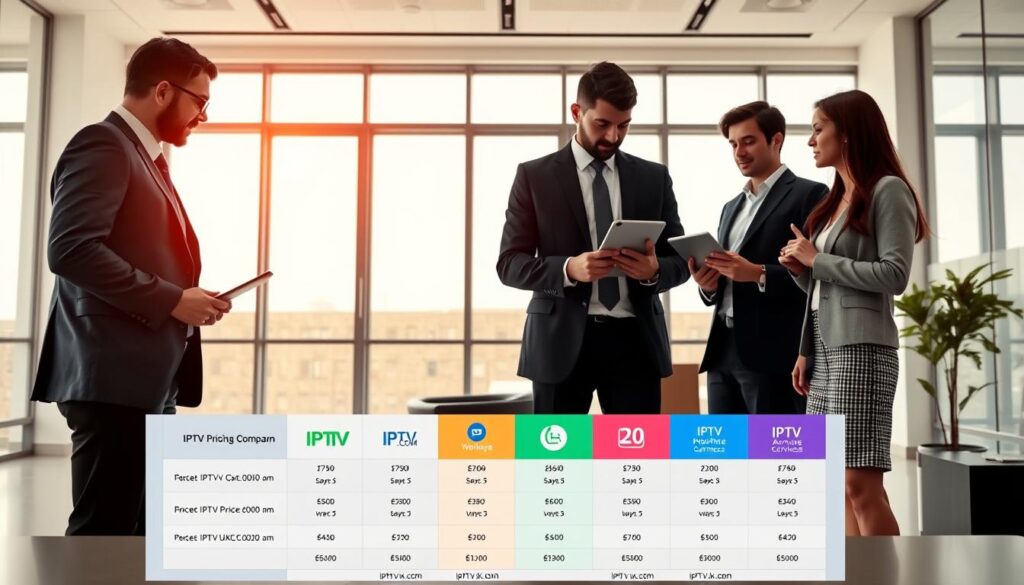
Comprehensive Pricing Comparison of Top IPTV Apps
To make an informed decision, it’s essential to compare the pricing models of top IPTV apps. The best IPTV services offer various pricing options that can significantly impact your viewing experience.
Free vs. Premium Features
IPTV apps often come with both free and premium features. The free versions typically have limitations such as watermarks, advertisements, or restricted features. For instance, IPTVX offers a free version with limited content and watermarks, while its premium version provides an ad-free experience and additional features.
- Free versions: Limited content, watermarks, advertisements
- Premium versions: Ad-free, additional features, improved quality
Subscription Models and One-Time Purchases
Different IPTV apps employ different pricing strategies. Some, like IPTVX, use subscription models with monthly or yearly fees. Others, such as IPTV Extreme, offer one-time purchases for their premium versions. For example, IPTV Extreme Pro is available for a one-time purchase of $0.99.
- Subscription-based: Ongoing updates, cloud synchronization
- One-time purchase: Lifetime license, no recurring fees
Best Value for Money
When evaluating the best value for money, consider not just the upfront price but also factors like update frequency, customer support quality, and compatibility with your preferred devices and IPTV services. One-time purchase options often provide the best long-term value.
Conclusion: Choosing the Right IPTV App for Your Needs
As you navigate the world of IPTV, it’s essential to consider several factors to find the best IPTV app that suits your viewing habits. When selecting an IPTV service, consider factors like price, server quality, and content offerings, including movies and TV shows. You should prioritize your primary viewing device, content preferences, technical comfort level, and budget constraints. For instance, Apple ecosystem users may prefer IPTVX for its seamless cross-device synchronization, while Android TV users might find TiviMate’s remote-friendly interface ideal. Check out our guide on the top IPTV streaming services and learn how to set up and use IPTV effectively.
Ultimately, the right IPTV app complements your IPTV service, ensuring compatibility with features like catch-up TV and video-on-demand libraries. By considering your options and settings, you can create a personalized viewing experience that meets your needs.

