
In today’s digital landscape, IPTV (Internet Protocol Television) has revolutionized media consumption, offering flexibility beyond traditional cable options. Using a VPN with IPTV services has become essential for viewers seeking unrestricted access to global content and enhanced privacy.
We’ve tested numerous VPN providers with popular IPTV platforms to determine which ones deliver reliable connections, fast streaming speeds, and robust security features. This comprehensive guide examines the top VPN IPTV services available in the US market.
Whether you’re a cord-cutter or a streaming enthusiast, our expert analysis will help you find the perfect VPN IPTV solution for your needs, ensuring secure and unrestricted access to your favorite content.
Key Takeaways
- Top VPN IPTV services for secure streaming in the US
- Features to look for in a VPN for IPTV streaming
- How to choose the best VPN for your IPTV needs
- Benefits of using a VPN with IPTV services
- Comparison of top VPN IPTV services in the US market
Understanding IPTV and Why You Need a VPN

IPTV represents a paradigm shift in how we access television content, using internet connections instead of traditional methods. This technology allows for a more flexible and personalized viewing experience, making it a popular choice among cord-cutters and streaming enthusiasts.
IPTV, or Internet Protocol Television, encompasses any service that delivers television content over the internet. Major streaming platforms like Netflix, Amazon Prime Video, and Hulu are all considered IPTV services as they provide on-demand content, live TV channels, and catch-up viewing options via an internet connection.
The content libraries on these IPTV services vary significantly by region due to licensing agreements and broadcasting rights. For instance, a US viewer may not be able to access the same content as someone in the UK due to geo-restrictions. This is where a VPN becomes essential. A VPN creates an encrypted tunnel for your internet traffic and masks your real IP address, allowing you to appear as though you’re browsing from a different location.
Using a VPN with IPTV services offers several benefits, including:
- Bypassing geo-restrictions to access content not available in your region
- Protecting your viewing habits from ISP monitoring
- Preventing bandwidth throttling by hiding your streaming activities from your ISP
- Adding a layer of security when streaming on public networks
Many ISPs deliberately slow down connections when they detect high-bandwidth activities like streaming. A VPN prevents them from seeing what type of content you’re accessing, thus helping maintain a smooth streaming experience. For detailed guidance on setting up and using your IPTV portal, you can visit https://www.g-iptv.com/how-to-set-up-and-use-your-iptv-portal/.
In conclusion, understanding IPTV and the role of a VPN in enhancing your streaming experience is crucial in today’s digital landscape. By choosing the right VPN, you can enjoy a more secure, private, and unrestricted viewing experience.
Benefits of Using a VPN for IPTV Streaming
A VPN can revolutionize your IPTV streaming experience by providing enhanced security and access to global content. By connecting to a VPN server in another country, you can acquire that country’s IP address, allowing you to access IPTV content libraries that are otherwise geo-restricted.
Enhanced Privacy Protection is one of the primary benefits of using a VPN for IPTV streaming. Your internet service provider (ISP) can no longer monitor your viewing habits or collect data on your streaming activities, as your connection is encrypted.
- VPNs effectively bypass geographic restrictions, allowing access to content libraries worldwide.
- Many ISPs throttle bandwidth for high-data activities like streaming, but a VPN disguises your traffic type, maintaining consistent streaming quality.
- When traveling, a VPN allows you to maintain access to your home country’s IPTV services and content libraries.
Using a VPN while streaming IPTV on public Wi-Fi networks encrypts your connection, protecting your personal information from potential hackers or snoopers. As noted by a cybersecurity expert, “Using a VPN is like having a secure, encrypted tunnel for your internet traffic, protecting you from prying eyes.”
“Using a VPN is like having a secure, encrypted tunnel for your internet traffic, protecting you from prying eyes.”
A quality VPN can protect multiple streaming devices simultaneously while maintaining the necessary speeds for buffer-free viewing experiences. The following table highlights the key benefits of using a VPN for IPTV streaming:
| Benefit | Description |
|---|---|
| Enhanced Privacy | Encrypts your connection, preventing ISP monitoring |
| Geo-unlocking | Access IPTV content from anywhere in the world |
| Consistent Streaming | Prevents ISP throttling, maintaining quality |
In conclusion, using a VPN for IPTV streaming offers numerous benefits, from enhanced privacy protection to geo-unlocking and consistent streaming quality. By choosing the right VPN service, you can enjoy a secure and unrestricted IPTV streaming experience.
Key Features to Look for in the Best VPN IPTV Services

The ideal VPN for IPTV streaming isn’t just about unblocking content; it’s about a combination of features that enhance your overall viewing experience. When we test VPNs for IPTV, we look at several critical criteria to ensure they meet our standards for performance and security.
First and foremost, connection speed is paramount for IPTV streaming. Even the most feature-rich VPN becomes useless if it can’t deliver buffer-free playback. We test VPNs across multiple servers to gauge their performance and look for services that consistently demonstrate high-speed performance in independent testing.
Another crucial factor is the server network size and distribution. The best VPN IPTV services offer thousands of servers across dozens of countries, ensuring reliable connections to your preferred content libraries. This extensive network is vital for accessing global content without interruptions.
Security features are also essential. We look for VPNs that offer strong encryption protocols like AES-256, along with security features such as a kill switch, DNS leak protection, and split tunneling. These features protect your data while streaming without compromising performance.
Furthermore, streaming-optimized servers are a significant advantage. These servers are specifically configured to work with popular IPTV platforms, providing more reliable access to geo-restricted content than standard VPN connections.
Other important considerations include device compatibility and the number of simultaneous connections allowed. The best VPN IPTV services offer dedicated apps for all major platforms and allow multiple devices to be connected simultaneously, ensuring whole-home protection.
Lastly, a no-logs policy that has been independently audited provides assurance that your streaming activities and personal data aren’t being recorded or potentially shared with third parties. User-friendly interfaces with one-click connections and intuitive server selection also make VPNs more accessible to everyone.
By focusing on these key features, you can find a VPN that not only unblocks your favorite IPTV services but also provides a secure, fast, and reliable streaming experience.
How We Tested VPNs for IPTV
Our testing methodology for VPNs involved evaluating their performance on several key fronts for IPTV streaming. To find the best VPNs for IPTV, we tested them based on critical parameters that ensure a seamless streaming experience.
Speed is crucial for uninterrupted streaming. We conducted speed tests across multiple servers to gauge their performance, measuring download speeds, upload speeds, and latency.

We also assessed the security features of each VPN, looking for strong encryption protocols and security features that protect user data.
- We’ve tested dozens of VPN services with popular IPTV platforms using a rigorous methodology.
- Our tests included evaluating the unblocking capability of VPNs to access region-restricted content.
- We analyzed the user experience, focusing on app interface design and ease of server selection.
By considering these factors, we were able to identify the top VPNs for IPTV streaming that offer a balance of speed, security, and usability.
For a VPN to be considered effective for IPTV, it must demonstrate strong performance across these criteria. Our testing revealed that the best VPNs for IPTV are those that can maintain high speeds, ensure robust security, and provide easy access to geo-restricted content.
Best VPN IPTV Services in 2023
We’ve compiled a list of the best VPN IPTV services for 2023 based on performance and features. These top VPNs offer secure, high-quality streaming for IPTV users.
NordVPN: Overall Best VPN for IPTV
Overview
NordVPN stands out as a top choice for IPTV streaming due to its robust security features and extensive server network. With over 5,000 servers across more than 60 countries, NordVPN provides reliable access to IPTV content worldwide.
Features
NordVPN offers a range of features beneficial for IPTV streaming, including dedicated IP addresses, Double VPN for extra encryption, and a strict no-logs policy. Its Meshnet feature allows for secure, peer-to-peer connections.
Pros
- Strong security features for protecting user data
- Large server network for reliable IPTV access
- Compatible with a wide range of devices
Cons
- Can be complex to set up for beginners
- Some servers may experience congestion
Pricing and Plans
NordVPN offers competitive pricing, with plans starting at $3.71 per month for a two-year subscription. A 30-day money-back guarantee is available for risk-free testing.

Surfshark: Best Budget VPN for IPTV
Overview
Surfshark is an affordable VPN option that doesn’t compromise on features. It offers unlimited device connections, making it ideal for households with multiple IPTV users.
Features
Surfshark includes features like CleanWeb for ad-blocking, a NoBorders mode for accessing geo-restricted content, and a strict no-logs policy. Its MultiHop feature allows for connecting through multiple servers.
Pros
- Affordable pricing without sacrificing features
- Unlimited device connections
- Strong security features
Cons
- Smaller server network compared to some competitors
- Speeds can vary depending on the server
Pricing and Plans
Surfshark offers competitive pricing, starting at $2.49 per month for a two-year plan. A 30-day money-back guarantee is available.

ExpressVPN: Premium Choice for IPTV Streaming
Overview
ExpressVPN is known for its high-speed servers and reliable performance, making it a premium choice for IPTV streaming. It offers over 3,000 servers across more than 90 countries.
Features
ExpressVPN includes features like split tunneling, a kill switch, and DNS leak protection. Its TrustedServer technology ensures that servers run on RAM-only, enhancing security.
Pros
- High-speed servers for smooth IPTV streaming
- Strong security features
- Wide server coverage
Cons
- Pricier than some other VPN options
- Some users may find the interface less intuitive
Pricing and Plans
ExpressVPN is priced at $8.32 per month for a monthly plan, but discounts are available for longer-term subscriptions. A 30-day money-back guarantee is offered.
ProtonVPN: Best for Privacy-Focused IPTV Users
Overview
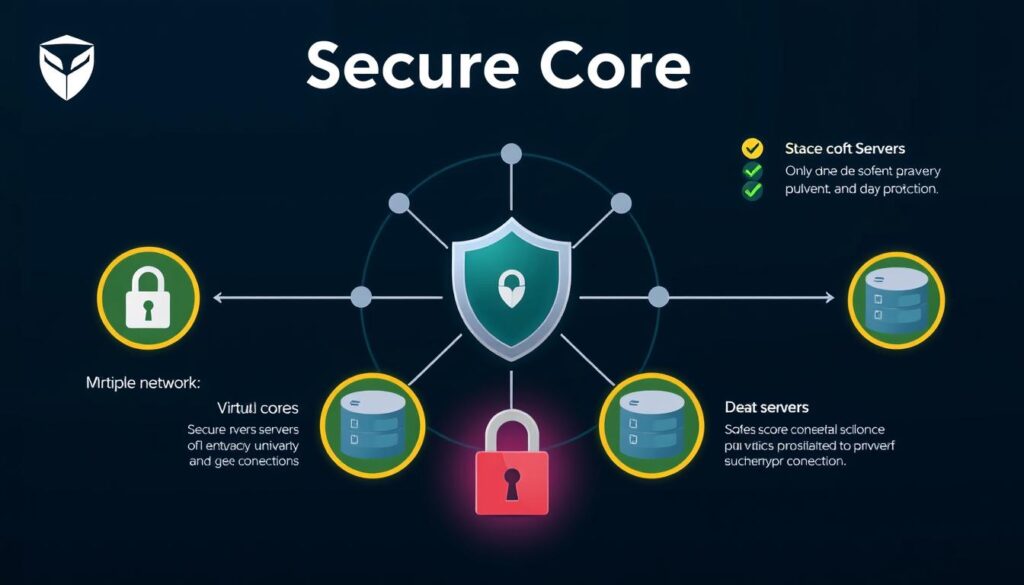
ProtonVPN is designed with a strong focus on privacy and security. It offers a Secure Core feature that routes traffic through multiple servers for enhanced protection.
Features
ProtonVPN includes features like Tor-over-VPN, a kill switch, and Perfect Forward Secrecy. It also offers a NetShield feature for blocking malware and ads.
Pros
- Strong focus on user privacy and security
- Independent security audits
- Transparent no-logs policy
Cons
- Free version has limited features and servers
- Can be more complex to use for beginners
Pricing and Plans
ProtonVPN offers a free version, with paid plans starting at $4.99 per month for a one-year subscription. A 30-day money-back guarantee is available for paid plans.
CyberGhost: Most User-Friendly VPN for IPTV
Overview
CyberGhost is known for its user-friendly interface and is an excellent choice for IPTV streaming. It offers over 9,000 servers across more than 100 countries.
Features
CyberGhost includes features like streaming-optimized servers, a kill switch, and ad-blocking. Its Smart Rules feature allows for automation based on specific actions.
Pros
- User-friendly interface
- Large server network
- Specialized streaming servers
Cons
- Not the fastest VPN in terms of speed
- Some advanced features require technical knowledge
Pricing and Plans
CyberGhost is priced competitively, with the best deal available at $2.19 per month for a two-year plan. A 45-day money-back guarantee is offered for longer-term plans.
How to Set Up a VPN for IPTV Streaming

To enjoy secure IPTV streaming, you’ll need to configure a VPN, a task that’s easier than you might think. The process involves a few simple steps that we’ll guide you through using NordVPN as an example.
First, select and subscribe to a VPN service that meets your needs. Then, download and install the VPN app on your preferred streaming device, whether it’s a computer, smartphone, tablet, or smart TV.
After installation, launch the VPN app and sign in with your account credentials. Most VPN services, like NordVPN, provide helpful prompts and tutorials to guide you through the initial setup.
For optimal streaming performance, select a VPN server location that corresponds to the content library you wish to access. For instance, connect to a U.S. server to access Netflix U.S. or other U.S.-based streaming services.
- Setting up a VPN for IPTV streaming is straightforward, even for those with limited technical experience.
- Begin by selecting and subscribing to one of our recommended VPN services.
- Download and install the appropriate app for your streaming device.
- Launch the VPN app and sign in with your account credentials.
- Select a server location that corresponds to the content library you wish to access.
- Once connected, open your IPTV application or navigate to the streaming website.
- For devices that don’t support VPN apps, consider installing the VPN on your router.
- If you experience performance issues, try connecting to a different server in the same country.
By following these steps, you can enjoy secure and unrestricted IPTV streaming with your chosen VPN service. Most quality VPNs, including NordVPN, offer detailed setup guides and 24/7 customer support to help troubleshoot any connection issues.
Common Issues When Using VPNs with IPTV
When using VPNs with IPTV, several common issues can arise that may disrupt your streaming experience. One of the primary concerns is VPN detection by streaming platforms, as many IPTV services actively work to identify and block VPN connections to enforce geographic restrictions.
Other issues include connection speed degradation, which can occur due to the encryption process and physical distance to servers, potentially resulting in buffering or reduced video quality during peak usage times. Additionally, IP address blacklisting happens when streaming services identify and block known VPN server addresses, requiring you to switch to a different server or wait for your VPN provider to deploy new IP addresses.
To troubleshoot these issues, you can try a few simple fixes. For instance, switching to a different VPN server or using a streaming-optimized server can often resolve connectivity problems. Using the IPTV website instead of the app, or accessing the service in incognito mode, can also help. Furthermore, disabling GPS on your device and clearing cookies can prevent location conflicts and ensure access to your desired content library.
It’s also worth noting that DNS leaks can expose your real location even when using a VPN, if your system defaults to your ISP’s DNS servers. Moreover, some streaming apps employ app-based detection methods to identify VPN usage, which may require specialized VPN features to circumvent. Being aware of these potential issues and knowing how to address them can significantly enhance your IPTV streaming experience with a VPN.
- Switch servers or use a streaming-optimized server
- Use the IPTV website instead of the app
- Access IPTV in incognito mode and refresh
- Disable GPS to prevent location conflicts
- Clear cookies to unblock content libraries
- Change VPN protocols if necessary
Free vs. Paid VPNs for IPTV: What You Need to Know
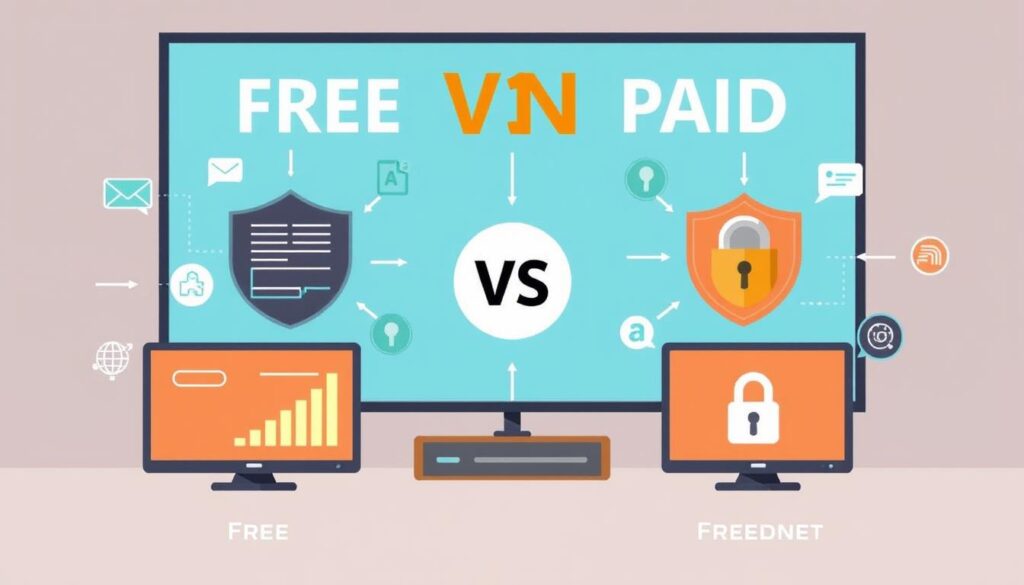
For IPTV enthusiasts, understanding the differences between free and paid VPNs is essential for a seamless streaming experience. While it’s possible to use a good free VPN like PrivadoVPN to stream IPTV content, we recommend exercising caution when selecting a free VPN service.
Many free VPNs are slow, ineffective at unblocking IPTVs, and may even pose security risks by infecting your device with malware. In contrast, reputable paid VPNs offer dedicated streaming servers optimized for IPTV, providing a more reliable and secure streaming experience.
Here are key differences between free and paid VPNs for IPTV streaming:
- Data Caps: Free VPNs often impose strict data caps, making them impractical for regular IPTV viewing.
- Speed Limitations: Many free VPNs throttle connections, resulting in frequent buffering and reduced video quality.
- Server Locations: Free VPNs typically have limited server networks, reducing access to region-specific content.
- Security: Free VPNs may compromise on security, logging user data or injecting ads.
- Dedicated Streaming Servers: Paid VPNs offer servers optimized for IPTV, a feature rarely available with free VPNs.
While services like ProtonVPN offer free tiers, these often restrict access to streaming-optimized servers and limit locations. For safe, uninterrupted IPTV streaming, choosing a reliable paid VPN service is recommended. The cost difference between free and paid services is minimal compared to the superior experience paid options provide.
When selecting a VPN for IPTV, consider the importance of speed, security, and server locations. A paid VPN service can provide the necessary infrastructure for a high-quality streaming experience.
Legal Considerations When Using VPNs for IPTV
Understanding the legal implications of combining VPNs and IPTV is essential for users. While using a VPN with IPTV is legal in most countries, the legality of IPTV itself depends on the service provider. Licensed IPTV providers operate legally, whereas unlicensed or pirated IPTV streams are not.
The distinction between licensed and unlicensed IPTV services is crucial. Major streaming platforms like Netflix and Hulu, along with legitimate IPTV providers, operate within the law. In contrast, unauthorized services that redistribute content without permission from rights holders may violate copyright laws. You should be aware that some countries, including China, Russia, and the UAE, have restrictions on VPN technology.

When using VPNs for IPTV, several legal considerations come into play. Many streaming platforms explicitly prohibit VPN usage in their user agreements, potentially giving them grounds to terminate accounts found circumventing geo-restrictions. For instance, using Surfshark services or other VPNs to access geo-restricted content may violate these terms.
- Copyright infringement risks exist when accessing content not licensed for your region.
- Most reputable VPN providers maintain no-logs policies to protect user privacy.
- Using a VPN for legitimate privacy and security purposes while accessing properly licensed content is the safest approach legally.
- When traveling internationally, using a VPN to access your home country’s services that you’ve legitimately paid for generally presents minimal legal concerns.
To ensure compliance with legal regulations, it’s recommended to use VPNs with licensed IPTV services like those described on IPTV information sites. By doing so, you can enjoy your preferred content while maintaining legal integrity and avoiding potential risks associated with unlicensed IPTV streams.
Enhancing Your IPTV Experience with VPN Features
Using a VPN with IPTV not only secures your streaming activity but also unlocks a range of features that enhance your overall viewing experience. A VPN encrypts all your internet traffic and masks your IP address, ensuring that your IPTV streaming remains private and secure.
When selecting a VPN for IPTV, look for strong encryption, a kill switch that disconnects your internet if the VPN drops, and protocols optimized for streaming. These features are crucial for maintaining a secure and uninterrupted streaming experience. For more information on how VPNs work with IPTV, you can visit Surfshark’s IPTV VPN guide.

- Split tunneling functionality, which allows you to route only your IPTV apps through the VPN while maintaining direct connections for other applications.
- Dedicated IP addresses offered by providers like NordVPN and CyberGhost, which can provide more stable access to streaming platforms.
- Multi-hop or double VPN connections that route your traffic through multiple servers for enhanced privacy.
- Automatic server selection features that identify the optimal server for streaming based on current load and performance metrics.
- Smart DNS services that provide an alternative method for accessing geo-restricted content with potentially faster speeds.
- Ad and malware blocking features integrated into VPNs like NordVPN and Surfshark, which can improve streaming performance and enhance security.
- Specialized streaming profiles or modes that automatically optimize connection settings for video streaming.
- Mobile-specific features like automatic connection on untrusted networks, ensuring your IPTV viewing remains protected on smartphones or tablets.
By choosing a VPN with these advanced features, you can significantly enhance your IPTV streaming experience, ensuring it is both secure and optimized for performance.
VPN IPTV Compatibility with Different Devices

VPN compatibility with various devices is essential for a smooth IPTV streaming experience. Modern VPN services offer dedicated apps for major operating systems, including Windows, macOS, iOS, Android, and often Linux, ensuring compatibility with most devices used for IPTV streaming.
When it comes to smart TV compatibility, it varies significantly between VPN providers. Some offer native apps for platforms like Android TV and Fire TV, while others require manual configuration or router-level setup. For example, Surfshark provides a comprehensive guide on setting up VPN for IPTV streaming on various devices.
Router installation represents the most comprehensive solution for whole-home protection, allowing devices that don’t natively support VPNs (like Apple TV, Roku, or game consoles) to benefit from the connection. Additionally, browser extensions provide a lightweight alternative for streaming through web browsers, though they typically only protect browser traffic.
For on-the-go streaming, mobile apps are particularly important, with the best VPN providers offering fully-featured iOS and Android applications. The setup complexity varies significantly between platforms, with some requiring manual configuration while others offer one-click installation.
It’s also crucial to consider the simultaneous connection limits when choosing a VPN service. Services like Surfshark and IPVanish offer unlimited connections, while others typically allow 5-10 devices. For a detailed guide on setting up IPTV with a VPN, you can refer to resources like G-IPTV’s guide on setting up IMAX.
Lastly, the performance impact differs across device types, with less powerful streaming sticks and smart TVs sometimes experiencing greater speed reductions when using VPN connections. Choosing a VPN that’s fast enough for your device is crucial for uninterrupted streaming.
Best VPN IPTV Services for Specific Streaming Needs
The best VPN for IPTV streaming depends on your specific needs, whether it’s sports, international content, or high-definition streaming. Different users require different features from their VPN services.
For sports streaming enthusiasts, a VPN with an extensive network within specific countries is ideal. For instance, IPVanish has servers in 17 US cities, allowing users to bypass regional blackouts imposed by sports broadcasters. With roughly 1,000 servers in the USA and a presence in 100+ countries worldwide, IPVanish is a top choice for sports fans.
Budget-conscious streamers can benefit from services like Surfshark, which offers unlimited simultaneous connections and excellent performance at around $2 per month with long-term plans. For high-definition and 4K streaming, NordVPN and ExpressVPN are top choices due to their consistently high speeds and optimized streaming servers.
| VPN Service | Key Feature | Ideal For |
|---|---|---|
| IPVanish | Extensive US server network | Sports streaming |
| Surfshark | Unlimited simultaneous connections | Multi-device households |
| NordVPN | High-speed servers | High-definition streaming |
| ExpressVPN | Global server coverage | International content viewers |
| ProtonVPN | Secure Core architecture | Streaming on public networks |
For international content viewers, VPNs like ExpressVPN and ProtonVPN offer truly global server coverage, maintaining reliable servers in regions often overlooked by other providers. When streaming on public networks, security-focused options like ProtonVPN provide essential protection against network-based attacks.
To learn more about the best VPN IPTV services, you can visit Comparitech’s guide for an in-depth comparison.
Future of VPNs and IPTV Streaming
As we look ahead, the intersection of VPN technology and IPTV streaming is expected to evolve dramatically. The ongoing cat-and-mouse game between streaming platforms and VPN providers will likely intensify, with both sides developing increasingly sophisticated technologies for detection and evasion.
The integration of AI and machine learning into VPN services may improve their ability to automatically select optimal servers for specific streaming platforms and adapt to changing detection methods. Additionally, the adoption of next-generation VPN protocols like WireGuard will continue to enhance performance while maintaining security.
Emerging technologies such as 5G and improved home internet speeds will reduce the performance impact of VPN encryption, making high-quality protected streaming more accessible. As more households cut traditional cable cords in favor of IPTV solutions, demand for reliable VPN services that enhance these streaming experiences will likely continue to grow.
Privacy regulations will continue to evolve globally, potentially affecting how VPNs operate and what data they can collect. The rise of decentralized VPN networks may offer new approaches to bypassing geo-restrictions while improving privacy through distributed ownership models.
The future of VPNs and IPTV streaming is closely tied to technological advancements and changing user behaviors. As the industry continues to evolve, we can expect to see more sophisticated solutions for secure and private streaming.
Conclusion
In summary, a good VPN is essential for IPTV streaming, offering both security and access to a broader range of content. When choosing a VPN for IPTV, it’s crucial to balance factors such as performance, security features, server network size, ease of use, and value.
Our top recommendation is NordVPN, which delivers an exceptional combination of streaming-optimized servers, high speeds, and robust security. For those on a budget, Surfshark offers remarkable value with unlimited simultaneous connections at a fraction of the cost of more expensive competitors.
The VPN landscape is continually evolving, with providers improving their services to overcome streaming restrictions and enhance user experience. All recommended VPN services offer money-back guarantees, allowing you to test their performance risk-free.
Investing in a reliable VPN not only enhances your IPTV streaming experience but also provides valuable privacy and security benefits. By choosing the right VPN, you can enjoy a more secure and unrestricted streaming experience.
Whichever service you choose, implementing a VPN for your IPTV streaming represents a small investment that delivers significant improvements in content availability, streaming quality, and online privacy.

