
Most legitimate IPTV services are region-locked, meaning they can only be accessed from within specific countries. This can be frustrating if you’re traveling abroad and hoping to unwind with some of your favorite shows. Luckily, it’s easy to regain access using a Virtual Private Network (VPN), and doing so will boost your online privacy, too!
A VPN works by encrypting your traffic and sending it through a server somewhere else in the world. This not only shields your activities from the prying eyes of local ISPs and the government but also means that you can appear to be browsing from virtually anywhere.
By using a VPN with IPTV, you can continue using your favorite streaming services while traveling. This guide will help you understand why VPNs are essential for IPTV streaming and identify which providers offer the best combination of features, performance, and value for secure streaming.
Key Takeaways
- Using a VPN with IPTV helps bypass geo-restrictions and adds a layer of privacy protection.
- A VPN creates an encrypted connection between your device and a server in another location.
- The right VPN for IPTV needs to offer fast speeds, strong security features, and reliable access to servers in multiple countries.
- IPTV services offer a flexible way to access television content over the internet.
- A good VPN will help you maintain access to your favorite IPTV services while traveling.
Understanding IPTV and Why Security Matters
As we dive into the world of streaming, it’s essential to understand what IPTV is and why securing it is crucial. IPTV, or Internet Protocol Television, delivers live and on-demand video content over IP networks, differing from traditional broadcast methods like cable or satellite. To access IPTV services, users typically need either a set-top box or an internet connection.
What Is IPTV?
IPTV represents a significant evolution in television delivery, using internet protocols to stream content rather than traditional means. Services like Hulu + Live TV, Sling TV, and YouTube TV are examples of IPTV platforms that offer live TV channels and on-demand content, making them popular among cord-cutters. These services provide a flexible alternative to traditional cable TV, allowing users to access a wide range of channels and content through a single internet-connected interface.
Some key characteristics of IPTV include its ability to offer on-demand content, live channels, and time-shifted media. This flexibility is part of what makes IPTV so appealing. However, IPTV services often come with regional licensing restrictions, meaning the availability of content can vary significantly based on the user’s geographic location.
Common Security Risks with IPTV Services
While IPTV offers many benefits, it also comes with several security risks. One of the primary concerns is the potential exposure of viewing habits to third parties. When using IPTV services, users may be vulnerable to man-in-the-middle attacks, especially if they are connected to unsecured networks. Additionally, some IPTV providers may collect user data for advertising purposes or to comply with regional content restrictions, raising privacy concerns.
To mitigate these risks, using a VPN (Virtual Private Network) is highly recommended. A VPN can help protect user privacy by encrypting their internet connection and masking their IP address, thus securing their IPTV streaming activities. The table below summarizes the common security risks associated with IPTV services and how a VPN can help.
| Security Risk | Description | Mitigation with VPN |
|---|---|---|
| Exposure of Viewing Habits | Third parties may access user viewing habits. | Encrypts internet connection, protecting user data. |
| Man-in-the-Middle Attacks | Vulnerability to attacks on unsecured networks. | Secures connection with encryption. |
| ISP Throttling | ISPs may throttle bandwidth when detecting streaming activity. | Masks streaming activity, preventing throttling. |
Why You Need a VPN for IPTV Streaming
When it comes to IPTV streaming, a VPN is more than just a tool; it’s a necessity for accessing your favorite content without restrictions. IPTV services offer a wide range of channels and on-demand content, but without a VPN, users often face limitations due to geo-restrictions and ISP throttling.
Bypassing Geo-Restrictions
Geographic restrictions are a significant limitation for IPTV users. Content libraries vary by region due to licensing agreements, which means you might lose access to your favorite shows when traveling abroad. A VPN solves this problem by routing your connection through servers in different countries, making it appear as though you’re accessing content from within the permitted region, regardless of your actual location.
Avoiding ISP Throttling
Many Internet Service Providers (ISPs) engage in bandwidth throttling—deliberately slowing down your connection when they detect streaming activity—which results in frustrating buffering and reduced video quality. By encrypting your internet traffic, a VPN prevents your ISP from seeing what you’re doing online, effectively stopping them from implementing content-specific throttling policies that target streaming services.

Enhancing Privacy and Security
Beyond access and speed benefits, VPNs provide crucial privacy protection by masking your IP address and encrypting your connection, preventing third parties from monitoring your viewing habits or collecting your personal data. This is particularly important for IPTV users who want to keep their streaming activities private.
| Benefits of Using a VPN for IPTV | Description |
|---|---|
| Bypassing Geo-Restrictions | Access content from anywhere by routing your connection through servers in different countries. |
| Avoiding ISP Throttling | Prevent ISPs from slowing down your connection by encrypting your internet traffic. |
| Enhancing Privacy and Security | Protect your viewing habits and personal data by masking your IP address and encrypting your connection. |
Using a VPN for IPTV streaming not only enhances your viewing experience by providing unrestricted access to content but also ensures that your online activities remain private and secure.
Key Features to Look for in a VPN IPTV Service
To enjoy uninterrupted IPTV streaming, it’s crucial to choose a VPN that offers the right combination of speed, security, and server coverage. When selecting a VPN IPTV service, several key features should be considered to ensure a high-quality viewing experience.
Connection Speed and Bandwidth
Connection speed is perhaps the most critical feature for IPTV streaming. Insufficient bandwidth can result in constant buffering, lower resolution, and an overall poor viewing experience. Look for VPNs that offer unlimited bandwidth and consistently high speeds, preferably those using modern protocols like WireGuard or proprietary options like NordLynx or Lightway that are optimized for streaming performance.
Server Network Size and Locations
The size and geographic distribution of a VPN’s server network directly impact your ability to access region-specific content. The more countries covered, the more IPTV libraries you can potentially unlock. A larger network also helps in distributing the load, reducing the likelihood of server congestion and maintaining fast connection speeds.
Security Protocols and Encryption
Security is paramount when streaming IPTV, especially on public Wi-Fi networks. Strong encryption (256-bit AES is the industry standard) and secure protocols are essential for protecting your data. Modern VPNs employ various protocols to ensure a secure connection, so it’s worth choosing one that offers a good balance between security and performance.
No-Logs Policy
A strict no-logs policy ensures that the VPN provider doesn’t store information about your online activities. This is crucial for maintaining privacy and preventing your viewing habits from being tracked or sold to third parties. When choosing a VPN for IPTV, prioritize services that have a proven track record of protecting user privacy.
| Feature | Importance | What to Look For |
|---|---|---|
| Connection Speed | High | Unlimited bandwidth, fast speeds |
| Server Network | High | Large server network, multiple locations |
| Security Protocols | High | Strong encryption (256-bit AES), secure protocols |
| No-Logs Policy | High | Strict no-logs policy, privacy protection |
NordVPN: Top Overall Choice for IPTV
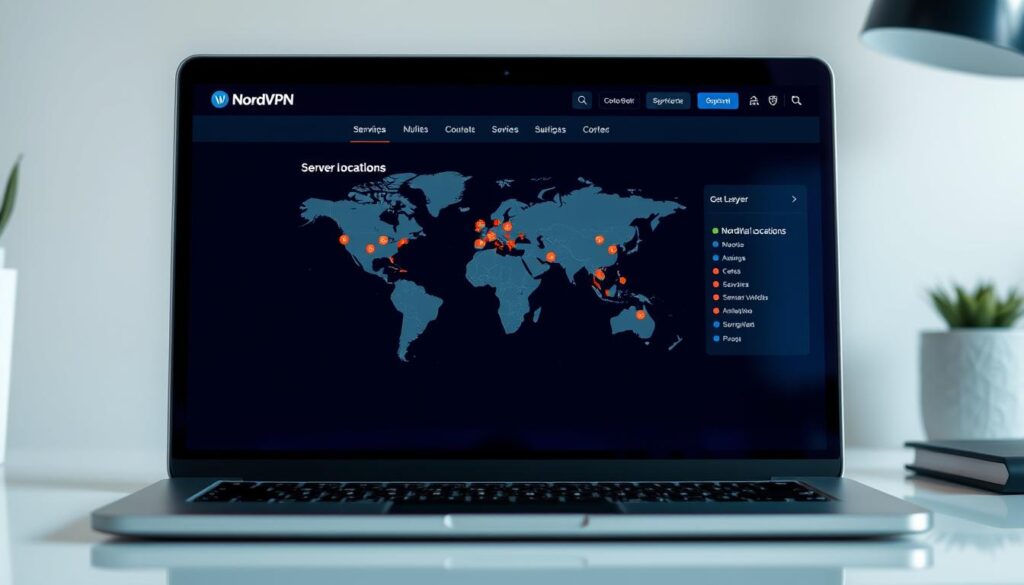
When it comes to securing your IPTV streaming, NordVPN stands out as a top contender. With its extensive network of over 5,400 servers across 60+ countries, NordVPN provides reliable access to geo-restricted content worldwide.
Overview
NordVPN is the best VPN for those who want to access IPTV video streams from back home while traveling. Its large network and multiple ways to obfuscate your traffic make it an ideal choice for IPTV streaming, even in countries with heavy internet restrictions like China or Russia.
Pros
NordVPN offers several advantages for IPTV users. Its exceptional streaming performance delivers average speeds of 204+ Mbps, making it suitable for 4K streaming without buffering. Additionally, its military-grade 256-bit encryption and automatic kill switch ensure a secure viewing experience.
Cons
While NordVPN excels in many areas, some users might find its complex interface slightly overwhelming. However, this is a minor trade-off for the level of security and performance it provides.
Features
NordVPN’s features make it particularly valuable for IPTV streaming. Its obfuscated servers allow users to access content in restricted regions. The service supports up to 10 simultaneous device connections and is compatible with all major platforms, including Windows, macOS, iOS, Android, and Linux. Furthermore, NordVPN offers a 30-day money-back guarantee, allowing users to test the service risk-free.
NordVPN’s commitment to privacy and security is evident in its strict no-logs policy, which has been independently audited. This, combined with its advanced features and extensive server network, makes NordVPN a premier choice for IPTV streaming.
Surfshark: Best Budget-Friendly VPN for IPTV

When it comes to budget-friendly VPNs for IPTV, Surfshark stands out as a top contender. With its competitive pricing and robust feature set, it’s an attractive option for those looking to secure their streaming activities without breaking the bank.
Overview
Surfshark is a great value, fast, and reliable VPN with over 4,500 servers in 100+ countries around the world. These features make it ideal for streaming live TV online, and it can access popular platforms like Netflix, Hulu, and BBC iPlayer.
Pros
Unlimited device connections make it perfect for households with multiple streaming devices. Surfshark offers exceptional value with plans starting at just $1.99 per month for longer subscriptions. Its impressive speeds, averaging 197+ Mbps, ensure smooth high-definition and 4K streaming.
Cons
While Surfshark excels in many areas, it’s worth noting that its vast server network, while extensive, might be overwhelming for some users. Additionally, as with many VPNs, some streaming platforms may occasionally flag VPN traffic.
Features
Surfshark’s standout features include its unlimited simultaneous device connections policy, allowing entire households to protect all their streaming devices under a single subscription. The service maintains impressive speeds, averaging 197+ Mbps, which is adequate for high-definition and 4K streaming across multiple devices. Other notable features include:
- CleanWeb for ad and malware blocking
- Camouflage Mode for bypassing strict censorship
- Static IP options for more stable access to streaming platforms
- A vast network of 3,200+ servers across 100+ countries
Surfshark’s combination of affordability, performance, and features makes it an excellent choice for IPTV users seeking a budget-friendly VPN solution.
ExpressVPN: Premium Performance for IPTV Streaming

ExpressVPN stands out as a premium VPN service, offering exceptional performance for IPTV streaming. With its extensive network of high-speed servers across the globe, ExpressVPN ensures that users can enjoy their favorite IPTV content without buffering or interruptions.
Overview of ExpressVPN for IPTV
ExpressVPN is particularly well-suited for IPTV streaming due to its robust infrastructure and advanced features. The service boasts over 3,000 RAM-only servers in more than 105 countries, providing users with access to a vast array of geo-restricted content.
Pros of Using ExpressVPN for IPTV
Lightning-fast speeds: Thanks to its proprietary Lightway protocol, ExpressVPN delivers fast connection speeds ideal for high-quality IPTV streaming.
Wide server coverage: With servers in numerous locations worldwide, users can easily access region-locked IPTV content.
Cons of Using ExpressVPN for IPTV
Higher cost: ExpressVPN is priced at a premium compared to some other VPN services, which may be a consideration for budget-conscious users.
Device limit: Although ExpressVPN allows up to 8 simultaneous device connections, this might not be sufficient for larger households.
Features That Make ExpressVPN Ideal for IPTV
ExpressVPN’s MediaStreamer feature is particularly beneficial for IPTV users, as it enables devices that don’t natively support VPNs to access geo-restricted content.
The service also includes TrustedServer technology, ensuring that servers run on RAM-only, leaving no data behind after reboots, thus enhancing security and privacy.
Additionally, ExpressVPN’s router app allows users to protect every device on their home network by replacing the router’s firmware, effectively maximizing the value of its 8-device connection limit.
CyberGhost: Specialized Streaming Servers for IPTV
When it comes to secure IPTV streaming, CyberGhost stands out with its specialized servers. CyberGhost is known for its sprawling server network and fast connection speeds, making it a solid choice for accessing IPTV services.
Overview
CyberGhost VPN boasts an impressive network of 11,500+ RAM-only servers across 100+ countries. These servers are optimized for specific tasks, including streaming, ensuring that users can find a reliable connection for IPTV services. The service is designed to provide fast and secure streaming, with features like strong encryption and a kill switch to protect user data.
Pros
CyberGhost distinguishes itself with several key advantages. Its specialized streaming servers are optimized for different IPTV and streaming platforms, simplifying the process of finding a working connection. The service also offers impressive speeds suitable for 4K streaming and provides unlimited bandwidth, ensuring smooth playback even during peak hours.
Cons
While CyberGhost offers many benefits, there are some potential drawbacks to consider. Some users may find the complexity of the service overwhelming, particularly if they are new to VPNs. Additionally, as with any VPN, there is a risk of occasional server overload, which can impact performance.
Features
CyberGhost’s feature set is designed to enhance the IPTV streaming experience. The service includes an automatic kill switch and DNS leak protection to ensure user security. It also offers split tunneling on Android devices and SmartRules on Windows, allowing users to customize their VPN experience. With apps available for a range of devices, including Windows, macOS, Linux, iOS, Android, Amazon Fire TV, and Apple TV, CyberGhost provides broad compatibility.
CyberGhost’s commitment to user security and its extensive server network make it a compelling choice for IPTV streaming. By offering specialized servers and a range of security features, CyberGhost helps users enjoy a seamless and secure streaming experience.
ProtonVPN: Privacy-Focused Option for IPTV Users

For IPTV users seeking a VPN that prioritizes privacy, ProtonVPN is a compelling choice. Operated by the same team behind ProtonMail and based in Switzerland, ProtonVPN stands out as a privacy-first VPN service.
Overview
ProtonVPN offers a high level of privacy and security, making it ideal for IPTV streaming. With a vast network of 13,000+ servers across 120+ countries, it provides excellent global coverage for accessing region-restricted IPTV content. The service is designed to ensure buffer-free streaming with fast speeds.
Pros
The Secure Core feature routes traffic through multiple servers in privacy-friendly jurisdictions, adding an extra layer of protection. ProtonVPN’s open-source apps, verified through independent audits, offer transparency. Additional features include NetShield for ad and malware blocking and VPN Accelerator technology for improved speeds.
Cons
While ProtonVPN offers robust features, it may not be the cheapest option available. Some users might find the complexity of its features overwhelming, particularly those without a technical background.
Features
ProtonVPN’s features are designed to enhance the IPTV streaming experience. The service allows for port forwarding and has servers optimized for torrenting. It’s compatible with routers, enabling the protection of devices like smart TVs and gaming consoles. Open-source apps are available for various platforms, including Windows, macOS, iOS, Android, Linux, and FireTV, offering advanced features like one-click access to the Tor network, strong encryption, and a kill switch.
You can connect up to 10 devices simultaneously with ProtonVPN, making it a versatile choice for households with multiple streaming devices. The service’s emphasis on privacy and security ensures that IPTV users can stream content with confidence.
IPVanish: Unlimited Connections for IPTV Streaming

IPVanish stands out among VPN services by offering unlimited simultaneous connections, making it an excellent choice for households with multiple IPTV streaming devices. With over 3,200 servers in 100+ countries, IPVanish provides a robust infrastructure for secure and reliable streaming.
Overview
IPVanish owns and manages its entire server infrastructure, ensuring greater security and reliability compared to VPN providers that rent servers from third parties. This control allows IPVanish to deliver impressive speeds, averaging 186.50 Mbps in testing, which is sufficient for streaming high-definition IPTV content without buffering.
Pros
The key benefits of using IPVanish for IPTV streaming include:
- Unlimited simultaneous connections, ideal for households with multiple streaming devices.
- Extensive server network with over 3,200 servers in 100+ countries.
- Impressive speeds, averaging 186.50 Mbps, suitable for high-definition streaming.
Cons
While IPVanish offers many benefits, some users may experience:
- Complexity in navigating the numerous features and settings.
- Occasional server congestion, although this is mitigated by the large server network.
Features
IPVanish offers a range of features that enhance the IPTV streaming experience, including:
- SOCKS5 proxy service for secure streaming.
- Support for the ultra-fast WireGuard protocol.
- Double VPN functionality, routing connections through two different countries for extra privacy.
- Servers in 17 different US cities, helping to bypass regional sports blackouts and access local channels.
For more information on setting up a VPN for IPTV streaming, you can refer to this guide. Additionally, IPVanish is recognized as one of the best VPNs for IPTV, providing a secure and reliable connection for streaming.
PrivateVPN: Reliable Option for IPTV Access

With its focus on privacy and performance, PrivateVPN is an excellent option for IPTV streaming. It provides worry-free connections to IPTV services and the speeds necessary for buffer-free streaming in HD.
Overview
PrivateVPN is strong on privacy, offering a secure VPN service that is ideal for streaming. It has a highly optimized network of 200+ servers across 63+ countries, focusing on quality connections rather than quantity for reliable IPTV streaming.
Pros
PrivateVPN offers several benefits, including customizable encryption levels, allowing users to balance security and speed. Its Stealth VPN mode effectively bypasses deep packet inspection, making it suitable for accessing IPTV in countries with internet restrictions. Additionally, it supports up to 10 simultaneous connections, making it a great option for households with multiple devices.
Cons
While PrivateVPN has many advantages, its smaller server network compared to some industry giants might be a limitation for some users. However, it consistently delivers reliable speeds (averaging 71+ Mbps in testing) that are more than adequate for HD streaming on most IPTV platforms.
Features
PrivateVPN comes with a range of features that enhance the IPTV streaming experience. These include access to a SOCKS5 and HTTP Proxy, port forwarding, and a Stealth mode. Apps are available for Windows, macOS, iOS, Android, and Amazon Fire TV, all of which come with protection against IPv6 and DNS leaks. For more information on choosing the best IPTV providers, you can visit https://www.g-iptv.com/how-to-choose-the-best-iptv-providers-for-streaming/.
PrivateVPN’s ability to adjust the level of encryption used on internet traffic can provide a speed boost if particular IPTV streams require connecting to distant servers. This feature, combined with its reliable connection and robust privacy features, makes it a compelling choice for IPTV users worldwide, especially in countries with strict internet censorship.
How to Set Up a VPN for IPTV Streaming
To enjoy secure IPTV streaming, configuring a VPN is a simple yet crucial step. Using a VPN with IPTV streaming enhances your viewing experience by providing a secure and private connection. This guide will walk you through the process of setting up a VPN for IPTV streaming.
Step-by-Step Installation Guide
Setting up a VPN for IPTV streaming involves several straightforward steps. First, you need to subscribe to a reliable VPN service that offers dedicated apps for your streaming devices. After purchasing a subscription, download the appropriate app for your device (Windows, macOS, Android, iOS, Amazon Fire TV, etc.) from either the provider’s website or the relevant app store.
- Install the application by following the on-screen instructions, which typically involves accepting terms of service, choosing installation location, and granting necessary permissions.
- Once installed, launch the VPN app and log in using the credentials you created during the sign-up process—most providers offer a “remember me” option for convenience.
For example, if you choose ExpressVPN, you can follow these steps:
- Sign up for ExpressVPN, known for being one of the best VPNs for IPTV.
- Check your email, follow the download link, and sign in to the app.
- Choose a VPN location for your IPTV and start watching!

Optimizing Your VPN Settings for IPTV
For optimal IPTV streaming performance, connect to a server in the country where your IPTV service is based or where the content you want to access is available. This ensures that you get the best possible streaming quality.
| Server Location | IPTV Service | Streaming Quality |
|---|---|---|
| USA | Sling TV | High Definition |
| UK | BT Sport | High Definition |
By following these steps and optimizing your VPN settings, you can enjoy a seamless and secure IPTV streaming experience. As VPN experts suggest, the right configuration is key to unlocking the full potential of your IPTV service.
Key Takeaway: Setting up a VPN for IPTV streaming is easy and significantly enhances your streaming experience by providing a secure and private connection.
Troubleshooting Common VPN IPTV Issues
Troubleshooting VPN IPTV issues is crucial for maintaining a seamless streaming experience. When using a VPN for IPTV, several common problems may arise, including slow streaming speeds, connection drops, and VPN detection by IPTV services.
Slow Streaming Speeds
One of the most common issues with VPN IPTV is slow streaming speeds, often caused by connecting to overcrowded or geographically distant servers. To resolve this, try switching to a closer server or one specifically optimized for streaming. For instance, optimizing your VPN settings can significantly improve your streaming experience.
Connection Drops
If your VPN connection keeps dropping while streaming, ensure your kill switch is activated to prevent data leaks. Consider switching to a more stable protocol like WireGuard instead of OpenVPN if your provider offers it. This can help maintain a stable connection and prevent interruptions.
VPN Detection by IPTV Services
Many IPTV services employ sophisticated VPN detection methods that can block access. If you encounter this issue, try switching to a different server, clearing your browser cookies and cache, or using your VPN’s obfuscation features if available. Ensuring your provider’s DNS leak protection is enabled can also help prevent your actual location from being revealed to IPTV services.
By following these troubleshooting steps, you can resolve common VPN IPTV issues and enjoy a seamless streaming experience. If problems persist, contacting your VPN provider’s customer support team can provide tailored solutions for your specific situation.
Free VPNs vs. Paid VPNs for IPTV: What You Need to Know
When it comes to streaming IPTV content, the choice between free VPNs and paid VPNs can significantly impact your viewing experience. As you navigate this decision, it’s crucial to understand the limitations of free VPNs and the benefits that paid VPNs offer.
Limitations of Free VPNs
Free VPNs often come with significant drawbacks that can hinder your IPTV streaming experience. Some of the key limitations include:
- Data caps that can be exhausted quickly, disrupting your streaming.
- Small server networks that limit your access to region-specific IPTV content.
- Security and privacy concerns, as many free VPNs log user activity or sell data to third parties.
For instance, a free VPN might impose a data cap of 500MB to 10GB per month, which can be used up by just a few hours of streaming. Moreover, their limited server networks can make it difficult to find a server that works with your IPTV service, leading to frustration and buffering issues.
Why Paid VPNs Are Worth the Investment
Paid VPNs, on the other hand, offer a superior streaming experience with faster speeds, unlimited bandwidth, and larger server networks. For example, a paid VPN like ExpressVPN provides servers in 105 countries, ensuring that you can find a reliable connection for your IPTV service. With no data caps, you can stream for as long as you want without restrictions.
The benefits of paid VPNs extend beyond just performance. They also offer enhanced security and privacy features, protecting your data and maintaining your anonymity online. While the monthly cost of a quality paid VPN may range from $3 to $12, depending on the subscription length, it represents a valuable investment in your streaming experience and online security.
In conclusion, while free VPNs may seem appealing, their limitations can significantly impact your IPTV streaming. Paid VPNs, with their robust features and reliable performance, are a worthwhile investment for a seamless and secure streaming experience.
Advanced VPN Features for Enhanced IPTV Experience
For a more secure and flexible IPTV streaming experience, explore the advanced features offered by premium VPNs. These features are designed to enhance your streaming performance, security, and overall user experience.
Split Tunneling
Split tunneling is a valuable feature that allows you to route specific traffic through the VPN while other applications use your regular internet connection. This can be particularly useful for IPTV streaming, as it enables you to optimize your connection for both streaming and local network access.
- Route your IPTV app through the VPN for secure streaming.
- Maintain direct access to local services and applications.
Kill Switch Functionality
A kill switch is an essential security feature that automatically disconnects your internet connection if the VPN drops. This prevents your real IP address from being exposed, ensuring your privacy and security while streaming.
- Protects your IP address in case of VPN connection loss.
- Maintains your privacy, especially on public networks.
Multi-Hop Connections
Multi-hop connections route your traffic through two different VPN servers, adding an extra layer of security and making it more difficult for anyone to track your online activities. This feature is particularly useful for users in countries with strict internet surveillance.
- Enhances security by routing traffic through multiple servers.
- Makes it harder for third parties to track your streaming activities.
| Feature | Description | Benefit |
|---|---|---|
| Split Tunneling | Route specific traffic through VPN | Optimized streaming and local access |
| Kill Switch | Automatic internet disconnection on VPN drop | Protects IP address and maintains privacy |
| Multi-Hop | Route traffic through multiple VPN servers | Enhanced security and anonymity |
For more information on comparing VPN services, you can visit Comparitech’s VPN comparison guide.
Legal Considerations When Using VPN with IPTV
As you consider using a VPN with IPTV, it’s crucial to understand the legal implications in your region. The legality of using a VPN with IPTV services varies significantly by country, with some regions having explicit laws governing VPN usage.
Understanding Terms of Service
Most streaming services’ terms of service prohibit using VPNs to access geo-restricted content. While this rarely results in account termination, it’s essential to understand that using a VPN itself is legal in most countries, but accessing pirated content remains illegal regardless of VPN usage. For more information on IPTV legality, you can visit this resource.
Responsible VPN Usage
Responsible VPN usage involves respecting copyright laws and using VPNs for legitimate purposes such as enhancing privacy, securing connections on public networks, and accessing content you’ve legally paid for while traveling. VPN providers typically maintain a no-logs policy to protect user privacy, but may comply with valid legal requests in their jurisdiction.
| Region | VPN Legality | IPTV Legality |
|---|---|---|
| United States | Legal | Depends on content |
| Europe | Generally Legal | Varies by country |
| Some Countries | Restricted | Restricted |
Conclusion: Choosing the Right VPN IPTV Solution
Selecting a VPN for IPTV streaming requires careful consideration of several key factors. When choosing a VPN for IPTV, you need to balance server coverage, connection speeds, security features, and price. Our top overall recommendation for most users isNordVPN, which offers an excellent balance of these factors.
For those on a budget,Surfsharkprovides exceptional value with unlimited device connections. On the other hand,ExpressVPNrepresents the premium option, featuring its proprietary Lightway protocol and router app for whole-home protection. Other notable mentions includeCyberGhost‘s streaming-optimized servers,ProtonVPN‘s Secure Core for enhanced privacy,IPVanish‘s unlimited connections, andPrivateVPN‘s customizable encryption levels.
Regardless of the provider you choose, essential features for IPTV streaming include akill switch, strong encryption, a strict no-logs policy, and servers in countries where your preferred content is available. Most premium VPNs offer money-back guarantees ranging from 30-45 days, allowing you to test their performance with your specificIPTV servicesbefore committing to a longer subscription. By choosing the right VPN, you can enjoy secure, fast, and reliable IPTV streaming.

